
Latest Version
Latest
September 15, 2026
Adobe
BOOKS AND REFERENCE
Android
150
Free
com.adobe.digitaleditions
Report a Problem
More About Adobe Digital Editions – eBook Reader for EPUB & PDF
What is Adobe Digital Editions?
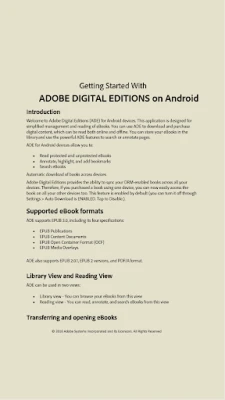
Adobe Digital Editions (ADE) is a free Android application that lets you open and read eBooks in EPUB and PDF formats, including titles that use Adobe’s DRM protection. The app focuses on a clean reading experience without advertisements, offering basic tools for navigation, annotation, and library organization.
Main features
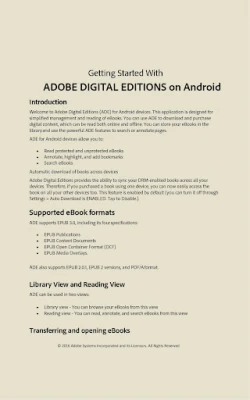
- Support for EPUB and PDF – Open standard eBook files as well as those secured with Adobe DRM.
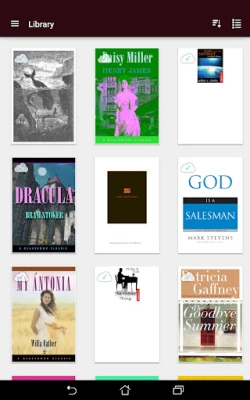
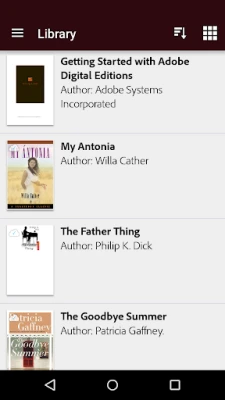
- Cross‑device sync – When you log in with the same Adobe ID on multiple devices, books you download on one device become available on the others.
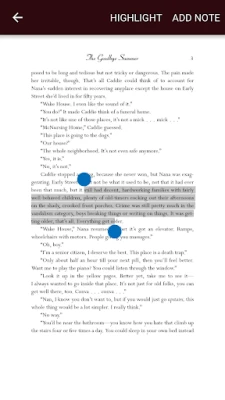
- Adjustable reading layout – Choose from several font sizes, switch between portrait and landscape modes, and enable night mode for low‑light environments.
- Bookmarks and highlights – Mark pages, highlight passages, and add simple notes for later reference.
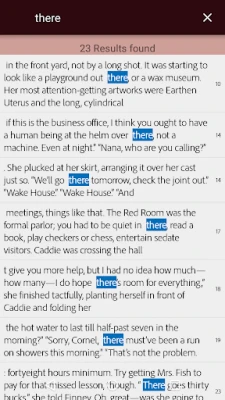
- Search function – Find words or phrases within a book quickly.
How it works
After installing the app, you sign in with an Adobe ID. This account stores your purchased or borrowed titles and keeps your library synchronized. When you open a DRM‑protected file, ADE validates the license against your Adobe ID before rendering the content. The reader then displays the book using the device’s screen resolution, allowing you to adjust text size and brightness as needed.
Practical uses
- Reading eBooks borrowed from public libraries that use Adobe DRM.
- Accessing PDFs and EPUBs purchased from online retailers that support Adobe’s protection scheme.
- Studying documents that require annotation without needing a separate note‑taking app.
Installation information
The app is available through the Google Play Store. Search for “Adobe Digital Editions” or use the package name com.adobe.digitaleditions. The download size is modest, and the app does not require additional permissions beyond those needed to read files stored on your device.
Compatibility
Adobe Digital Editions runs on Android smartphones and tablets that meet the minimum system requirements for the Play Store version. Because the app does not depend on a specific Android version in the public listing, it will install on most devices running recent Android releases.
Things to know before installing
- You will need an Adobe ID to open DRM‑protected books.
- The app does not include a built‑in store; you must obtain eBooks from other sources and then import them.
- While the reader offers basic annotation tools, it does not support advanced editing or conversion of eBooks.
Who may find it useful?
Anyone who reads eBooks that are protected with Adobe DRM will benefit from ADE. This includes library patrons, students using academic PDFs, and readers who prefer a dedicated app for EPUB files rather than a generic document viewer.
Frequently asked questions
Do I need an internet connection to read books?
Once a book is downloaded and authorized, you can read it offline. An internet connection is only required for initial activation and for syncing new titles.
Can I transfer books from my computer to the phone?
Yes. After authorizing your computer with the same Adobe ID, you can copy EPUB or PDF files to the device and open them with ADE.
Is there a limit to how many devices I can use?
Adobe’s DRM typically allows a limited number of authorized devices per account. Check Adobe’s support resources for the exact limit.
Rate the App
User Reviews












Popular Apps










 Games
Games Entertainment
 Communication
 E-mail
 Security
 Tools
Tools Media
Media Internet
 Finance
 Design
 Education
 Android Firmwares
 Travel & Local
 Android
 Windows
 Linux
Linux