

Latest Version
September 18, 2026
Shu-Kai Yang
BOOKS AND REFERENCE
Android
132
Free
com.graphilos.epub
Report a Problem
More About ePub Reader for Android – Free e‑book viewer by Shu‑Kai Yang
What is ePub Reader for Android?
ePub Reader for Android is a free utility developed by Shu‑Kai Yang that turns your smartphone or tablet into a dedicated e‑book viewer. It focuses on the open ePub format, allowing you to open files stored locally on your device and read them with a clean, distraction‑free interface.
Main features
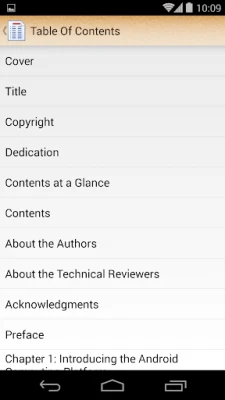
- Simple file access – Browse your device storage and open any .epub file with a single tap.
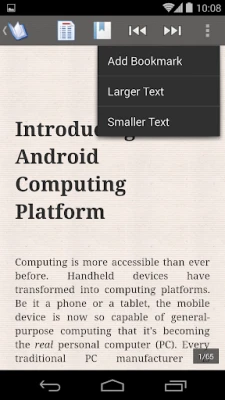
- Page‑flipping navigation – Move through chapters by tapping the screen edges or swiping, mimicking the feel of a physical book.
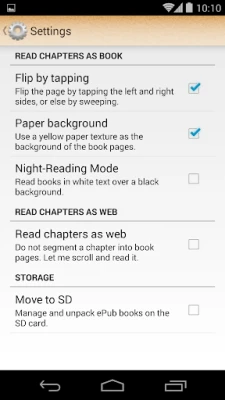
- Adjustable text settings – Change font size, line spacing and background color to suit your reading comfort.
- Automatic position saving – The app remembers the last page you read in each book, so you can resume instantly.
- Bookmarks – Add manual bookmarks to jump quickly to favorite sections.
- Low resource usage – Designed to run smoothly on devices with modest memory and battery capacity.
How it works
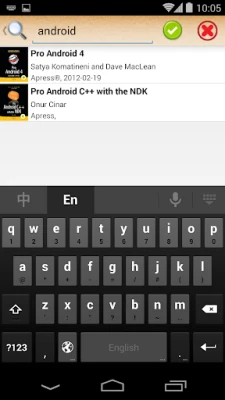
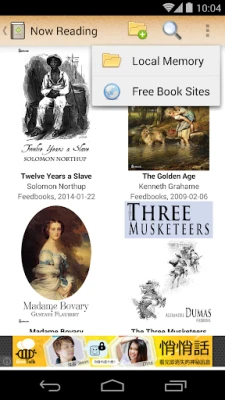
When you launch the app, it presents a file‑picker that lets you locate .epub files on internal storage or an external SD card. After you select a file, the reader parses the ePub package, extracts the HTML content and reflows it to match your screen dimensions. The reflowable layout ensures that text adapts to different screen sizes without the need for zooming or panning.
Navigation controls appear at the edges of the screen. A tap on the right side advances to the next page, while a tap on the left returns to the previous page. Swiping left or right provides the same functionality for users who prefer gestures.
Practical uses
- Reading novels, textbooks or reference material on the go.
- Studying documents that require frequent font‑size adjustments.
- Enjoying public‑domain ePub collections without needing an internet connection.
Installation information
The app is distributed as a free download from the Google Play Store. Installation follows the standard Android process: tap “Install,” grant any required storage permission, and the app will appear in your app drawer.
Compatibility
ePub Reader for Android runs on devices that support the standard Android runtime. Because it does not rely on heavy graphics or background services, it works well on both newer smartphones and older, low‑end models.
Things to know before installing
- The app handles only the open ePub format; it does not support DRM‑protected books.
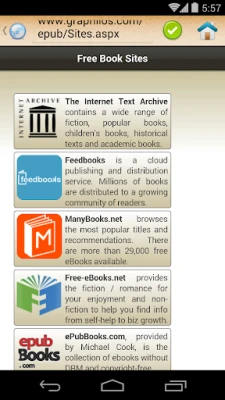
- No built‑in online store is provided – you need to obtain ePub files from other sources.
- All reading data (bookmarks, last position) is stored locally on the device.
Who may find it useful?
Anyone who prefers a straightforward, offline e‑book reader will benefit from this app. It is especially suitable for users who want a lightweight solution without ads, cloud sync or subscription models.
Frequently asked questions
Can I import books from a computer?
Yes. Transfer .epub files to your device via USB, Bluetooth or any file‑sharing app, then open them through the reader’s file browser.
Does the app support night mode?
Background colors can be changed manually, allowing you to create a dark reading environment.
Will my reading progress sync across devices?
Progress is saved locally per device; the app does not provide cloud synchronization.
Rate the App
User Reviews














Popular Apps










 Games
Games Entertainment
 Communication
 E-mail
 Security
 Tools
Tools Media
Media Internet
 Finance
 Design
 Education
 Android Firmwares
 Travel & Local
 Android
 Windows
 Linux
Linux