

Latest Version
Latest
September 03, 2026
Microsoft Corporation
LIFESTYLE
Android
7
Free
com.microsoft.xboxfamily
Report a Problem
More About Xbox Family Settings – Manage Xbox Play for Kids
What is Xbox Family Settings?
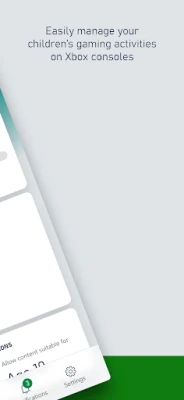
Xbox Family Settings is a free Android app from Microsoft that lets parents oversee and adjust their children’s Xbox console activities. It provides a convenient way to set limits, monitor usage, and manage social interactions without needing to be at the console.
Main features
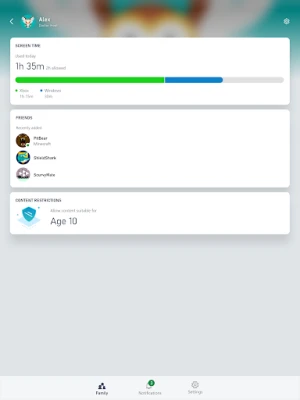
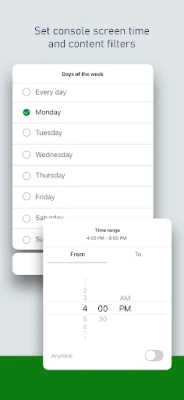
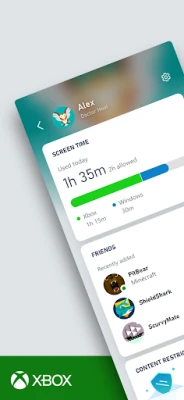
- Screen‑time limits – Define daily or weekly play windows and receive notifications when limits are reached.
- Content restrictions – Choose age‑appropriate ratings for games and apps, and block mature content.
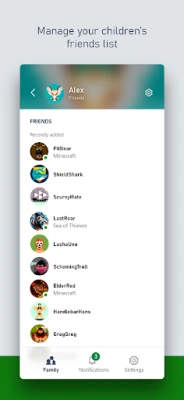
- Friend request control – Approve or deny incoming friend requests in real time.
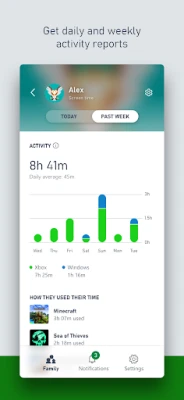
- Activity overview – View a summary of recent play sessions, including titles played and duration.
- Family account integration – Add children to your Microsoft family account and manage their settings from a single place.
How it works
After installing the app, you sign in with your Microsoft account that already hosts your Xbox family group. The app syncs with the Xbox console(s) linked to that account, pulling the latest activity data and applying any changes you make. Adjustments such as new screen‑time schedules or content filters are pushed to the console automatically, usually within a few minutes.
Practical uses
- Set consistent gaming limits for school nights.
- Ensure younger children only access games rated for their age.
- Prevent unwanted social interactions by reviewing friend requests before they are accepted.
- Get a quick snapshot of how much time is spent on each title, helping families discuss healthy gaming habits.
Installation information
The app is available through the Google Play Store. Search for "Xbox Family Settings" and tap Install. No additional files are required.
Things to know before installing
- You need a Microsoft account that already has a family group set up.
- The app works with Xbox consoles that are linked to the same Microsoft account.
- Internet connectivity is required for syncing settings and retrieving activity data.
Who may find it useful?
Parents or guardians who want a simple, mobile‑first way to supervise Xbox usage will benefit most. The app is also handy for caregivers who share a device with the family and need quick access to parental controls.
Frequently asked questions
Do I need an Xbox console to use the app?
Yes, the app manages settings for consoles that are linked to your Microsoft family account.
Can I set different limits for each child?
Each child in the family group can have individual screen‑time schedules and content filters.
Is any data stored on the device?
Settings and activity logs are synced with Microsoft’s cloud services; the app stores only temporary data needed for operation.
Rate the App
User Reviews















Popular Apps










 Games
Games Entertainment
 Communication
 E-mail
 Security
 Tools
Tools Media
Media Internet
 Finance
 Design
 Education
 IT Tools
 Travel & Local
 Android
 Windows
 Linux
Linux