

Latest Version
Latest
September 18, 2026
ImranQureshi.com
LIFESTYLE
Android
104
Free
com.EaseApps.IslamicCalFree
Report a Problem
More About Islamic Calendar & Prayer Time – Free Muslim Utility
What is Islamic Calendar & Prayer Time?
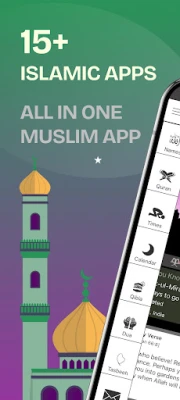
Islamic Calendar & Prayer Time is a free Android application developed by ImranQureshi.com. It brings together several daily‑use Islamic utilities—prayer schedules, Qibla compass, Hijri calendar, Quran reading and more—into a single, lightweight app.
Main Features
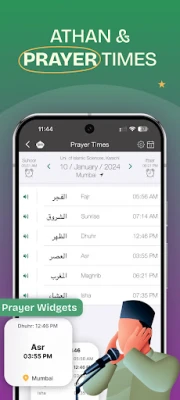
- Prayer Times & Athan Alerts – Calculates the five daily prayer times for your exact location and provides optional Athan notifications.
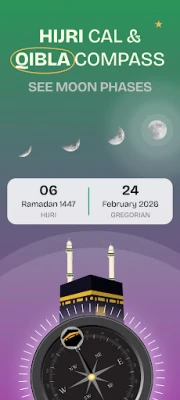
- Qibla Compass – Shows the direction of the Kaaba from anywhere using the device’s built‑in sensors.
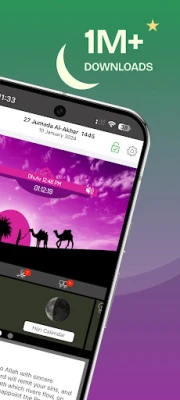
- Hijri Calendar – Displays the Islamic lunar calendar, including major religious dates and moon phases.
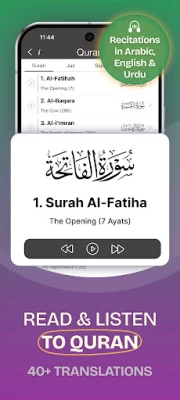
- Quran Access – Allows you to read the Quran in Arabic and switch between multiple translations.
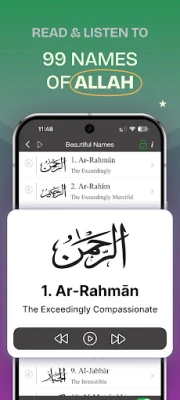
- Dua Collection & 99 Names – Offers a list of common supplications and the 99 Names of Allah, each with optional audio playback.
- Ramadan Helper – Shows Sehri and Iftar times for the current Ramadan and includes a simple fasting tracker.
- Digital Tasbih – A built‑in counter for Dhikr and Tasbih.
- Daily Hadith & Quotes – Presents a new Hadith or inspirational quote each day.
How It Works
When you first open the app, it asks for permission to access your location. This information is used to compute accurate prayer times based on the calculation method you select in the settings. You can also manually set a location if you prefer.
The Qibla compass uses the phone’s magnetometer and GPS to point toward Mecca. The Hijri calendar runs independently of the Gregorian calendar, letting you convert dates in either direction.
Practical Uses
- Set reliable prayer reminders to stay on schedule throughout the day.
- Find the Qibla direction instantly when you are traveling or at a new location.
- Check the Hijri date and upcoming Islamic holidays without needing a separate calendar.
- Read or listen to Quran passages during personal study or commute.
- Use the digital Tasbih for counting Dhikr during worship.
Installation Information
The app is available as a free download from the Google Play Store. Installation follows the standard Android process: tap “Install,” grant location permission when prompted, and launch the app.
Compatibility
Islamic Calendar & Prayer Time runs on Android devices that support location services and basic sensor functions. No specific Android version is listed, but the app is designed for modern smartphones and tablets.
Things to Know Before Installing
- Location permission is required for accurate prayer times and Qibla direction.
- The app does not contain in‑app purchases; all features are provided free of charge.
- Translations and audio files are bundled with the app, so a data connection is only needed for initial download.
Who May Find It Useful?
Muslims who want a single, offline‑ready tool for daily worship activities will benefit from this app. It is also handy for travelers who need quick access to prayer times and Qibla direction without internet connectivity.
Frequently Asked Questions
Do I need an internet connection to use the app?
After the initial installation, most features—including prayer calculations, Qibla compass, and Quran reading—work offline. An internet connection is only needed for updates.
Can I change the calculation method for prayer times?
Yes. The settings menu includes a list of common calculation methods, allowing you to choose the one that matches your local practice.
Is there a way to customize the Athan sound?
The app offers a selection of built‑in Athan recordings. You can choose the one you prefer in the notification settings.
How accurate is the Qibla compass?
The compass uses the device’s sensors and GPS, providing a direction that is accurate enough for everyday use. For precise alignment, you may want to calibrate the sensor according to your device’s instructions.
Rate the App
User Reviews















Popular Apps










 Games
Games Entertainment
 Communication
 E-mail
 Security
 Tools
Tools Media
Media Internet
 Finance
 Design
 Education
 Android Firmwares
 Travel & Local
 Android
 Windows
 Linux
Linux