

Latest Version
Latest
September 02, 2026
BYSL Global Technology Group
LIFESTYLE
Android
8
Free
com.bysl.waqt_al_salaah
Report a Problem
More About Waqt Al Salaah – Prayer Times & Qibla
What is Waqt Al Salaah?
Waqt Al Salaah is a free Android application developed by BYSL Global Technology Group. It is designed to help Muslims keep track of the five daily prayers by delivering location‑based prayer times, adhan notifications, and tools such as a mosque locator and Qibla compass.
Main features
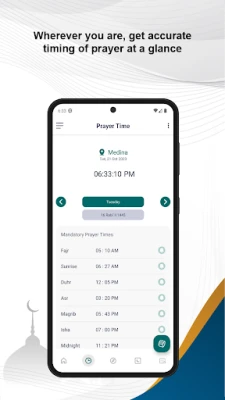
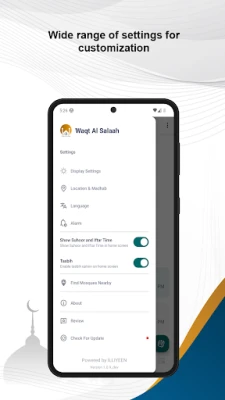
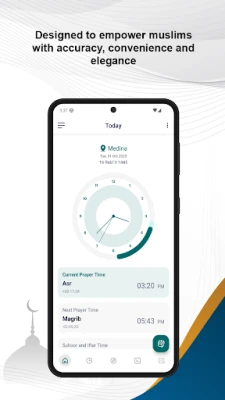
- Accurate prayer times – The app calculates the five daily prayer times using the device’s location. Users can also set a location manually if they prefer.
- Customizable adhan alerts – Choose a sound, volume and lead‑time for each prayer reminder.
- Qibla direction – A built‑in compass points toward the Kaaba, helping users find the correct direction for salat wherever they are.
- Mosque finder – When an internet connection is available, the app can display nearby mosques on a map.
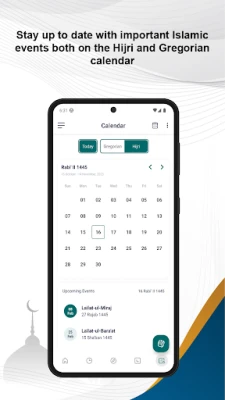
- Calendar support – Both Hijri and Gregorian dates are shown, allowing users to see the current Islamic month at a glance.
How it works
When the app starts, it requests permission to access the device’s location. Once granted, it retrieves the current coordinates and applies a standard prayer‑time calculation method. The resulting times are displayed in a clear list, and notifications are scheduled according to the user’s chosen settings. If the user disables location services, a manual city or coordinates can be entered to continue receiving timings.
Practical uses
- Set a gentle adhan alarm to remind you of each prayer without needing a separate clock.
- Use the Qibla compass when traveling or when you are unsure of the direction of the Kaaba.
- Locate a nearby mosque quickly, which is especially handy in unfamiliar neighborhoods.
- Check the Hijri date for fasting, Eid or other Islamic events directly from the app.
Installation information
The app is available through the standard Android package (APK) and can be installed from the Google Play Store or other trusted Android marketplaces. Installation follows the usual process: download the APK, accept any required permissions, and launch the app.
Things to know before installing
- The app requires access to location services for automatic prayer‑time calculation.
- Internet connectivity is only needed for the mosque‑finder feature; all core functions work offline.
- There are no in‑app purchases; the application is offered completely free.
Who may find it useful?
Anyone who observes the five daily prayers and wants a straightforward, offline‑capable tool will benefit from Waqt Al Salaah. It is particularly helpful for travelers, students, and anyone who prefers a single app that combines prayer times, adhan alerts, Qibla direction and mosque location.
Frequently asked questions
Do I need an internet connection for prayer times?
No. Prayer times are calculated locally using your device’s GPS coordinates. Internet is only required for the optional mosque‑finder.
Can I change the calculation method?
The app uses a common calculation method by default. If you need a different method, you can adjust the settings manually.
Is the app safe to use?
The app requests only the permissions needed for its core features (location and notifications). No personal data is transmitted beyond what is required for the mosque‑finder service.
Rate the App
User Reviews















Popular Apps










 Games
Games Entertainment
 Communication
 E-mail
 Security
 Tools
Tools Media
Media Internet
 Finance
 Design
 Education
 IT Tools
 Travel & Local
 Android
 Windows
 Linux
Linux