Latest Version
Latest
September 02, 2026
Tuya Smart Inc.
LIFESTYLE
Android
0
Free
com.tuya.smart
Report a Problem
More About Tuya: Smart Life, Smart Living – Unified Smart Home Control
What is Tuya?
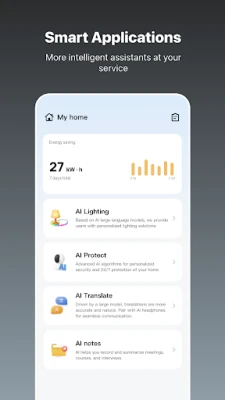
Tuya is a free Android app that brings together smart‑home devices from a wide range of manufacturers. By linking compatible products to a single account, the app lets you control lights, thermostats, door locks, cameras, plugs and other appliances from one place.
Main features
- Cross‑brand device control – Add products from different brands and manage them through a common interface.
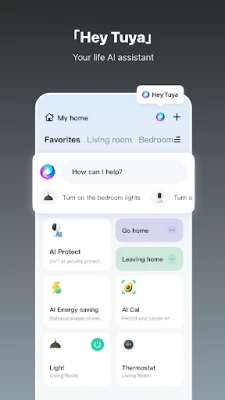
- Voice and tap commands – Turn devices on or off, adjust settings, or trigger scenes with a tap or a voice assistant that integrates with Tuya.
- Automation routines – Set schedules, trigger actions based on time, weather or device status, and let the system handle repetitive tasks.
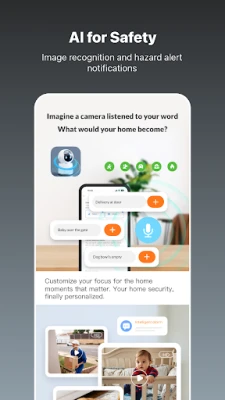
- Security monitoring – View live camera feeds, receive alerts for motion or door activity, and review recorded clips within the app.
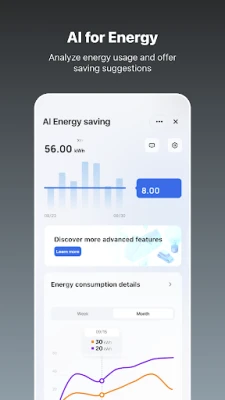
- Energy insights – Track power consumption for connected plugs and receive suggestions for reducing usage.
How it works
After installing the app, you create a Tuya account and add devices by scanning QR codes, entering serial numbers, or using the app’s discovery feature on the local network. Once linked, each device appears on the home screen where you can rename it, assign it to rooms, and include it in scenes or automation rules.
Practical uses
- Morning routine – A single tap or voice command can turn on bedroom lights, start the coffee maker, and set the thermostat to a comfortable temperature.
- Security check – When you’re away, open the app to see live camera views, lock doors remotely, and receive push notifications if motion is detected.
- Energy saving – Review daily usage charts for smart plugs and schedule high‑consumption devices to run during off‑peak hours.
Installation information
The app is available through the Google Play Store. Download and install it like any other Android application. No additional software is required beyond the standard Android runtime.
Things to know before installing
- The app requires an internet connection for initial device pairing and for remote access to devices when you are not on the same Wi‑Fi network.
- Device compatibility depends on the manufacturer’s support for the Tuya platform; not every smart product can be added.
- Some advanced features, such as voice integration, may rely on third‑party assistants (Google Assistant, Amazon Alexa) that need separate setup.
Who may find it useful?
Homeowners who have started building a smart home with products from different brands, renters who want a simple way to control a few smart plugs or lights, and anyone looking to automate daily tasks without learning multiple apps will benefit from Tuya’s unified approach.
Frequently asked questions
Do I need a Tuya‑compatible hub?
Most devices connect directly to your Wi‑Fi network, so a separate hub is not required unless a specific product mandates it.
Can I control devices when I’m away?
Yes. After the initial setup, the app communicates with Tuya’s cloud service, allowing remote control from any internet‑connected device.
Is my data private?
The app follows standard privacy practices for cloud‑based smart‑home services. Review the in‑app privacy policy for details on data handling.
Rate the App
User Reviews











Popular Apps










 Games
Games Entertainment
 Communication
 E-mail
 Security
 Tools
Tools Media
Media Internet
 Finance
 Design
 Education
 IT Tools
 Travel & Local
 Android
 Windows
 Linux
Linux