
Latest Version
Latest
September 15, 2026
Volcano Technology Limited
LIFESTYLE
Android
6
Free
com.tuya.smartlife
Report a Problem
More About SmartLife: Smart Living – Home Automation by Volcano Technology
What is SmartLife?
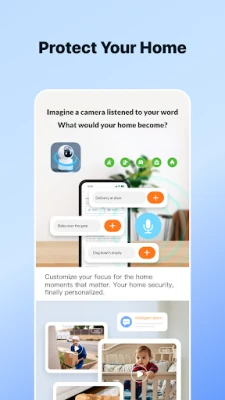
SmartLife is a free Android application developed by Volcano Technology Limited. It serves as a central hub for managing a range of smart‑home products that support the Tuya platform. By bringing devices such as lights, plugs, cameras and sensors into one interface, the app helps users simplify everyday tasks and keep an eye on their home environment.
Main features
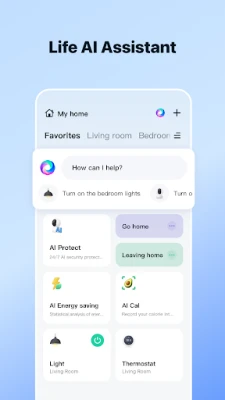
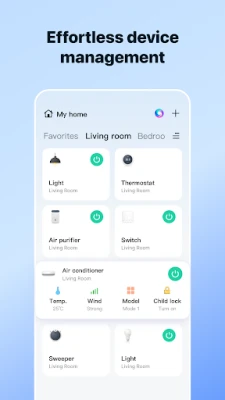
- Device control – Turn lights on or off, adjust brightness, switch outlets, and manage other supported gadgets with a single tap.
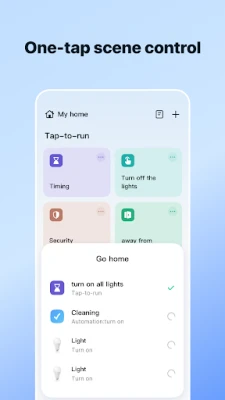
- Automation and scheduling – Set timers or recurring schedules so devices operate automatically according to your routine.
- Real‑time monitoring – View the current status of connected devices and receive basic alerts when a sensor detects motion or a door opens.
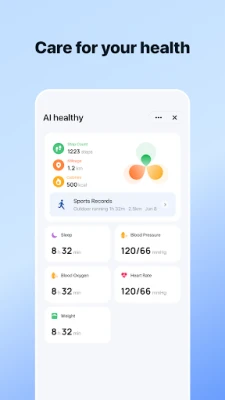
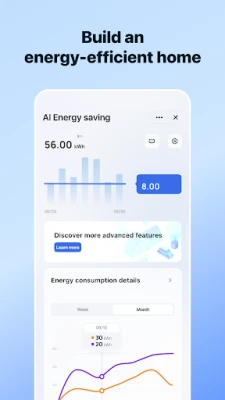
- Energy overview – Some devices provide power‑usage data that the app can display, helping you understand consumption patterns.
- Shared access – Invite family members to the same account so multiple users can control the home from their own phones.
How it works
After installing the app, you create a Volcano Technology account or log in with an existing one. The app then scans for nearby Tuya‑compatible devices that are already on your Wi‑Fi network. Each discovered device appears as a card in the main dashboard, where you can rename it, assign it to a room, and configure its behavior. Settings such as schedules or alerts are saved in the cloud, so changes are synchronized across all devices linked to the same account.
Practical uses
- Turn on hallway lights automatically at sunset.
- Switch off forgotten appliances when you leave the house.
- Receive a notification if a motion sensor detects activity while you’re away.
- Group several plugs into a “Living Room” scene to power on a TV, lamp and speaker with one command.
Installation information
The app is available through the Google Play Store. Search for SmartLife: Smart Living or use the package name com.tuya.smartlife. Installation follows the standard Android process: tap Install, grant the requested permissions (typically network access and location for device discovery), and launch the app once the download completes.
Things to know before installing
- The app works with devices that are part of the Tuya ecosystem; it will not control products that use unrelated protocols.
- Internet connectivity is required for initial setup and for cloud‑based features such as remote access and shared accounts.
- Location permission is used only to locate devices on the local network during discovery.
Who may find SmartLife useful?
Homeowners who have already invested in Tuya‑compatible smart devices, renters looking for a simple way to manage a few gadgets, and families who want shared control of lighting or appliances will benefit most from SmartLife.
Frequently asked questions
Do I need a separate hub?
No. SmartLife connects directly to devices that communicate over Wi‑Fi. If a device requires a proprietary hub, that hub must be set up separately.
Can I control my devices when I’m away?
Yes, as long as the devices remain online and your phone has an internet connection, you can access them remotely through the app.
Is the app compatible with Android 5.0 and newer?
While the exact minimum version is not listed, most recent releases of SmartLife support Android 5.0 (Lollipop) and later.
Rate the App
User Reviews












Popular Apps










 Games
Games Entertainment
 Communication
 E-mail
 Security
 Tools
Tools Media
Media Internet
 Finance
 Design
 Education
 IT Tools
 Travel & Local
 Android
 Windows
 Linux
Linux