

Latest Version
Latest
August 28, 2026
Samsung Electronics Co., Ltd.
LIFESTYLE
Android
103
Free
com.samsung.android.spay
Report a Problem
More About Samsung Wallet – Your Digital Wallet on Samsung Devices
What is Samsung Wallet?
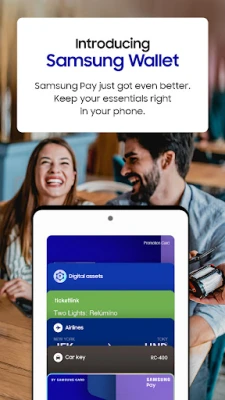
Samsung Wallet is a mobile application developed by Samsung Electronics that brings together several everyday digital tools into one place. It lets you store payment cards, digital keys, boarding passes, and other personal items on your Samsung device, providing a convenient way to manage them without needing separate apps.
Main Features
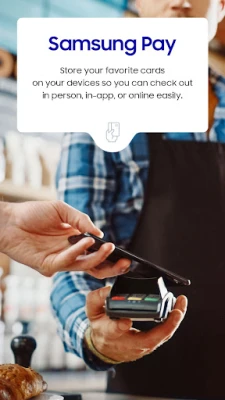
- Contact‑less Payments – Add supported credit, debit, gift, or loyalty cards and pay by tapping your phone at compatible terminals.
- Digital Keys – Store eligible home, car, or hotel keys and unlock them directly from the app.
- Boarding Passes and Tickets – Save airline boarding passes and event tickets for quick access at the gate or venue.
- Digital Asset Overview – View linked cryptocurrency balances and price information through partnered services.
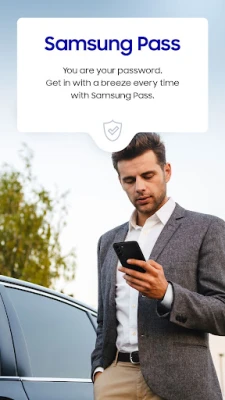
- Secure Authentication – Uses Samsung Knox and biometric verification to protect stored data.
How It Works
After installing Samsung Wallet, you can begin adding items by following the in‑app prompts. For payment cards, the app guides you through scanning or entering card details, then verifies eligibility with your bank. Digital keys are added by scanning a QR code or using NFC, depending on the lock system. Once items are stored, you can access them with a swipe or a quick‑access gesture, and authenticate using fingerprint, iris, or facial recognition.
Practical Uses
- Pay for groceries, transit, or coffee without pulling out a physical wallet.
- Unlock your front door or start your car from your phone, eliminating the need for a spare key.
- Present a boarding pass at the airport with a single tap, reducing paper clutter.
- Check crypto balances on the go without opening a separate exchange app.
Installation Information
Samsung Wallet is available through the Galaxy Store on compatible Samsung devices. Search for "Samsung Wallet" or "Samsung Pay" and follow the standard installation steps. The app is free to download and use, though some features may require a Samsung account and supported hardware.
Compatibility
The app works on select Samsung smartphones that include the necessary NFC hardware and Samsung Knox security platform. Feature availability can vary by device model, carrier, firmware version, and region. Not all payment cards or digital keys are supported; check with your bank or lock provider for compatibility.
Things to Know Before Installing
- Make sure your device runs a recent version of Samsung's One UI to ensure full functionality.
- You will need a Samsung account to back up and sync your wallet data.
- Some merchants may only accept certain card networks; verify that your card is listed as compatible.
- Digital key support depends on the lock manufacturer’s integration with Samsung’s platform.
Who May Find Samsung Wallet Useful?
Anyone who prefers a streamlined, phone‑first approach to payments and access control can benefit from Samsung Wallet. It is especially handy for frequent travelers, commuters, and users who already own Samsung devices with built‑in security features.
Frequently Asked Questions
Is Samsung Wallet the same as Samsung Pay?
Samsung Wallet incorporates the payment capabilities of Samsung Pay and adds additional digital services such as keys and asset tracking.
Do I need a special SIM or carrier plan?
No special plan is required, but certain features like NFC payments may depend on carrier support for contact‑less transactions.
Can I use Samsung Wallet on non‑Samsung phones?
The app is designed for Samsung devices that meet the hardware and security requirements; it is not available for other Android brands.
How is my data protected?
Data is stored in a secure enclave protected by Samsung Knox, and access is gated by biometric authentication.
Rate the App
User Reviews















Popular Apps










 Games
 Entertainment
 Communication
 E-mail
 Security
 Tools
 Media
 Internet
 Finance
 Design
 Education
 Android Firmwares
 Travel & Local
 Android
 Windows
 Linux