

Latest Version
Latest
August 29, 2026
Samsung Electronics Co., Ltd.
LIFESTYLE
Android
95
Free
com.samsung.android.samsungpay.gear
Report a Problem
More About Samsung Wallet/Pay (Watch) – Mobile Payments on Your Wrist
What is Samsung Wallet/Pay (Watch)?
Samsung Wallet/Pay (Watch) is the companion app that brings the core functions of Samsung Wallet to compatible Samsung smartwatches. It lets you tap to pay, access stored loyalty cards, tickets and other digital passes without reaching for your phone.
Main features
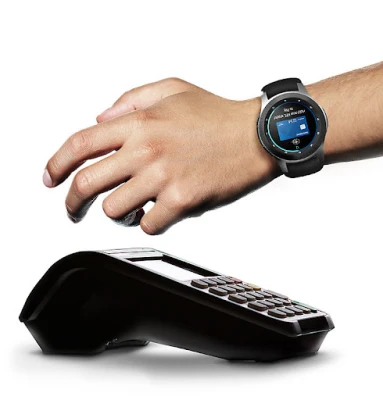
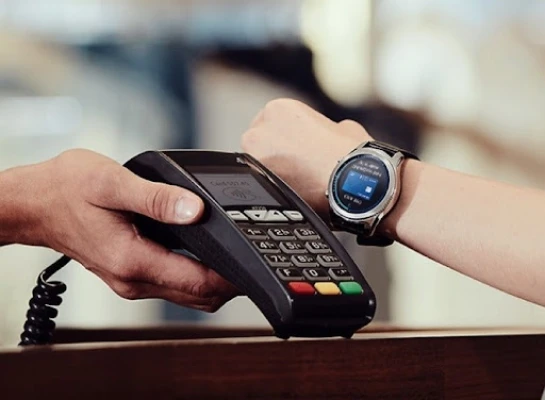
- Contact‑less payments – Select a saved payment method and pay by holding your watch near an NFC terminal.
- Digital passes – Store boarding passes, event tickets, loyalty cards and membership IDs for quick access.
- Secure access – The app is protected by a PIN and Samsung Knox, ensuring that only you can authorize transactions.
- One‑press launch – Press and hold the back button on the watch to open Samsung Wallet/Pay instantly.
How it works
After you enable Samsung Wallet/Pay on your watch through the Samsung Wallet app on your phone, the watch creates a secure environment for your payment credentials. When you need to pay, you simply press the back button, choose the card you want to use, and hold the watch near the payment terminal. The watch transmits a one‑time token rather than your actual card number, keeping the transaction private.
Practical uses
- Everyday purchases – Pay for coffee, transit fares or groceries without pulling out a wallet.
- Travel – Keep boarding passes and train tickets handy, and tap to board when required.
- Loyalty programs – Earn points automatically by presenting the stored loyalty card at participating stores.
Installation information
The app is distributed through the Galaxy Store and can be installed directly on supported Samsung watches. Open the Galaxy Store on your watch, search for “Samsung Wallet/Pay (Watch)”, and follow the on‑screen prompts. The app is free of charge.
Compatibility
Samsung Wallet/Pay (Watch) works with Samsung smartwatches that support Samsung Pay, such as the Galaxy Watch series that include NFC hardware. Full functionality also depends on the paired Samsung smartphone having the Samsung Wallet app installed and configured.
Things to know before installing
- Only selected banks and card issuers are supported; check with your bank for compatibility.
- Some features available on the phone version may be limited on the watch.
- A Samsung account and a PIN setup are required for security.
Who may find it useful?
Anyone who wants a quick, hands‑free way to pay or access digital passes while on the move. It is especially handy for commuters, frequent travelers, and users who prefer minimal interaction with their phone during transactions.
Frequently asked questions
Do I need an internet connection to pay?
No. Payments are processed locally via NFC; the watch does not need a data connection at the moment of the transaction.
Can I add new cards directly from the watch?
New cards are added through the Samsung Wallet app on the paired smartphone. Once added, they become available on the watch.
Is my payment information safe?
Yes. The watch uses Samsung Knox security and transmits a one‑time token instead of the actual card number.
Rate the App
User Reviews















Popular Apps










 Games
 Entertainment
 Communication
 E-mail
 Security
 Tools
 Media
 Internet
 Finance
 Design
 Education
 Android Firmwares
 Travel & Local
 Android
 Windows
 Linux