Latest Version
Latest
August 15, 2026
Readest
BOOKS AND REFERENCE
Android
238
Free
com.bilingify.readest
Report a Problem
More About Readest: EPUB & PDF Reader
What is Readest?
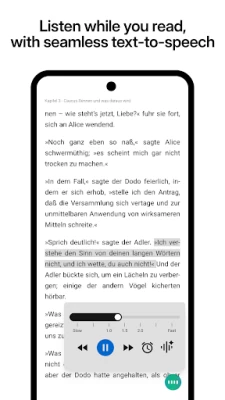
Readest is a free Android application designed for reading digital books in the EPUB and PDF formats. It focuses on providing a clean, distraction‑free interface that adapts to different screen sizes and reading preferences.
Main features
- Format support: Open and view both EPUB and PDF documents without needing additional plugins.
- Reading modes: Choose between paginated view or continuous scrolling to match your preferred way of turning pages.
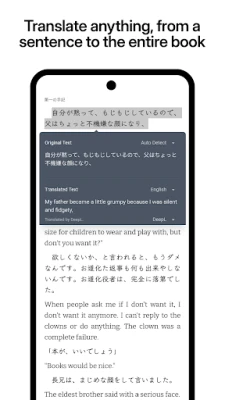
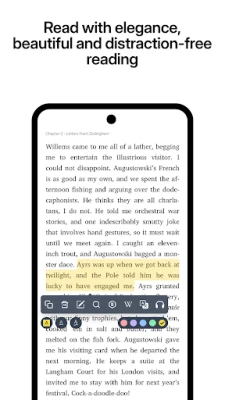
- Customization: Adjust font size, line spacing, margins, and switch between light and dark themes for comfortable reading in any lighting condition.
- Annotations: Add highlights and bookmarks to mark important passages, and view them later from a simple list.
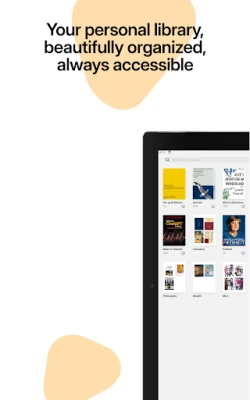
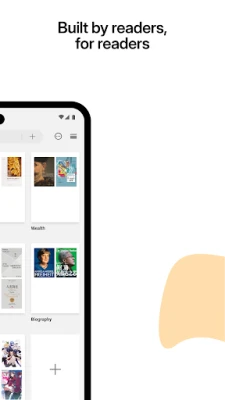
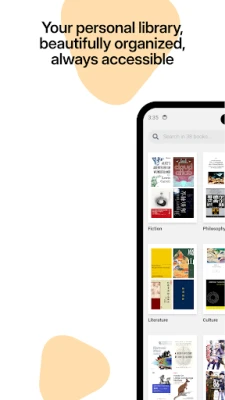
- Library management: Browse your device storage for books, organize them into folders, and search by title or author.
How it works
After installing Readest, the app scans your device for compatible ebook files. You can also import books manually using the built‑in file picker. Once a book is opened, the toolbar provides quick access to navigation controls, display settings, and annotation tools. All changes are saved locally, so your reading position and notes are retained the next time you open the file.
Practical uses
Whether you are a student reviewing textbooks, a commuter catching up on novels, or a professional reading technical PDFs, Readest offers a straightforward way to keep your reading material organized and accessible on the go.
Installation information
Readest is available as a free download from the Appitika store. Tap the install button, grant the standard storage permission when prompted, and the app will appear in your app drawer once the installation completes.
Compatibility
The app runs on Android devices that support the standard runtime environment for modern applications. No specific hardware requirements are listed, but a device with a minimum of 1 GB RAM and a recent version of Android will provide a smooth experience.
Things to know before installing
- The app does not include a built‑in store for purchasing books; you need to provide your own EPUB or PDF files.
- All reading data is stored locally; there is no cloud sync feature built into the current version.
- Because the app is free, it may display non‑intrusive ads, but these do not interfere with core reading functions.
Who may find Readest useful?
Anyone who regularly reads digital books in EPUB or PDF format will benefit from Readest’s lightweight design and basic annotation capabilities. It is especially suitable for users who prefer a simple, ad‑supported reader without the complexity of larger library management suites.
Frequently asked questions
- Can I read other formats such as MOBI or AZW3? Readest focuses on EPUB and PDF. For other formats you may need a different reader.
- Is there a way to back up my annotations? Annotations are saved within the app’s local storage. You can export the original file with highlights using the share option, if needed.
- Does the app work on e‑ink devices? The dark and light themes can be adjusted for e‑ink screens, but performance depends on the device’s own refresh rate.
Rate the App
User Reviews








Popular Apps










 Games
Games Entertainment
 Communication
 E-mail
 Security
 Tools
Tools Media
Media Internet
 Finance
 Design
 Education
 Android Firmwares
 Travel & Local
 Android
 Windows
 Linux
Linux