Latest Version
Latest
August 14, 2026
READERA LLC
BOOKS AND REFERENCE
Android
259
Free
org.readera
Report a Problem
More About ReadEra – Free Offline Book Reader for Android
What is ReadEra?
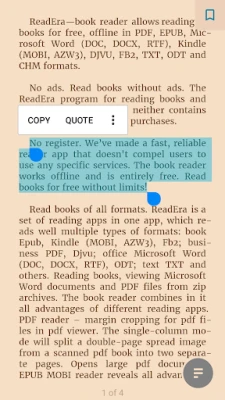
ReadEra is a free Android application that turns your device into a versatile e‑book and document viewer. It works completely offline, so you can enjoy your reading material anywhere, even without an internet connection.
Main capabilities
- Broad format support: Open PDF, ePub, MOBI, AZW3, DOC/DOCX, RTF, TXT, FB2, DJVU, CHM and several other common file types.
- No advertisements or in‑app purchases: The interface is clean and uninterrupted.
- No registration required: Start reading immediately after installation.
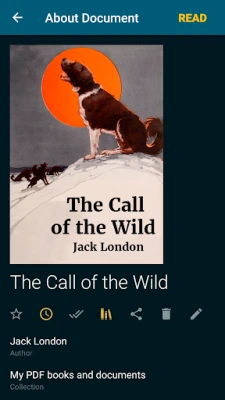
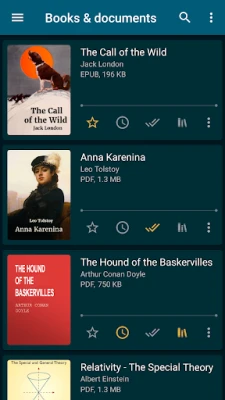
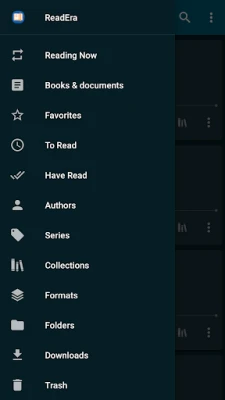
- Library organization: Books are grouped automatically by folder, author or series, and you can create custom collections for quick access.
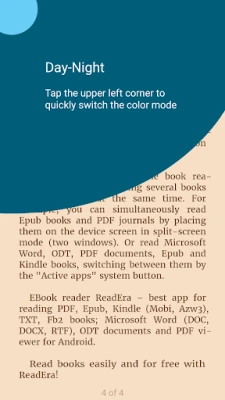
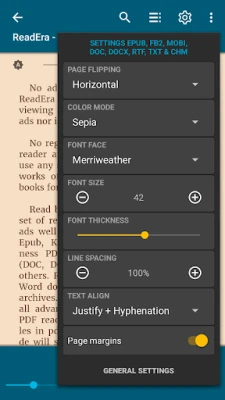
- Reading tools: Adjustable font size, brightness, night mode, and simple navigation controls make the experience comfortable on any screen.
How it works
After installing ReadEra, the app scans your device storage for supported files and adds them to a built‑in library view. You can open a file directly from the library, from a file manager, or by sharing a document to ReadEra. The reader renders the content on the fly, allowing you to flip pages, search within the text, and bookmark positions for later reference.
Practical uses
- Students: View lecture notes, PDFs of research papers, or ePub textbooks without needing a separate PDF or e‑book app.
- Avid readers: Keep a personal collection of novels, magazines, and comics in various formats, all accessible from a single interface.
- Professionals: Open Word documents, reports, or technical manuals on the go, without installing a full office suite.
Installation notes
The app is distributed as a free download from the Google Play Store. Because it does not require an internet connection to function, you can install it on devices with limited data plans. Ensure that your device allows installations from the Play Store and that you have sufficient storage for your library files.
Things to consider before installing
- The app does not include a built‑in store for purchasing e‑books; you need to provide your own files.
- While the app supports many formats, very large or heavily encrypted PDFs may load more slowly.
Who might find ReadEra useful?
Anyone who prefers a single, lightweight app for reading a variety of document types—students, travelers, casual readers, and professionals—will benefit from ReadEra’s straightforward design and offline capability.
Frequently asked questions
Do I need an internet connection to read books?
No. Once a file is on your device, ReadEra works entirely offline.
Is the app truly free?
Yes, ReadEra is offered at no cost and does not contain ads or in‑app purchases.
Can I organize my books into shelves?
Yes, you can create custom collections to group books by theme, author, or any criteria you choose.
Rate the App
User Reviews










Popular Apps










 Games
Games Entertainment
 Communication
 E-mail
 Security
 Tools
Tools Media
Media Internet
 Finance
 Design
 Education
 Android Firmwares
 Travel & Local
 Android
 Windows
 Linux
Linux