

Latest Version
September 08, 2026
quran.com
BOOKS AND REFERENCE
Android
10
Free
com.quran.labs.androidquran.qaloon
Report a Problem
More About Quran – Qaloon: Read the Holy Qur’an in the Qaloon Script
What is Quran – Qaloon?
Quran – Qaloon is a free Android application that lets you read the Qur’an using the Qaloon script, a traditional calligraphic style favored in many regions. The app is developed by the team behind quran.com and focuses on providing a clean, distraction‑free reading experience.
Main features
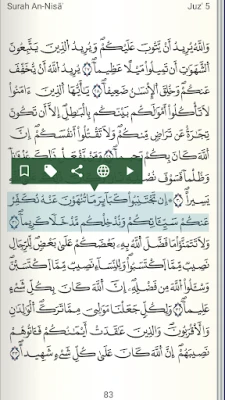
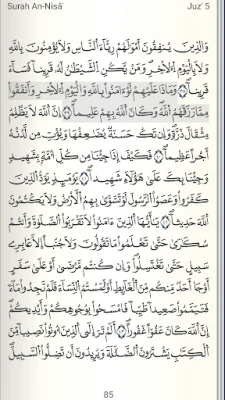
- Qaloon script display – High‑resolution images of the Qur’an in the Qaloon style ensure that the text is crisp and easy to read on a range of screen sizes.
- Gapless audio playback – Listen to recitations without interruptions, making it convenient for memorisation or reflection.
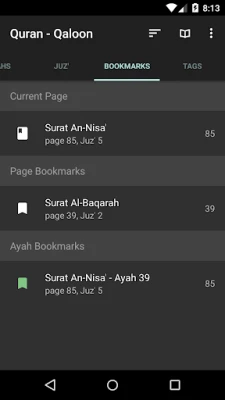
- Ayah bookmarking – Mark verses for quick return, and add personal tags to organise your study.
- Night mode – Switch to a dark background for comfortable reading in low‑light environments.
- Customisable repeat – Set the number of repetitions for a selected ayah or range, useful for memorisation.
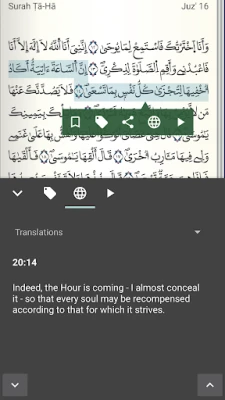
- Translations and tafsir – Access translations in more than 20 languages, with additional language support planned.
How it works
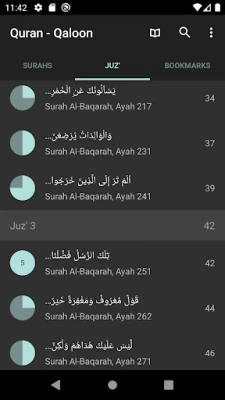
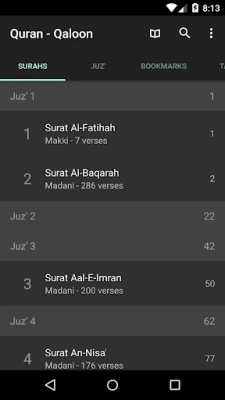
When you launch the app, the main screen presents the Qur’an in the Qaloon script, divided by surah (chapter) and ayah (verse). Tapping a verse opens a detailed view where you can start audio playback, add a bookmark, or share the verse via Android’s native sharing options. The translation pane can be toggled on or off, and you can switch between available languages from the settings menu.
Practical uses
- Daily reading and reflection on the Qur’an in a script that many users find aesthetically pleasing.
- Memorisation practice using the repeat function and audio recitations.
- Study sessions that combine the original script with translations and tafsir for deeper understanding.
- Convenient night‑time reading thanks to the built‑in night mode.
Installation information
The app can be installed directly from the Google Play Store. After downloading, the initial setup is minimal – the app will download the necessary script images and audio files the first time you open a surah. Ensure you have a stable internet connection for this initial download.
Things to know before installing
- The app is tailored for users who specifically want the Qaloon script. If you are unfamiliar with this style, you may prefer the Madani or Naskh versions offered by the same developer.
- Because the Qur’an is presented as high‑resolution images, the app may use more storage than plain‑text alternatives.
- Audio files are streamed or cached locally; having some free space will improve playback performance.
Who may find it useful?
Anyone looking for a dedicated Qaloon‑script Qur’an reader will benefit from this app – from students and scholars to casual readers who appreciate the visual elegance of the script. It is also helpful for those who want to combine audio recitation with visual study.
Frequently asked questions
Do I need an internet connection to read?
After the initial download of the script images and audio files for the chapters you open, the app works offline.
Can I share verses with others?
Yes. The app uses Android’s sharing intent, allowing you to send a verse via messaging apps, email, or social platforms.
How do I change the translation language?
Open the settings menu, select “Translations,” and choose from the list of available languages.
Is there a way to adjust the font size?
The Qur’an is displayed as images, so font size adjustments are not applicable. However, you can zoom in on the images using pinch‑to‑zoom gestures.
Rate the App
User Reviews















Popular Apps










 Games
Games Entertainment
 Communication
 E-mail
 Security
 Tools
Tools Media
Media Internet
 Finance
 Design
 Education
 IT Tools
 Travel & Local
 Android
 Windows
 Linux
Linux