


Latest Version
August 15, 2026
quran.com
BOOKS AND REFERENCE
Android
205
Free
com.quran.labs.androidquran
Report a Problem
More About Quran for Android – Free Quran Reader
What is Quran for Android?
Quran for Android is a free mobile application that brings the text of the Quran to Android devices. It provides a digital reading experience that includes Arabic script, translations, and audio recitations, allowing users to engage with the holy book wherever they are.
Main features
- Arabic text with clear rendering – The app displays the Quranic verses in a readable format that respects traditional script standards.
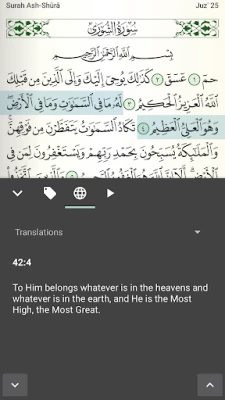
- Multiple translations – Users can switch between translations in several languages, making the meaning of the verses accessible to a broader audience.
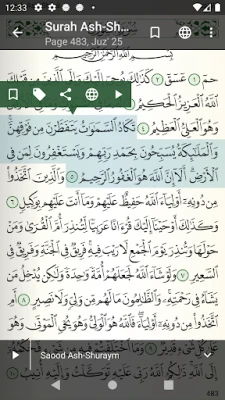
- Audio recitations – A selection of reciters is available for playback, with the ability to follow the text as the audio plays.
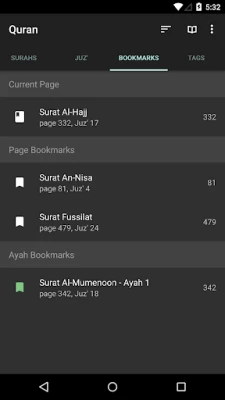
- Bookmarking and tagging – Individual verses can be bookmarked for quick return, and tags help organize personal notes.
- Search function – A built‑in search lets you locate specific words or phrases across the entire Quran.
- Night mode – A dark theme reduces eye strain during low‑light reading.
- Adjustable repeat – Audio playback can be set to repeat verses or sections, supporting memorization and study.
How it works
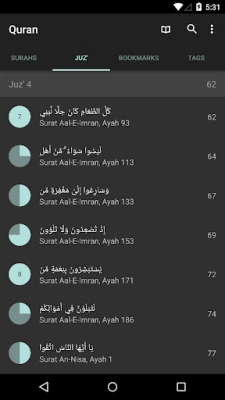
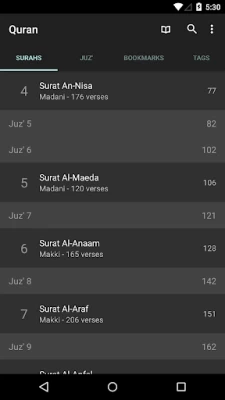
After installing the app, you are presented with a simple navigation pane that lists the chapters (surahs) and verses (ayahs). Selecting a chapter opens the Arabic text, and a toolbar provides quick access to translation, audio, and bookmarking options. Tapping the audio icon starts playback, and the highlighted text moves in sync with the recitation, helping you follow along.
Practical uses
- Daily reading – Use the app for regular Quran study without needing a physical copy.
- Memorization – Audio repeat and bookmarking support memorization routines.
- Language learning – Compare Arabic verses with translations to deepen understanding of the language.
- Travel – Offline access means you can read or listen without an internet connection.
Installation information
The app can be downloaded from the Google Play Store. Installation follows the standard Android process: tap “Install,” wait for the download, and then open the app from your device’s app drawer.
Compatibility
Quran for Android runs on Android devices that meet the minimum system requirements for the Play Store. Specific version numbers are not listed, but the app is designed to work on a wide range of smartphones and tablets.
Things to know before installing
- Internet connection is required for the initial download of audio files and translations.
- All core features, including reading and basic audio playback, work offline once content is cached.
- The app does not collect personal data beyond what is typical for a free Android application.
Who may find it useful?
Anyone looking for a convenient, offline‑capable Quran reader will benefit from this app. It is especially helpful for students of Islamic studies, travelers, and anyone who prefers a digital format for personal reflection.
Frequently asked questions
Do I need an internet connection to use the app?
Internet is needed only to download audio recitations and translations. After that, you can read and listen offline.
Can I add my own translations?
The app includes a set of built‑in translations. Adding custom translations is not currently supported.
Is there a way to share verses?
Yes, you can copy text or use the share option to send a verse through messaging apps.
Rate the App
User Reviews















Popular Apps










 Games
Games Entertainment
 Communication
 E-mail
 Security
 Tools
Tools Media
Media Internet
 Finance
 Design
 Education
 Android Firmwares
 Travel & Local
 Android
 Windows
 Linux
Linux