



Latest Version
Latest
September 03, 2026
HAX Media Partners Limited
LIFESTYLE
Android
3
Free
com.inhouse.prayertimes
Report a Problem
More About Prayer Time: Qibla, Azan & Dua – Free Islamic Companion
What is Prayer Time: Qibla, Azan & Dua?
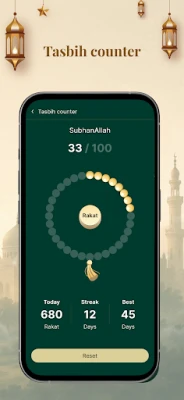
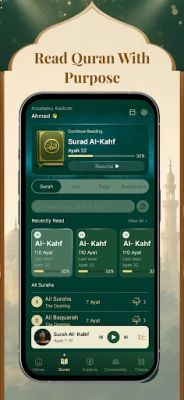
Prayer Time: Qibla, Azan & Dua is a free Android application developed by HAX Media Partners Limited. It gathers the essential tools a practicing Muslim needs on a daily basis – accurate prayer times, a Qibla compass, customizable Azan notifications and a collection of daily duas.
Main features
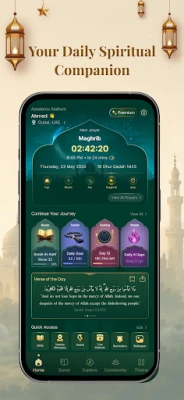
- Prayer schedule – The app calculates the five daily prayer times based on your location and a selection of common calculation methods.
- Azan alerts – Receive audible reminders for each prayer. Users can choose from the built-in sounds and set the reminder interval that suits them.
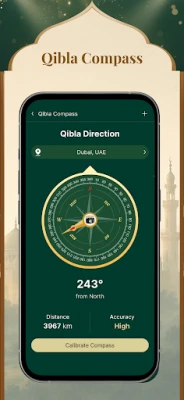
- Qibla direction – A built‑in compass points toward the Kaaba, helping you find the correct direction whether you are at home or on the move.
- Daily duas – A curated list of short supplications for morning, evening and other occasions is available for quick reference.
- Simple interface – The layout is designed for easy navigation, with large icons and a clean colour scheme that works well in both daylight and low‑light conditions.
How it works
When you launch the app, it requests permission to access your device’s location. Using that data, it determines the appropriate prayer times for your city or town. The calculation method can be changed in the settings, allowing you to match the practice of your local community or personal preference. Once the times are set, the app displays a countdown to the next prayer and optionally shows a notification a few minutes before each prayer begins.
Practical uses
- Travel – The automatic location lookup ensures you always have the correct times, even when you cross time zones.
- Workplace or school – Discreet notifications keep you aware of upcoming prayers without disrupting your routine.
- Ramadan – The daily schedule can be combined with fasting reminders to help you plan suhoor and iftar.
Installation information
The application is distributed as a free download from the Google Play Store. Search for the package name com.inhouse.prayertimes or the title “Prayer Time: Qibla, Azan & Dua” to locate the correct listing. After installation, open the app and follow the on‑screen prompts to enable location services and set your preferred calculation method.
Things to know before installing
- The app requires access to your device’s location to provide accurate prayer times and Qibla direction.
- It stores your preferences locally; no cloud account is required.
- Because the developer has not published detailed version or size information, you may want to check the Play Store page for the latest update notes before downloading.
Who may find it useful?
Anyone looking for a straightforward, free tool to keep track of the five daily prayers, receive Azan alerts, and quickly find the Qibla direction will benefit from this app. It is particularly handy for travelers, students, and professionals who need a reliable schedule without complex configuration.
Frequently asked questions
Do I need an internet connection?
Only the initial location lookup typically requires a data connection. Once the times are calculated, the app works offline.
Can I change the Azan sound?
Yes, the settings include a list of built‑in sounds that can be selected as the notification tone for each prayer.
Is the app compatible with all Android versions?
The Play Store page will list the minimum Android version required. As the developer has not provided a specific version, checking the store listing is the safest approach.
Rate the App
User Reviews















Popular Apps










 Games
Games Entertainment
 Communication
 E-mail
 Security
 Tools
Tools Media
Media Internet
 Finance
 Design
 Education
 IT Tools
 Travel & Local
 Android
 Windows
 Linux
Linux