


Latest Version
Latest
September 06, 2026
BYSL Global Technology Group
LIFESTYLE
Android
11
Free
com.ilyn.prayer_alarm
Report a Problem
More About Prayer Alarm – Simple Daily Prayer Reminder
What is Prayer Alarm?
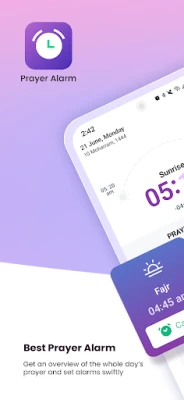
Prayer Alarm is a free Android utility designed to help Muslims keep track of the five daily Salat times. It provides a straightforward way to set reminders that fit your personal schedule, ensuring you can perform each prayer on time.
Main features
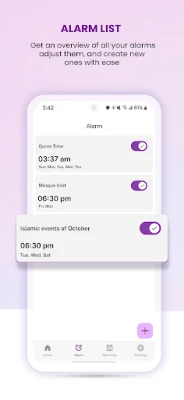
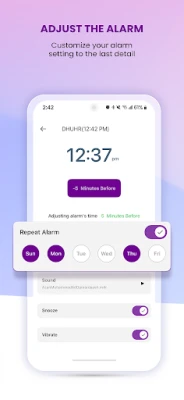
- Customizable prayer alerts – Choose the exact time for each of the five prayers and set an alarm tone that works for you.
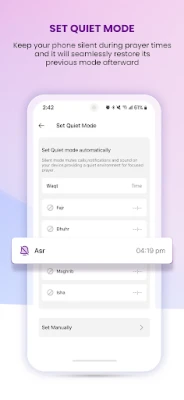
- Quiet mode – Define periods when the phone stays silent, creating a calm environment for prayer without interruptions.
- Gregorian and Hijri calendars – View both calendar systems side by side, useful for planning around Islamic dates.
- Sunrise and sunset times – Access daily sunrise and sunset information, which can be helpful for determining prayer windows.
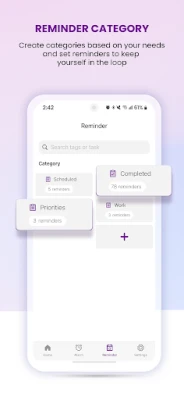
- Reminder lists – Add personal notes or tasks linked to specific prayer times, helping you organize daily routines.
How it works
After installing the app, you open the main screen to see a list of the five daily prayers. Each entry lets you tap to set an alarm time, select a sound, and enable or disable the reminder. The quiet mode can be activated from the settings menu, where you specify start and end times during which all notifications are muted.
The calendar view shows today’s Gregorian date alongside the corresponding Hijri date, making it easy to track Islamic events. Sunrise and sunset times are calculated based on your device’s location, so the app updates automatically when you travel.
Practical uses
- Morning routine – Use the Fajr alarm as a gentle wake‑up call to start the day.
- Workday planning – Schedule meetings or tasks around prayer times to avoid conflicts.
- Travel – The location‑based calculations adjust prayer times automatically, so you stay on track wherever you go.
- Quiet moments – Activate quiet mode during the prayer itself to keep the phone from ringing or vibrating.
Installation information
Prayer Alarm is available as a free download from the Google Play Store. The installation process follows the standard Android procedure: tap “Install,” grant any required permissions, and launch the app from your app drawer.
Things to know before installing
- The app does not require an internet connection for basic alarm functionality; however, location services improve the accuracy of sunrise and sunset times.
- Permissions are limited to those needed for setting alarms and accessing the device’s location for time calculations.
Who may find it useful?
Anyone who observes the five daily prayers and wants a simple, customizable reminder system will benefit from Prayer Alarm. It is especially handy for students, professionals, and travelers who need to integrate prayer times into a busy schedule.
Frequently asked questions
Can I use Prayer Alarm as my default alarm clock?
Yes, the app allows you to set the Fajr alarm as a regular wake‑up alarm, but it does not replace the system alarm manager for other purposes.
Do I need an internet connection?
Only for location‑based calculations. The core alarm and calendar features work offline.
Is my data shared with third parties?
The app only accesses the permissions necessary for alarms and location; it does not collect personal data for advertising.
Rate the App
User Reviews















Popular Apps










 Games
Games Entertainment
 Communication
 E-mail
 Security
 Tools
Tools Media
Media Internet
 Finance
 Design
 Education
 IT Tools
 Travel & Local
 Android
 Windows
 Linux
Linux