



Latest Version
Latest
August 15, 2026
Pocketbook International SA
BOOKS AND REFERENCE
Android
240
Free
com.obreey.reader
Report a Problem
More About PocketBook Reader – EPUB, PDF
What is PocketBook Reader?
PocketBook Reader is a free Android application developed by Pocketbook International SA. It provides a platform for opening digital books stored on your device, allowing you to read them comfortably without needing an internet connection.
Main features
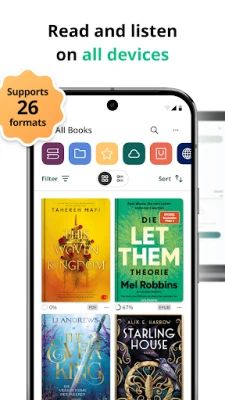
- Multiple format support – Open common e‑book files such as EPUB and PDF.
- Offline reading – Once a file is opened, you can continue reading without a network connection.
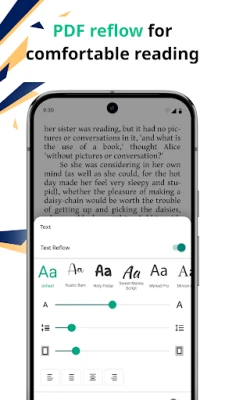
- Adjustable display – Change font size, style, line spacing, and background colors to suit your visual preferences.
- Night mode – Reduce eye strain in low‑light environments with a dark theme.
- Bookmarks and notes – Mark pages and add short notes for quick reference.
- Simple library view – Browse your collection of e‑books directly within the app.
How it works
After installing the app, you can locate e‑book files on your device using the built‑in file browser or by sharing files from other apps. Selecting a file opens it in PocketBook Reader, where you can navigate using swipe gestures or the on‑screen table of contents (if the file includes one). All adjustments you make—such as font changes or night mode—are saved for the current book, so you don’t need to re‑configure each time.
Practical uses
The app is useful for anyone who prefers digital reading on a mobile device. Students can load PDFs of lecture notes, commuters can carry a library of novels in EPUB format, and professionals can review technical manuals without needing a laptop.
Installation information
Search for "PocketBook Reader – EPUB, PDF" in the Google Play Store, then tap Install. The app is free to download and use. No registration is required to start reading.
Things to know before installing
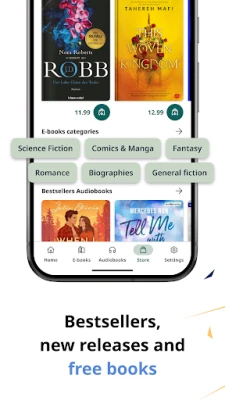
- The app does not include a built‑in store; you need to provide your own e‑book files.
- It focuses on reading; advanced editing or annotation tools are limited to basic bookmarks and notes.
- Because the app works offline, any cloud‑based sync features are not part of the core functionality.
Who may find it useful?
Anyone who wants a straightforward, ad‑free reader for common e‑book formats will benefit from PocketBook Reader. It is especially handy for users who value privacy and prefer not to create accounts for reading.
Frequently asked questions
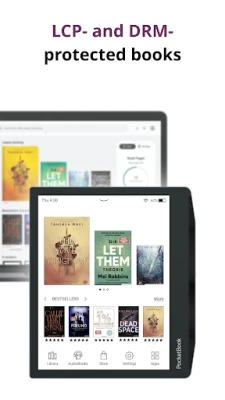
- Can I read DRM‑protected books? PocketBook Reader does not include built‑in DRM removal; it can open files that the operating system already permits.
- Is there a way to sync reading progress across devices? The app does not provide its own cloud sync; you would need a separate service to share files.
- Does the app support audiobooks? The current version focuses on text‑based formats such as EPUB and PDF.
Rate the App
User Reviews













Popular Apps










 Games
Games Entertainment
 Communication
 E-mail
 Security
 Tools
Tools Media
Media Internet
 Finance
 Design
 Education
 Android Firmwares
 Travel & Local
 Android
 Windows
 Linux
Linux