

Latest Version
Latest
September 08, 2026
PlayStation Mobile Inc.
LIFESTYLE
Android
6
Free
com.playstation.ohana.android
Report a Problem
More About PlayStation Family – Parental Controls for PlayStation
What is PlayStation Family?
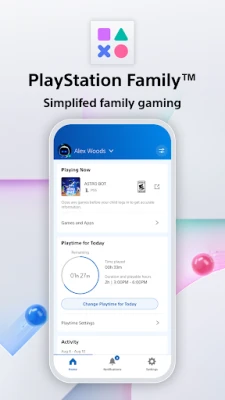
PlayStation Family is an Android companion app from PlayStation Mobile Inc. that lets parents keep an eye on their children’s PlayStation usage. It brings core parental‑control functions—such as play‑time scheduling, activity reporting, and spending limits—directly to a smartphone, making it easier to balance gaming with daily routines.
Main Features
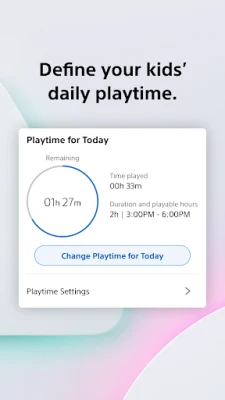
- Play‑time management: Define daily or weekly windows when the console can be used. The app sends reminders when limits are reached.
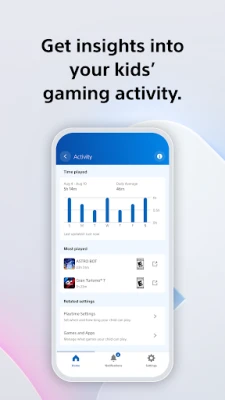
- Activity overview: View the current game, online status, and total hours played over the past week.
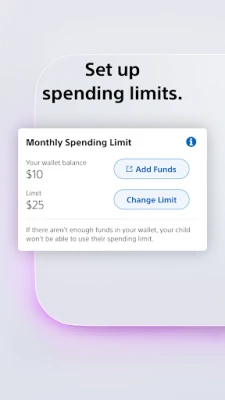
- Spending controls: Set a monthly budget for purchases from the PlayStation Store and monitor the remaining balance.
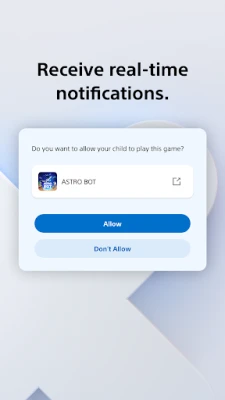
- Real‑time requests: Children can request extra play time; parents receive a push notification to approve or decline.
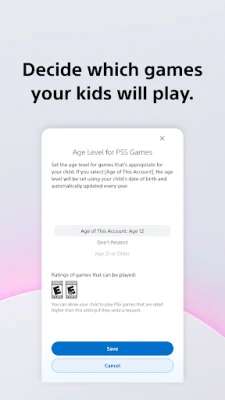
- Privacy settings: Adjust who your child can interact with on the network, including voice chat and friend invitations.
How It Works
After installing the app, you create a child profile linked to the PlayStation Network account. The app then syncs with the console to pull usage data and apply the parental rules you set. All changes—whether adjusting a time limit or approving a purchase—are pushed to the console instantly, so the restrictions are always up‑to‑date.
Practical Uses
- Homework first: Set a rule that blocks gaming during school hours, then automatically enables it after a set time.
- Balanced spending: Prevent unexpected charges by capping monthly spend and receiving alerts when the limit is near.
- Family communication: Use the request feature to let kids ask for extra time, fostering a dialogue about responsible play.
Installation Information
The app is available for free on the Google Play Store. Search for "PlayStation Family" or use the package name com.playstation.ohana.android. After downloading, grant the permissions required for network access and notifications so the app can communicate with your console and send alerts.
Things to Know Before Installing
- The app requires an active PlayStation Network account for both parent and child.
- Some features may only be available when the console is online or when using a PlayStation 4 or PlayStation 5.
- All settings are managed from the phone; changes made on the console will also appear in the app.
Who May Find It Useful?
Parents who want a simple way to supervise gaming habits, guardians managing multiple children’s accounts, and anyone looking to integrate console usage into a broader family schedule will benefit from PlayStation Family.
Frequently Asked Questions
Do I need a PlayStation console to use the app?
Yes, the app works in conjunction with a PlayStation console that is linked to the same PlayStation Network account.
Can I set different limits for each child?
Each child profile can have its own schedule, spending cap, and privacy settings.
Is the app compatible with older Android versions?
Compatibility details are listed on the Play Store page; the app generally supports recent Android releases.
Rate the App
User Reviews















Popular Apps










 Games
Games Entertainment
 Communication
 E-mail
 Security
 Tools
Tools Media
Media Internet
 Finance
 Design
 Education
 IT Tools
 Travel & Local
 Android
 Windows
 Linux
Linux