

Latest Version
Latest
September 07, 2026
BlazingCerulean
BOOKS AND REFERENCE
Android
7
Free
cc.openleaf.app
Report a Problem
More About OpenLeaf – Free EPUB Reader for Android
What is OpenLeaf?
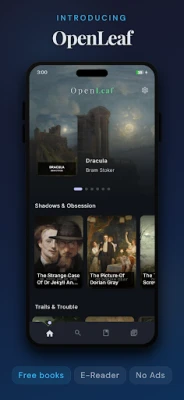
OpenLeaf is a free Android application designed for reading EPUB files. Developed by BlazingCerulean, it focuses on providing a clean, responsive interface that puts your books front and centre, without ads or subscription walls.
Main features
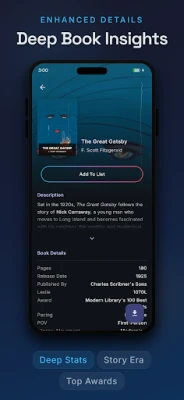
- Simple library import – OpenLeaf scans your device for EPUB files, extracts cover art and basic metadata, and adds them to a local library.
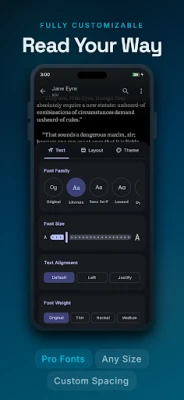
- Reading customization – Choose from a range of fonts, adjust text size, line spacing and margins, and switch between light and dark themes to suit your environment.
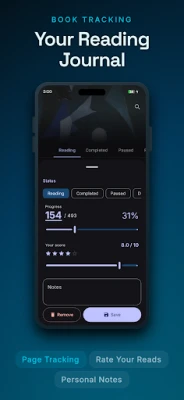
- Progress tracking – The app records where you left off in each book and lets you mark titles as Reading, Completed, Paused or Planned.
- Note‑taking and highlighting – While you read, you can highlight passages and add personal notes that are saved with the book.
- Built‑in dictionary – Tap a word to see a quick definition without leaving the page.
How it works
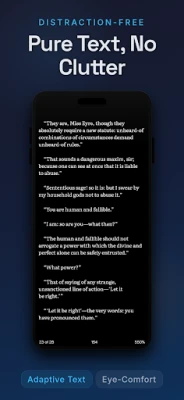
After installing OpenLeaf, the app automatically scans the default download folder and any other directories you specify. Detected EPUB files appear in the library view, where you can sort them by title, author or the folder they originated from. Opening a book launches a full‑screen reader that supports both vertical scrolling and page‑by‑page navigation.
Practical uses
OpenLeaf is useful for anyone who prefers to keep their e‑book collection on the device itself. Students can annotate textbooks, casual readers can enjoy novels with a comfortable layout, and avid collectors can maintain a tidy library without relying on cloud services.
Installation information
The app is available through the standard Android package manager. Simply search for "OpenLeaf" or use the package name cc.openleaf.app to locate the correct listing. The download size is modest, reflecting the app’s focus on performance.
Things to know before installing
- The app works with standard EPUB files; other formats such as PDF or MOBI are not supported.
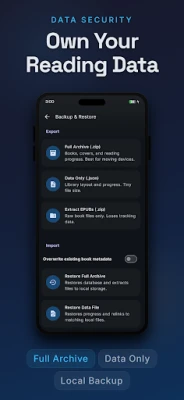
- All data is stored locally, so backing up your library requires copying the files yourself or using a device backup solution.
- Because OpenLeaf does not include ads or in‑app purchases, there are no hidden costs.
Who may find it useful?
Anyone who wants a straightforward, ad‑free reading experience on Android will benefit from OpenLeaf. It is especially appealing to users who manage a personal collection of EPUB books and value control over appearance and reading progress.
Frequently asked questions
- Can I sync my library across devices? OpenLeaf stores books locally, so syncing requires a separate cloud or file‑sharing solution.
- Does the app support night mode? Yes, you can switch to a dark background with light text for low‑light reading.
- Is there a limit to the number of books I can add? No, the library grows as long as you have storage space on your device.
Rate the App
User Reviews












Popular Apps










 Games
Games Entertainment
 Communication
 E-mail
 Security
 Tools
Tools Media
Media Internet
 Finance
 Design
 Education
 IT Tools
 Travel & Local
 Android
 Windows
 Linux
Linux