
Latest Version
Latest
September 03, 2026
CrazyFiction
BOOKS AND REFERENCE
Android
10
Free
com.benefit.novelverse
Report a Problem
More About Novelverse – Free Reading & Writing Platform for Stories
What is Novelverse?
Novelverse is a free Android app that brings together a large collection of web‑novels across many genres. It also offers a simple tool for writers who want to publish their own chapters and reach readers worldwide.
Main features
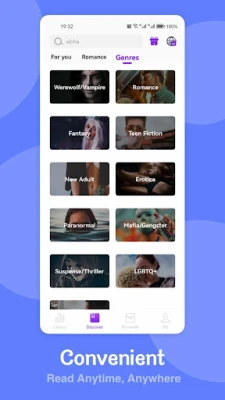
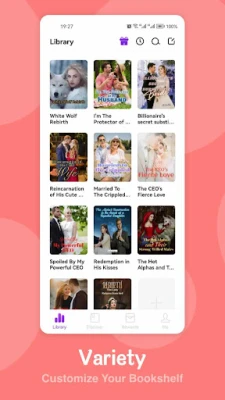
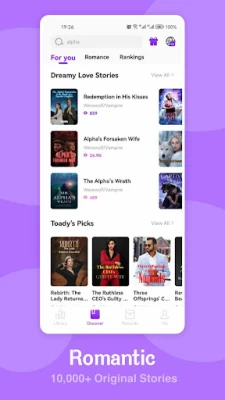
- Broad genre library – romance, fantasy, mystery, sci‑fi, horror, LGBTQ+ titles and more.
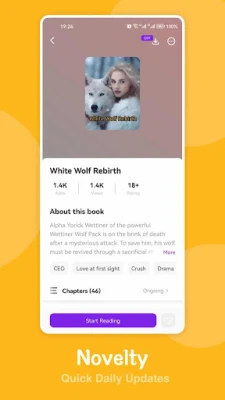
- Regular updates – new chapters are added frequently, keeping popular series current.
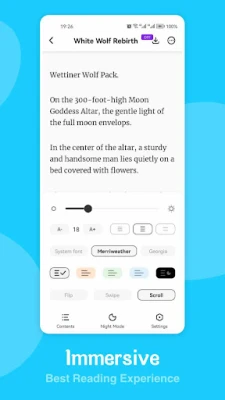
- Customizable reading settings – adjust font size, background color, line spacing, and night mode for comfortable reading.
- Community interaction – comment on chapters, follow favorite authors, and discover readers with similar tastes.
- Writer’s corner – create an account, upload your own stories, and manage chapters directly from the app.
How it works
After installing the app, you can browse the library by genre or use the search function to find specific titles. Selecting a book opens a chapter list; tapping a chapter loads it in the built‑in reader. The reader toolbar lets you switch themes, bookmark pages, and adjust text settings without leaving the page.
For writers, the “Write” section provides a basic editor where you can draft, format, and publish chapters. Once published, your work appears in the public catalog, where readers can discover and comment on it.
Practical uses
- Enjoy serialized stories on the go, with offline reading support for saved chapters.
- Experiment with storytelling, receive feedback, and build an audience without needing a separate website.
- Explore niche genres that may be harder to find in traditional ebook stores.
Installation information
Search for Novelverse – Novels & Stories in the Google Play Store, then tap Install. The app requires Android, but the specific minimum version is not listed; it will prompt you if your device is incompatible.
Things to know before installing
- The app is free to download and use; some content may be supported by ads or optional in‑app purchases.
- Reading progress and personal settings are stored locally; creating an account enables cloud sync across devices.
- Content is user‑generated, so quality can vary between titles.
Who may find Novelverse useful?
Anyone who enjoys reading serialized fiction on a mobile device will benefit from the app’s extensive library and reading tools. Aspiring writers looking for a low‑barrier platform to share drafts and receive comments will also find the writer’s corner valuable.
Frequently asked questions
Is an internet connection required?
Yes, to download new chapters and sync your library. Once a chapter is saved, you can read it offline.
Can I publish a story for free?
Yes, the app allows you to upload and publish chapters without a fee. Some optional features may be offered through in‑app purchases.
How do I report inappropriate content?
Each story page includes a report button that sends a notice to the moderation team.
Are there any age restrictions?
The app does not specify an age rating, so parental discretion is advised for younger readers.
Rate the App
User Reviews







Popular Apps










 Games
Games Entertainment
 Communication
 E-mail
 Security
 Tools
Tools Media
Media Internet
 Finance
 Design
 Education
 IT Tools
 Travel & Local
 Android
 Windows
 Linux
Linux