



Latest Version
Latest
September 09, 2026
Q- VOR PTE. LTD.
BOOKS AND REFERENCE
Android
6
Free
com.qvon.novelbar
Report a Problem
More About NovelBar – Your Reading Haven
What is NovelBar?
NovelBar is a free Android application that brings a collection of novels to your device. Developed by Q- VOR PTE. LTD., the app serves readers who want a convenient way to explore fiction without needing a physical book.
Main Features
- Genre variety – Browse titles ranging from romance and mystery to fantasy and science‑fiction.
- Offline reading – Download selected novels to read when you are not connected to the internet.
- Simple navigation – A clean interface lets you search, filter, and sort books by title, author, or genre.
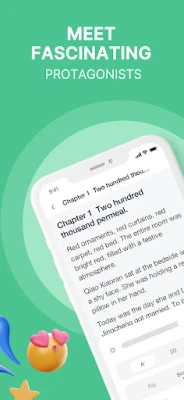
- Adjustable reading settings – Change font size, style, and background color for comfortable reading.
- Bookmarking – Mark your place and return to it instantly.
How It Works
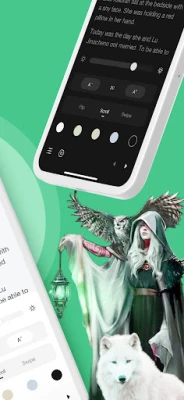
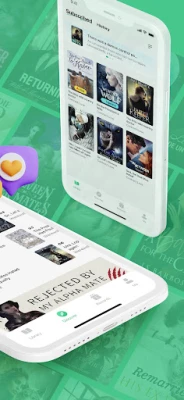
After installing NovelBar, you can open the app to see the home screen, which presents featured titles and genre categories. Tapping a book opens a preview page with a short description and the option to start reading or download for offline access. The reading view provides basic controls for scrolling, page turning, and adjusting visual settings.
Practical Uses
- Carry a personal library on your phone for commuting or travel.
- Explore new authors and genres without purchasing each book individually.
- Use the offline mode to read in places with limited connectivity, such as on a plane or in a subway.
Installation Information
NovelBar is available as a free download from the Google Play Store. Search for the package name com.qvon.novelbar or the app title, then tap “Install.” The installation follows the standard Android process and requires no additional steps.
Things to Know Before Installing
- The app does not require a paid subscription to access its core library.
- Internet access is needed for initial browsing and for downloading books you wish to read offline.
- Reading data is stored locally on your device; you can delete downloaded files at any time to free up space.
Who May Find NovelBar Useful?
Anyone who enjoys reading fiction on a mobile device can benefit from NovelBar. It is especially handy for:
- Students and commuters looking for short reading sessions.
- Travelers who need offline access to books.
- Readers who like to sample multiple genres before committing to a full purchase.
Frequently Asked Questions
Do I need an account to read books?
No. NovelBar allows you to start reading immediately after installation. An account is optional for syncing bookmarks across devices.
Can I add my own e‑books?
The current version focuses on the built‑in library. Adding personal files is not supported at this time.
Is there any advertising?
The free version may display non‑intrusive ads, which help keep the app free of charge.
Rate the App
User Reviews













Popular Apps










 Games
Games Entertainment
 Communication
 E-mail
 Security
 Tools
Tools Media
Media Internet
 Finance
 Design
 Education
 IT Tools
 Travel & Local
 Android
 Windows
 Linux
Linux