

Latest Version
August 26, 2026
ayahbuildapp
LIFESTYLE
Android
101
Free
com.mysolat.mysolat_app
Report a Problem
More About MySolat: Prayer Times, Quran & Qibla
What is MySolat?
MySolat is a free Android application that brings together three essential tools for daily Islamic practice: accurate prayer‑time calculations, a Quran reader with built‑in Tajweed guidance, and a personal habit tracker. All features work without an internet connection, making the app reliable wherever you are.
Main features
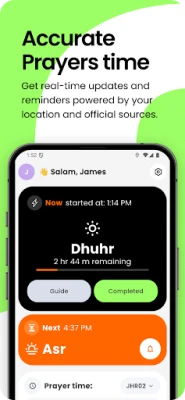
Accurate prayer times
- Supports more than a dozen calculation methods, including regional standards such as Diyanet (Turkey), ISNA (North America) and Umm al‑Qura (Saudi Arabia).
- Offline database covers thousands of cities across many countries, so you can get local times even without GPS.
- One‑tap switching lets you match the method used by your local mosque, including different Asr schools.
Quran with Tajweed support
- Full‑screen reading mode highlights the seventeen Tajweed rules, helping you pronounce each verse correctly.
- Word‑by‑word audio playback synchronises with the text, allowing you to listen and follow along.
- Search function finds any surah by name, number or common alternate titles.
- Personal notes can be attached to verses and are stored locally.
Prayer habit tracker
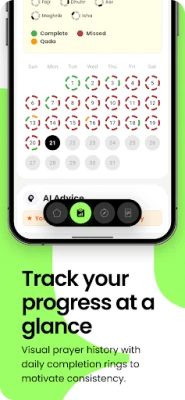
- Each logged prayer updates a visual streak counter and awards simple achievement badges.
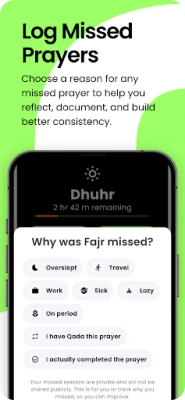
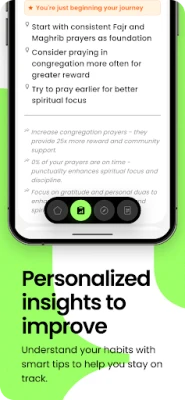
- Statistics are available for daily, weekly and monthly periods, showing patterns such as missed prayers or most consistent days.
- All analysis runs on the device, preserving privacy.
How it works
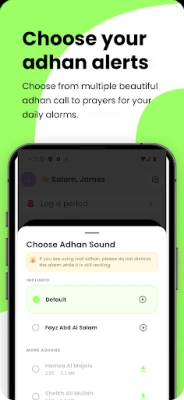
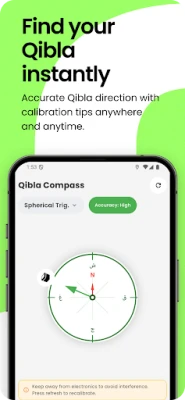
When you first open MySolat, the app detects your location automatically via GPS. If you prefer not to share your location, you can manually select a city from the built‑in list. The app then applies the appropriate calculation method and displays the five daily prayer times, along with the Qibla direction.
The Quran reader loads the entire text offline. As you scroll, Tajweed colour‑coding appears automatically, and you can tap any word to hear its pronunciation. Notes you add are saved locally and can be edited at any time.
The habit tracker records each prayer you confirm. Over time, the app builds a personal profile that highlights strengths and suggests simple challenges, such as maintaining a weekly streak.
Practical uses
- Travelers can rely on accurate prayer times without needing mobile data.
- Students learning Tajweed gain visual cues and audio reinforcement directly within the app.
- Anyone looking to improve consistency in their prayers can monitor progress through the built‑in statistics.
Installation information
MySolat is available for free on the Google Play Store. Search for the package name com.mysolat.mysolat_app or the app title and tap Install. The app requires Android, but the specific minimum version is not listed; it will prompt you if your device is incompatible.
Things to know before installing
- The app stores all data locally; there is no cloud backup unless you manually export notes.
- Because it works offline, initial download size may be larger than minimal‑feature apps.
- Permissions are limited to location (optional for automatic city detection) and storage for saving notes.
Who may find MySolat useful?
Muslims who need reliable prayer times while traveling, learners of Quranic recitation seeking Tajweed assistance, and anyone interested in tracking their prayer habits will benefit from MySolat’s integrated approach.
Rate the App
User Reviews















Popular Apps










 Games
 Entertainment
 Communication
 E-mail
 Security
 Tools
 Media
 Internet
 Finance
 Design
 Education
 Android Firmwares
 Travel & Local
 Android
 Windows
 Linux