

Latest Version
Latest
September 15, 2026
Verizon Consumer Group
LIFESTYLE
Android
8
Free
com.vzw.hss.myverizon
Report a Problem
More About My Verizon – Manage Your Verizon Account on Android
What is My Verizon?
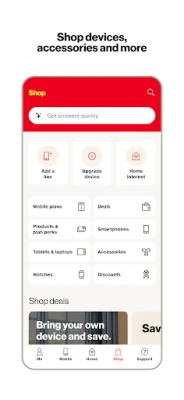
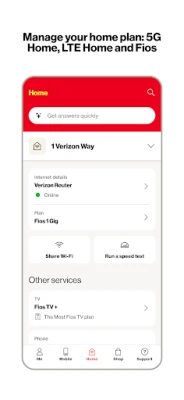
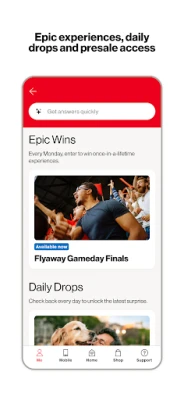
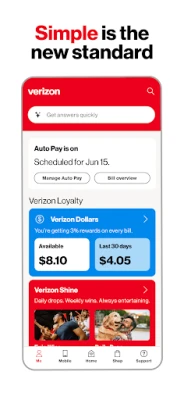
My Verizon is an official mobile application from Verizon Consumer Group designed for customers who want to handle their mobile and home‑internet services without opening a web browser. The app provides a single place to check account details, make payments, adjust plans and get help.
Main features
- Account overview – See the current balance, upcoming bill amount and recent activity at a glance.
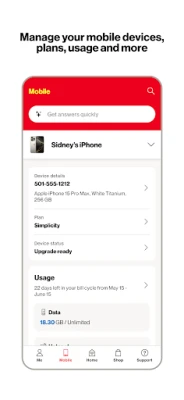
- Usage tracking – View data, talk and text usage for each line in real time.
- Payments and AutoPay – Pay a bill instantly, set up or modify AutoPay schedules, and review payment history.
- Device management – Add, remove or rename devices linked to your account, and see which device is using which plan.
- Plan changes – Browse available upgrades, add-ons or new plans and submit a change request directly from the app.
- Support tools – Access chat or messaging with a Verizon assistant, find troubleshooting articles and schedule a call if needed.
How it works
After downloading the app, you sign in with your Verizon credentials (usually the same username and password you use for the web portal). Once authenticated, the dashboard presents a personalized view based on the services linked to your account. Navigation is driven by a bottom tab bar that separates key sections such as Home, Usage, Payments and Support, allowing quick jumps between functions.
Practical uses
- Check your data consumption before a heavy‑streaming session to avoid overage charges.
- Set up AutoPay so you never miss a payment deadline.
- Swap a device from one line to another when you change phones.
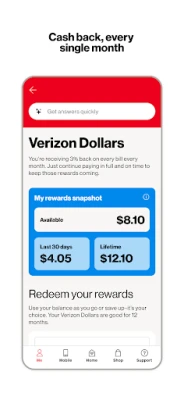
- Explore promotional offers that are available to existing customers.
- Start a chat with a support representative if you encounter connectivity issues.
Installation information
The app is distributed through the Google Play Store. Search for “My Verizon” or use the package name com.vzw.hss.myverizon. The download size is modest, and the app does not require a specific Android version to be listed, but a recent version of Android is typical for most Google Play offerings.
Things to know before installing
- You must have an active Verizon account; the app will not function for non‑customers.
- Some features, such as device provisioning or certain promotional offers, may only be available to specific plan types.
- The app stores login credentials securely, but you should still enable a screen lock or biometric protection on your device.
Who may find it useful?
Anyone who holds a Verizon mobile line, Fios, 5G Home or LTE Home service can benefit from the app. It is especially handy for users who travel frequently and need to monitor usage, as well as for families managing multiple lines from a single device.
Frequently asked questions
Do I need an internet connection to use the app?
Yes. The app requires either mobile data or Wi‑Fi to retrieve up‑to‑date account information.
Can I change my payment method inside the app?
Yes. The Payments section lets you add, edit or remove credit cards, bank accounts or PayPal where supported.
Is there a way to receive bill reminders?
The app can send push notifications for upcoming due dates if you enable notifications in the settings.
What should I do if I forget my login details?
Use the “Forgot password” link on the sign‑in screen to start the recovery process through Verizon’s web portal.
Rate the App
User Reviews












Popular Apps










 Games
Games Entertainment
 Communication
 E-mail
 Security
 Tools
Tools Media
Media Internet
 Finance
 Design
 Education
 IT Tools
 Travel & Local
 Android
 Windows
 Linux
Linux