

Latest Version
Latest
August 23, 2026
Kosrat D. Ahmad
LIFESTYLE
Android
136
Free
com.kosratdahmad.myprayers
Report a Problem
More About My Prayers – Islamic Prayer Times & Qibla Compass
What is My Prayers?
My Prayers is a free Android utility designed for Muslims who want reliable prayer‑time information, a simple Qibla finder, and easy access to daily supplications. Developed by Kosrat D. Ahmad, the app combines several everyday Islamic tools into a single, lightweight package.
Main Features
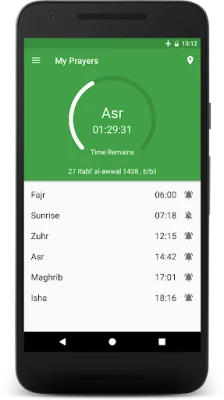
- Accurate prayer times calculated from the device’s current location using a range of calculation methods and angles.
- Static timetables for cities that follow a fixed schedule, allowing users to select a pre‑defined table when preferred.
- Countdown to the next prayer displayed on the main screen, helping users see how much time remains.
- Customizable notifications for each of the five daily prayers, with options to choose a tone, adjust the alert time, or forward the reminder.
- Automatic silent mode that can mute the phone during prayer periods, configurable per prayer.
- Hijri calendar with the ability to correct the date if needed.
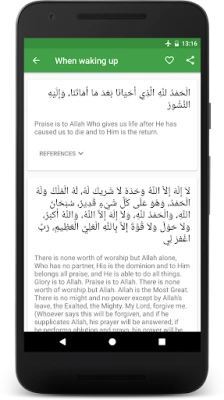
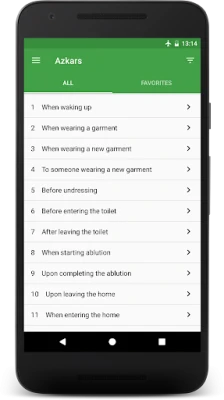
- Daily azkars (Hisnul Muslim) – a collection of 287 supplications that can be marked as favorites, shared, or set as daily reminders.
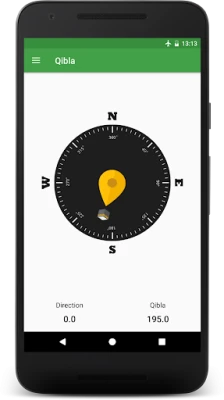
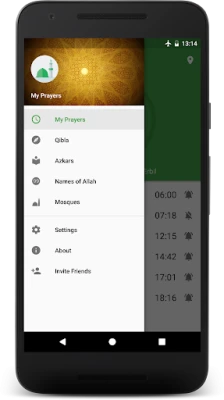
- Qibla compass that points toward the Kaaba using the device’s sensors.
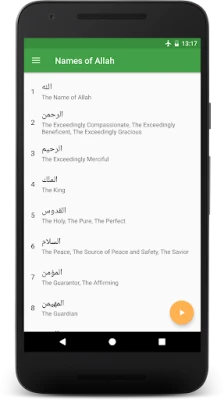
- 99 Names of Allah presented in a scrollable list for reflection.
- Nearby mosques displayed on a map powered by Google Maps, with a selectable radius from 5 km to 50 km.
- Two home‑screen widgets that show the full prayer schedule at a glance.
- Multilingual support – English, Arabic, Persian and Kurdish.
How It Works
The app first determines your location either through GPS, network data, or a manual search. Once the coordinates are known, it applies the selected calculation method to generate the five daily prayer times. Users can switch between automatic location detection and manual entry, which is useful when internet access is limited.
For cities with a static timetable, you can simply pick the city from the list and the app will load the pre‑set times, bypassing the calculation step.
Practical Uses
- Set up silent mode or a gentle alarm before each prayer to stay on schedule without disturbing others.
- Use the Qibla compass when traveling or when a mosque is not nearby.
- Quickly find the nearest mosque for Friday prayers or when you are in an unfamiliar area.
- Read a daily azkar or reflect on one of the 99 Names of Allah during breaks.
Installation Information
The application is distributed as a free download from the Google Play Store. No additional purchase is required, and the app does not request unnecessary permissions beyond location access, which is essential for calculating prayer times and locating nearby mosques.
Things to Know Before Installing
- Location services should be enabled for the most accurate prayer‑time calculation.
- If you notice a discrepancy in prayer times, check the calculation method and angle settings in the app’s configuration menu.
- The map feature relies on Google Maps data; an internet connection is needed for the initial load of nearby mosques.
Who May Find It Useful?
Any Muslim who wants a single, offline‑capable tool for daily worship routines will benefit from My Prayers. It is especially handy for travelers, students, and professionals who need quick access to prayer times, Qibla direction, and nearby mosques without switching between multiple apps.
Frequently Asked Questions
Can I use the app without an internet connection?
Yes. Once the location is set manually or cached, prayer times and azkars work offline. The mosque‑search feature requires internet for map data.
How do I change the calculation method?
Open the Settings menu, select “Prayer Time Settings,” and choose from the available methods (e.g., University of Islamic Sciences, Muslim World League, etc.).
Is there a way to customize the alarm sound?
Yes. You can pick a tone from the device’s storage, use a system sound, or select one of the built‑in azan recordings.
Rate the App
User Reviews















Popular Apps










 Games
 Entertainment
 Communication
 E-mail
 Security
 Tools
 Media
 Internet
 Finance
 Design
 Education
 Android Firmwares
 Travel & Local
 Android
 Windows
 Linux