

Latest Version
Latest
August 17, 2026
Fortune Future Apps
LIFESTYLE
Android
47
Free
com.fortune.apps.muslimeen
Report a Problem
More About Muslimeen: Athan, Quran & Qibla – Free Islamic Companion
What is Muslimeen?
Muslimeen is a free Android application that brings together several everyday Islamic utilities in one place. Developed by Fortune Future Apps, the app focuses on providing prayer‑time information, Quran access, Qibla direction and simple dhikr tools without advertisements.
Main Features
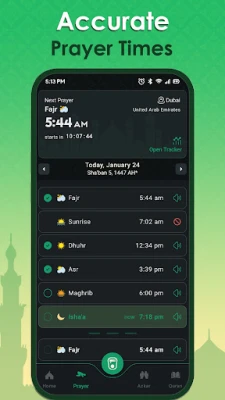
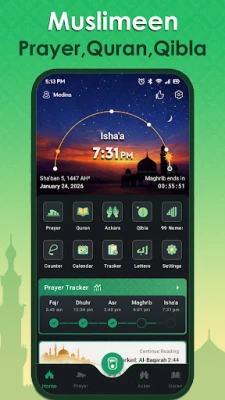
- Prayer Times & Notifications – Accurate times for the five daily prayers based on your location, with optional Adhan alerts.
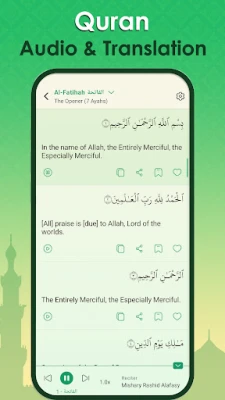
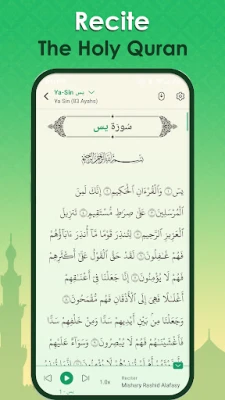
- Quran Reader – Full text of the Quran with selectable translations, adjustable font sizes and a dark‑mode option for comfortable reading.
- Qibla Finder – Compass‑based direction to the Kaaba, usable offline and refreshed when you move.
- Dhikr & Tasbih Counter – Built‑in counter for recitations, allowing you to track repetitions of dhikr or tasbih.
- Bookmark & Favorites – Save verses or specific ayahs for quick return and personal reflection.
How It Works
When you first open Muslimeen, the app requests permission to access your device’s location. This enables it to calculate local prayer times and the Qibla direction automatically. You can then enable or disable Adhan notifications for each prayer according to your preference.
The Quran section lets you choose a translation from the list provided, switch between Arabic script and transliteration, and adjust the display size. Dark mode can be toggled from the settings menu, reducing eye strain in low‑light environments.
The Qibla compass appears on a dedicated screen, showing a real‑time arrow that points toward the Kaaba. The direction updates as you move, helping you stay oriented while traveling.
Practical Uses
- Set up reliable prayer reminders to stay on schedule throughout the day.
- Read or listen to Quran verses during commute or quiet moments, with the ability to bookmark passages for later study.
- Find the correct Qibla direction quickly when you are away from home or in unfamiliar locations.
- Use the dhikr counter to keep track of personal supplications or tasbih repetitions without needing a separate device.
Installation Information
Muslimeen is available through the standard Android package manager. Search for the package name com.fortune.apps.muslimeen or the app title in the Play Store, then tap Install. The download size is modest, and the app does not require additional data packs after installation.
Things to Know Before Installing
- The app works without an internet connection for core features such as prayer times (once location is set) and Qibla direction.
- Location access is optional but recommended for accurate prayer calculations.
- All content is provided free of charge; there are no in‑app purchases or ads.
Who May Find Muslimeen Useful?
Muslimeen is suited for anyone looking for a lightweight, ad‑free solution to manage daily Islamic practices on Android. It is especially helpful for travelers, students, and anyone who prefers a single app rather than multiple separate tools.
Frequently Asked Questions
- Do I need an internet connection for prayer times? Once your location is set, the app can calculate times offline. An internet connection is only needed for the initial location lookup.
- Can I change the Adhan sound? The app includes a default Adhan tone; additional tones are not provided within the free version.
- Is my data private? The app only uses location data to compute prayer times and Qibla direction. No personal data is transmitted to external servers.
- How do I switch to dark mode? Open the settings menu and toggle the Dark Mode option.
Rate the App
User Reviews















Popular Apps










 Games
Games Entertainment
 Communication
 E-mail
 Security
 Tools
Tools Media
Media Internet
 Finance
 Design
 Education
 Android Firmwares
 Travel & Local
 Android
 Windows
 Linux
Linux