

Latest Version
August 23, 2026
Taqaddus Shafi
LIFESTYLE
Android
101
Free
com.islamiccalander.pro
Report a Problem
More About Muslim Companion: Namaz, Quran – Daily Islamic Tools
What is Muslim Companion?
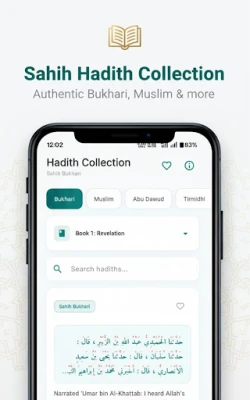
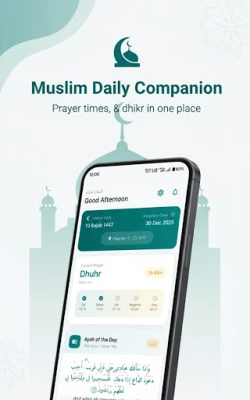
Muslim Companion is a free Android application created by Taqaddus Shafi. It brings together the most frequently used Islamic utilities—prayer schedules, Quran access, Qibla finder, Hijri calendar and a collection of authentic duas—into a single, easy‑to‑navigate package.
Main features
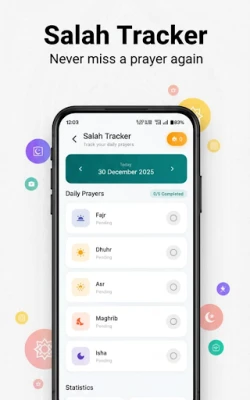
- Prayer times and Athan alerts: Calculates the five daily prayers based on your location and supports several common calculation methods. Optional notifications remind you before each prayer.
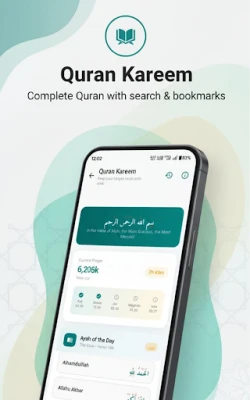
- Quran reading: Full Arabic text with a clear Amiri font, multiple translations and audio recitations from well‑known reciters. You can bookmark verses, search by Surah or Ayah and adjust the font size for comfortable reading.
- Qibla direction: Uses your device’s location and compass to point toward the Kaaba, helping you align your prayers wherever you are.
- Hijri calendar: Shows the Islamic date alongside the Gregorian calendar, with quick reference to major events such as Ramadan, Eid al‑Fitr and Eid al‑Adha.
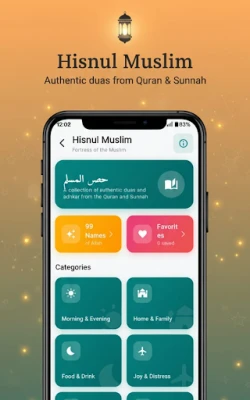
- Dua and Azkar library: A curated list of daily supplications and remembrance phrases, searchable and organized for quick access.
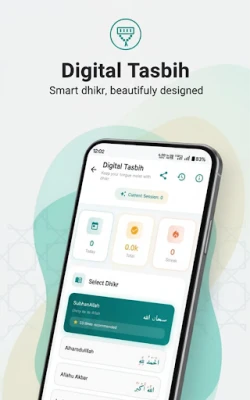
- Digital tasbih: Simple counter for dhikr, allowing you to keep track of repetitions without extra hardware.
- Theme options: Light and dark modes let you choose a visual style that suits your environment and reduces eye strain.
How it works
After installing the app, grant location permission so the prayer‑time engine can determine your coordinates. The app then automatically selects the appropriate calculation method, which you can change in the settings if needed. The Quran section works offline; once you open a translation or audio file, it is cached for later use without an internet connection.
Practical uses
- Set up Athan notifications to ensure you never miss a prayer, especially while traveling.
- Read or listen to the Quran during commutes, using the bookmark feature to resume where you left off.
- Use the Qibla compass in unfamiliar locations, such as airports or hotels.
- Check the Hijri date quickly before planning fasting or festival activities.
- Recite daily duas from the library and track your progress with the built‑in tasbih.
Installation information
The app is available for free on the Google Play Store. Search for the package name com.islamiccalander.pro or the title “Muslim Companion: Namaz, Quran”. The download size is modest, and the app does not require additional data after the initial installation unless you choose to stream audio recitations.
Things to know before installing
- The app does not collect personal data beyond what is needed for location‑based services.
- No advertisements are shown, providing an uninterrupted experience.
- All content is provided offline after first use, which is helpful in areas with limited connectivity.
Who may find it useful?
Muslim Companion is suitable for anyone looking for a single, reliable tool to support daily worship—students, professionals, travelers, and families alike. Its straightforward interface makes it accessible for users new to digital Islamic resources as well as for those who prefer a lightweight alternative to larger suites.
Frequently asked questions
Do I need an internet connection to use the Quran feature?
Only for the initial download of audio files. Once stored, the text and recitations are available offline.
Can I change the prayer‑time calculation method?
Yes. The settings menu includes a list of common methods (MWL, ISNA, Umm Al‑Qura, etc.) that you can select according to your regional practice.
Is there a way to customize Athan sounds?
The app offers a few built‑in tones. More options can be added by placing compatible audio files in the designated folder on your device.
How does the Qibla finder work without a network?
It relies on the device’s GPS and magnetic sensor to calculate direction locally, so no internet access is required.
Rate the App
User Reviews















Popular Apps










 Games
 Entertainment
 Communication
 E-mail
 Security
 Tools
 Media
 Internet
 Finance
 Design
 Education
 Android Firmwares
 Travel & Local
 Android
 Windows
 Linux