


Latest Version
Latest
August 29, 2026
MTN South Africa
LIFESTYLE
Android
108
Free
com.mtnapp
Report a Problem
More About MTN App ZA – Manage Your MTN Services on Android
What is MTN App ZA?
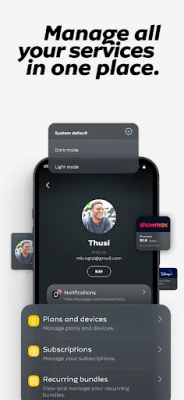
MTN App ZA is the official mobile client for MTN South Africa customers. It provides a convenient way to keep track of your mobile account, purchase airtime or data bundles, and explore offers without needing to log into the website.
Main features
- Account overview – See your current balance, data usage and recent activity at a glance.
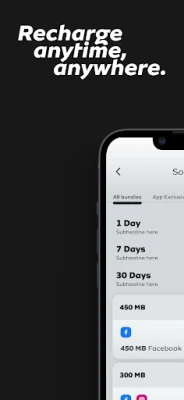
- Recharge options – Add airtime or data using saved payment methods such as bank cards or MTN‑specific credits.
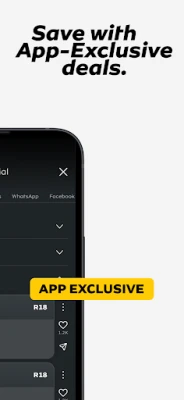
- Personalised offers – Browse deals that are tailored to your usage patterns.
- Spending controls – Set limits, view invoices and monitor your monthly spend.
- Data sharing – Share part of your data bundle with friends or family directly from the app.
- Secure login – Use MTN ID for a protected sign‑in experience.
- Dark mode – Switch to a darker colour scheme to save battery and reduce eye strain.
How it works
After installing the app, you create or link your MTN ID. The app then synchronises with your account on MTN’s backend servers, pulling real‑time information about balances and usage. When you choose to recharge, the app sends a secure request to the payment gateway you have configured, and the purchased credit is applied instantly to your line.
Practical uses
- Check your remaining data before streaming video.
- Top up your phone while you’re on the move, without visiting a retailer.
- Set a monthly spend cap to avoid unexpected charges.
- Share a portion of your data bundle with a family member who is low on data.
Installation information
The app is distributed as a free download from the Google Play Store. Search for “MTN App ZA” or use the package name com.mtnapp. Installation follows the standard Android process – tap Install, grant any required permissions, and launch the app once the download completes.
Things to know before installing
- The app requires an active MTN South Africa mobile account to function.
- Internet connectivity is needed for the initial login and for any subsequent transactions.
- Permissions requested are limited to those needed for network access and optional features such as notifications.
Who may find it useful?
Any MTN South Africa subscriber who wants a single place to monitor usage, recharge, and manage spending will benefit from the app. It is especially handy for users who travel frequently and need quick access to their account without using a desktop browser.
Frequently asked questions
Do I need data to use the app?
Yes, an internet connection is required for login, balance updates and transactions. Once logged in, the app can display the most recent cached information even if you go offline temporarily.
Is the app free?
The download and basic functionality are free. Any purchases such as airtime or data bundles are billed according to MTN’s standard rates.
Can I use the app on tablets?
The app is designed for Android phones but will also run on tablets that meet the minimum Android version required by the Play Store.
Rate the App
User Reviews












Popular Apps










 Games
 Entertainment
 Communication
 E-mail
 Security
 Tools
 Media
 Internet
 Finance
 Design
 Education
 Android Firmwares
 Travel & Local
 Android
 Windows
 Linux