
Latest Version
Latest
September 10, 2026
IPL GROUP PTY LTD
LIFESTYLE
Android
6
Free
com.mspy.lite
Report a Problem
More About mLite – Simple GPS Location Tracker for Families
What is mLite?
mLite is a free Android app from IPL GROUP PTY LTD designed to help families stay connected through location sharing. It provides tools that let parents see where their children are, set safety zones, and receive alerts when those zones are crossed.
Main features
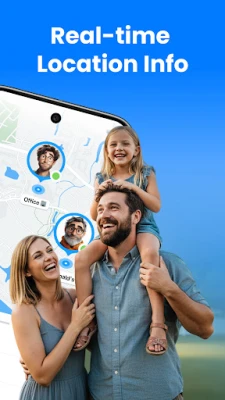
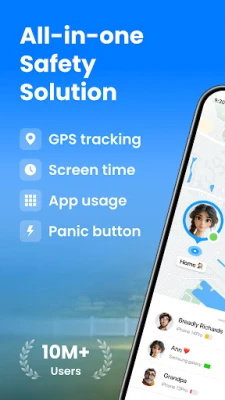
- Live GPS tracking – View a child’s current position on a map in real time.
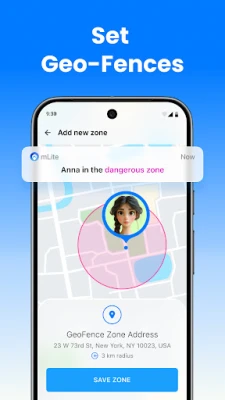
- Geofence notifications – Define virtual boundaries and get instant alerts when a device enters or leaves them.
- Location history – Review past locations to understand daily movement patterns.
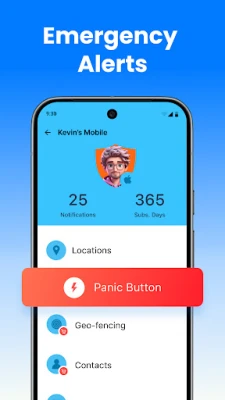
- Emergency button – A one‑tap alert that notifies designated contacts if the user feels unsafe.
- Contact overview – See the phone numbers stored in the device’s contact list for quick reference.
How it works
After installing mLite, the app requests permission to access the device’s location services. Once granted, the user can share their location with selected family members. Parents can create geofences directly on the map interface; the app then monitors the device’s GPS signal and sends a push notification when a boundary is crossed. The emergency button sends a predefined message with the current location to the contacts chosen during setup.
Practical uses
- Daily commute monitoring – Ensure children follow a safe route to school.
- After‑school activities – Know when a child arrives at a sports venue or club.
- Travel safety – Receive alerts if a device leaves a city or country unexpectedly.
- Quick assistance – The emergency button provides a fast way to request help.
Installation information
Search for mLite – GPS Location Tracker in the Google Play Store, tap Install, and follow the on‑screen prompts to grant location permissions. The app is free to download and use.
Things to know before installing
- The app relies on GPS and mobile data; a stable internet connection improves accuracy.
- Battery consumption may increase while continuous tracking is active.
- All location sharing is consensual; the app is intended for use with family members who agree to share their position.
Who may find mLite useful?
Parents who want a straightforward way to keep an eye on their children’s whereabouts, guardians caring for elderly relatives, or anyone interested in basic location‑based safety tools can benefit from mLite.
Frequently asked questions
Is mLite safe for my child’s privacy?
mLite only accesses location data when the user enables sharing. The app does not collect unrelated personal information.
Can I track multiple devices?
Yes, the app supports adding several family members, each with their own location view.
Do I need a special account?
No additional account is required; the app works with the Google account linked to the device.
Rate the App
User Reviews















Popular Apps










 Games
Games Entertainment
 Communication
 E-mail
 Security
 Tools
Tools Media
Media Internet
 Finance
 Design
 Education
 IT Tools
 Travel & Local
 Android
 Windows
 Linux
Linux