

Latest Version
Latest
August 22, 2026
FaultException
BOOKS AND REFERENCE
Android
129
Free
com.faultexception.reader
Report a Problem
More About Lithium: EPUB Reader – Simple, Ad‑Free eBook Viewer
What is Lithium?
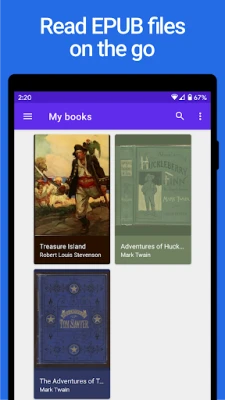
Lithium is a lightweight Android application designed to display EPUB‑format eBooks. It focuses on a straightforward reading experience without ads or unnecessary clutter.
Main features
- Automatic book detection – The app scans your device for EPUB files and lists them for quick access.
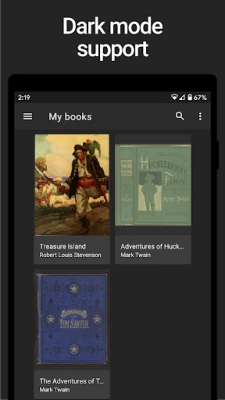
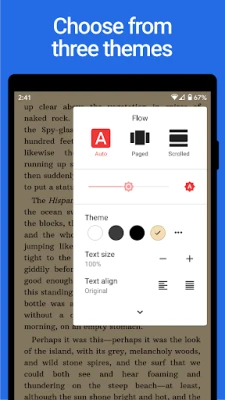
- Reading modes – Switch between day, night, and sepia themes to suit different lighting conditions.
- Navigation options – Choose between page‑by‑page flipping or continuous scrolling.
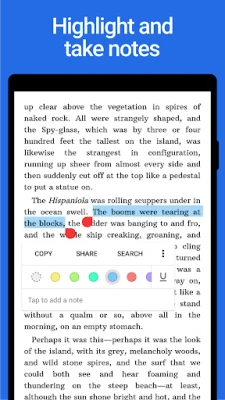
- Highlighting and notes – Mark passages and add short notes that are saved within the app.
- Material Design UI – A clean, modern interface that follows Android design guidelines.
How it works
When you launch Lithium, it scans the default “Books” folder and any other directories you specify. Tapping a title opens the book in a full‑screen reader. The toolbar at the top provides quick access to theme selection, navigation mode, and annotation tools. All changes—such as highlights or notes—are stored locally, so you can return to the same spot even after closing the app.
Practical uses
Whether you are reading a novel, a textbook, or a collection of short stories, Lithium offers a distraction‑free environment. The night theme reduces eye strain in low‑light settings, while the scrolling mode is helpful for long documents where you prefer a continuous flow.
Installation information
The app is distributed as a free download. After installing, grant the app permission to read storage so it can locate EPUB files on your device. No additional setup is required.
Compatibility
Lithium runs on Android devices that support the standard Android runtime. Specific version requirements are not listed, but the app is built with modern APIs and should operate on most devices running recent Android releases.
Things to know before installing
- The free version does not contain advertisements.
- All reading data (positions, highlights, notes) are kept locally; there is no cloud sync in the free version.
- The app handles only EPUB files; other eBook formats are not supported.
Who may find it useful?
Anyone who wants a simple, ad‑free EPUB reader on Android will appreciate Lithium. It is especially suitable for readers who prefer minimal configuration and a clean visual design.
Frequently asked questions
Can I import books from other folders?
Yes. Use the app’s settings to add additional directories, and Lithium will include any EPUB files found there.
Is there a way to back up my highlights?
Highlights and notes are stored within the app’s private data. To back them up, you would need to copy the app’s data folder using a file manager or backup tool.
Does Lithium support DRM‑protected EPUBs?
No. The reader works with standard, unprotected EPUB files only.
Rate the App
User Reviews













Popular Apps










 Games
 Entertainment
 Communication
 E-mail
 Security
 Tools
 Media
 Internet
 Finance
 Design
 Education
 Android Firmwares
 Travel & Local
 Android
 Windows
 Linux