

Latest Version
Latest
September 04, 2026
Life360
LIFESTYLE
Android
11
Free
com.life360.android.safetymapd
Report a Problem
More About Life360: Family Safety & GPS – Real‑time location sharing
What is Life360?
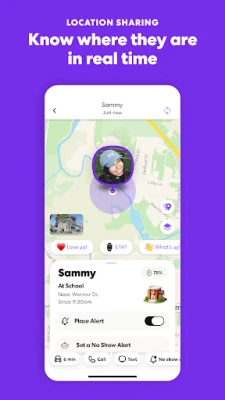
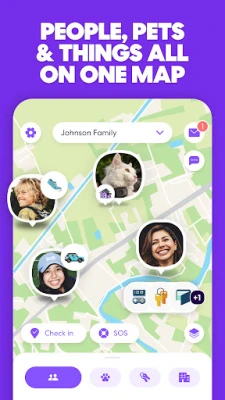
Life360 is a free Android application designed to help families and close groups keep track of each other's whereabouts. Developed by Life360, the app provides a shared map where members can see real‑time locations, set up notifications for important places and communicate quickly when needed.
Main features
- Live location sharing – Each member’s device reports its position to a shared map that updates continuously.
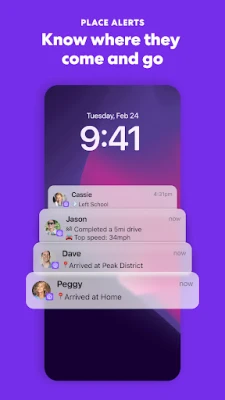
- Place alerts – Users can define locations such as home, school or work and receive a notification when a member arrives or leaves.
- Location history – The app stores recent movements, allowing users to review where a device has been over the past few hours.
- In‑app messaging – A simple chat function lets members send quick messages without leaving the map view.
- Battery‑friendly operation – Location updates are optimized to balance accuracy with power consumption.
How it works
After installing the app, each participant creates a Life360 account and joins a shared circle. The circle acts as a private network where members can see each other’s positions on a map. The app uses the device’s GPS, Wi‑Fi and cellular data to determine location and transmits it securely to Life360’s servers. Users can customize how often the app updates their position and which alerts they receive.
Practical uses
- Daily check‑ins – Parents can quickly verify that children have arrived at school or returned home.
- Travel coordination – Groups on a road trip can see who is ahead or behind, reducing the need for constant texting.
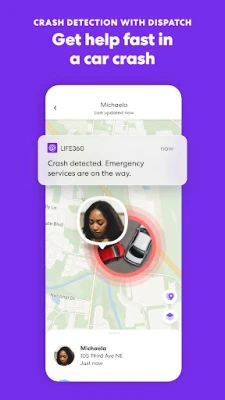
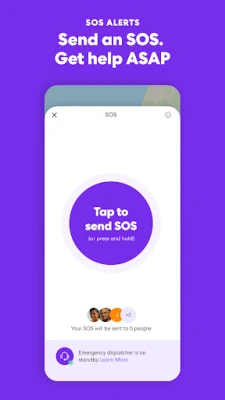
- Emergency awareness – If a member is in an unexpected location, the circle receives an instant notification, prompting a quick response.
Installation information
The app is available from the Google Play Store. Search for the package name com.life360.android.safetymapd or the title “Life360: Family Safety & GPS”. Tap “Install” and follow the on‑screen prompts to grant location permissions, which are required for core functionality.
Things to know before installing
- The app requires location permissions (fine or coarse) to share positions.
- Internet access is needed for map updates and notifications.
- All data is stored on Life360’s servers; users should review the privacy policy for details on data handling.
Who may find it useful?
Life360 is particularly helpful for parents who want a simple way to monitor their children’s movements, for caregivers managing multiple dependents, and for friends who travel together and need to stay coordinated.
Frequently asked questions
Is the app free?
Yes, the basic version of Life360 is free to download and use. Additional premium options may be offered, but they are not required for core location sharing.
Can I control who sees my location?
Members can join or leave circles at any time, and each circle’s admin can manage who is invited. Users can also pause location sharing temporarily.
Does the app work offline?
Location updates require an internet connection. The map view will display the last known position when offline, but new updates will not be sent until connectivity is restored.
Rate the App
User Reviews















Popular Apps










 Games
Games Entertainment
 Communication
 E-mail
 Security
 Tools
Tools Media
Media Internet
 Finance
 Design
 Education
 IT Tools
 Travel & Local
 Android
 Windows
 Linux
Linux