

Latest Version
Latest
September 04, 2026
Librera
BOOKS AND REFERENCE
Android
4
$5.99
com.foobnix.pro.pdf.reader
Report a Problem
More About Librera PRO – Versatile Book Reader for Android
What is Librera PRO?
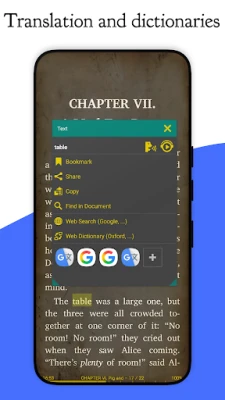
Librera PRO is a paid Android application designed for people who read digital books, documents, and comics on their mobile devices. It supports a wide range of file types, from classic e‑book formats like EPUB and MOBI to PDFs, DjVu, and even comic‑book archives such as CBR and CBZ. The app focuses on giving readers control over the visual experience and navigation.
Main features
- Broad format support – Open PDFs, EPUB/EPUB3, MOBI, FB2, DOC/DOCX, TXT, RTF, AZW/AZW3, CBR/CBZ, HTML and several other common document types.
- Customizable reading modes – Switch between day and night themes, adjust brightness, and set font size or style to suit personal preferences.
- Bookmarks and annotations – Add permanent or temporary bookmarks, highlight text, and write notes directly in the document.
- Auto‑scroll and Musician’s mode – Enable hands‑free reading with configurable scrolling speed, useful for long sessions or when listening to background audio.
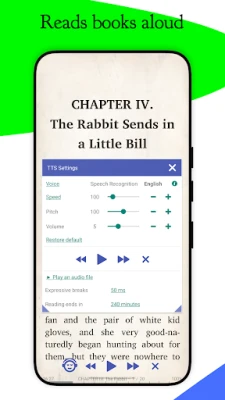
- Text‑to‑speech integration – Use any installed TTS engine to have the content read aloud, with options to fine‑tune pronunciation and pacing.
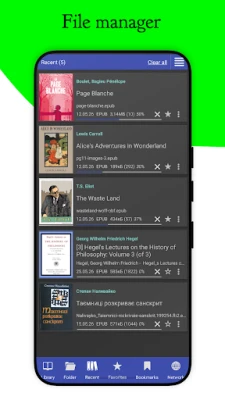
- In‑app file explorer – Scan selected folders, browse catalogs, and quickly access recent or favorite items.
- Search capabilities – Perform fast text searches within a single document or across multiple files, including multi‑word queries.
- Language support – Right‑to‑left scripts such as Arabic, Hebrew and Persian are rendered correctly.
- Online catalog access – Connect to OPDS catalogs for searching and downloading additional books.
How it works
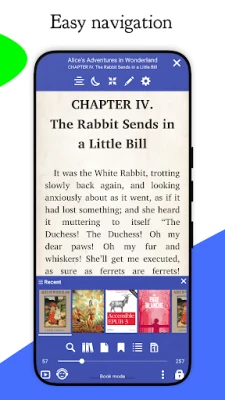
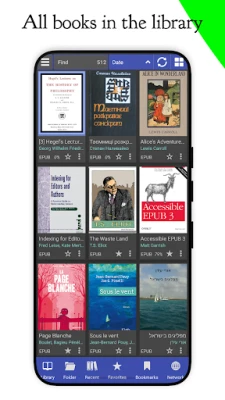
After installing Librera PRO, the app scans the folders you specify and builds a library view that can be displayed as a list or a grid. Each entry shows a thumbnail, title and reading progress. Tapping a file opens it in a viewer where you can adjust the layout (single page, double page, vertical scroll) and apply visual settings. All changes are saved automatically, so the next time you open the same document you will resume where you left off.
Practical uses
- Students can read textbooks in PDF or EPUB format, annotate key passages and return to them later.
- Comics enthusiasts can open CBR/CBZ archives and use auto‑scroll to enjoy a hands‑free reading experience.
- Travelers can load multiple e‑books and switch between day/night modes without leaving the app.
- Anyone who prefers listening to content can enable TTS and let the app read aloud while they multitask.
Installation information
The app is available for purchase at $5.99. After purchase, download and install the APK from a trusted source. The package name is com.foobnix.pro.pdf.reader. No additional setup is required beyond granting file‑access permissions so the app can locate your documents.
Things to know before installing
- The app does not include a built‑in store for purchasing books; you need to provide your own files.
- Because it is a paid product, there are no ads or in‑app purchases after the initial purchase.
- Performance may vary depending on device hardware, especially when handling large PDFs or high‑resolution comic archives.
Who may find it useful?
Librera PRO suits readers who value flexibility over a single‑purpose e‑reader. It is especially handy for users who switch between many document types, need robust annotation tools, or appreciate hands‑free scrolling.
Frequently asked questions
Can I sync my reading progress across devices?
Progress is stored locally. Syncing would require a separate cloud‑based solution outside the app.
Does the app work with external keyboards?
Yes, standard navigation shortcuts (page up/down, arrow keys) are supported when a keyboard is attached.
Is there a free trial?
The app is sold as a one‑time purchase; there is no trial version offered.
Rate the App
User Reviews














Popular Apps










 Games
Games Entertainment
 Communication
 E-mail
 Security
 Tools
Tools Media
Media Internet
 Finance
 Design
 Education
 IT Tools
 Travel & Local
 Android
 Windows
 Linux
Linux