Latest Version
Latest
August 16, 2026
Librera
BOOKS AND REFERENCE
Android
71
Free
com.foobnix.pdf.reader
Report a Problem
More About Librera: EPUB & PDF Reader – Free Android Book Viewer
What is Librera?
Librera: EPUB & PDF Reader is a free Android application developed by Librera. It serves as a versatile e‑book viewer that supports many common document types, allowing you to keep all of your reading material in a single app.
Main features
- Broad format support – Open PDFs, EPUBs, MOBI files and several other formats without needing separate readers.
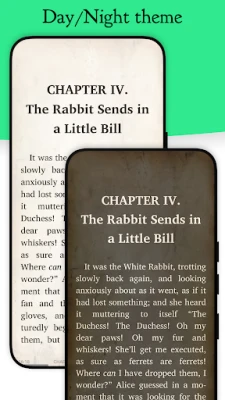
- Customizable appearance – Adjust background colors, font styles, and night mode to suit your reading environment.
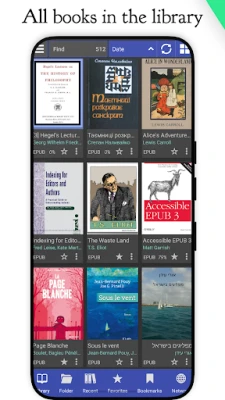
- Library organization – Browse your collection by list or grid, sort by title, author or size, and use built‑in search to locate a book quickly.
- Bookmarks and notes – Add bookmarks, highlight text, and write notes that are saved with the document.
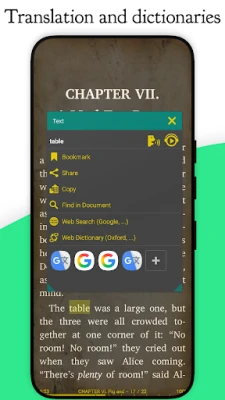
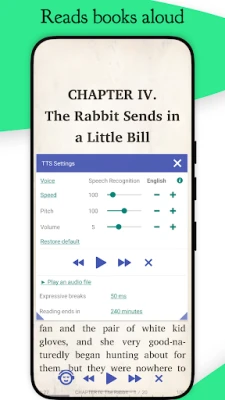
- Text‑to‑speech integration – If your device has a TTS engine installed, Librera can read the text aloud.
How it works
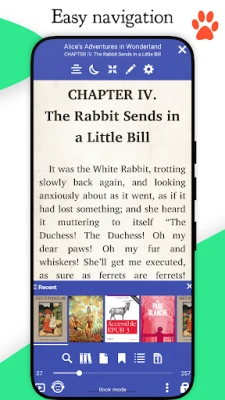
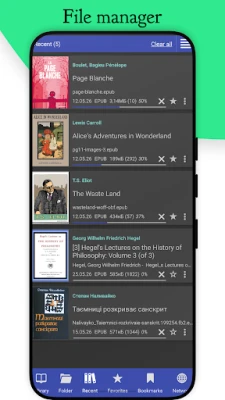
After installing the app, you can point Librera to any folder that contains e‑books. The app scans the folder, adds supported files to its library view, and presents basic metadata such as title and author. When you open a file, the reader renders the content using the chosen theme and font settings. Navigation is handled by swiping or tapping page edges, and a quick‑go panel lets you jump to a specific page or chapter.
Practical uses
- Students can load PDFs of lecture notes and annotate them directly within the app.
- Avid readers can keep their EPUB library organized and switch between day and night themes for comfortable reading.
- Travelers can store multiple formats on a single device and rely on the same viewer for all of them.
Installation information
The app is available for free on the Google Play Store. Search for the package name com.foobnix.pdf.reader or the title “Librera: EPUB & PDF Reader” to locate it. Installation follows the standard Android process.
Compatibility
Librera runs on Android devices that meet the minimum system requirements defined by the Play Store. Because the app does not depend on a specific Android version in its public description, it should work on most modern smartphones and tablets.
Things to know before installing
- The app is free; no purchase is required to access core reading functions.
- Additional features such as cloud sync or premium themes may be offered through in‑app purchases, but the basic reader is fully functional without them.
- Since the app can open password‑protected PDFs, you will need to know the password for such files.
Who may find Librera useful?
Anyone who reads digital books on Android – from casual readers and students to professionals handling technical PDFs – will benefit from having a single, lightweight reader that adapts to many file types.
Frequently asked questions
- Can I read DRM‑protected books? Librera handles standard e‑book formats; DRM‑protected files require the appropriate decryption tool before they can be opened.
- Is there a night mode? Yes, you can switch to a dark theme or customize background colors for low‑light conditions.
- Do I need an internet connection? No, once a file is stored locally you can read it offline.
Rate the App
User Reviews









Popular Apps










 Games
Games Entertainment
 Communication
 E-mail
 Security
 Tools
Tools Media
Media Internet
 Finance
 Design
 Education
 Android Firmwares
 Travel & Local
 Android
 Windows
 Linux
Linux