
Latest Version
Latest
September 02, 2026
OverDrive, Inc.
BOOKS AND REFERENCE
Android
95
Free
com.overdrive.mobile.android.libby
Report a Problem
More About Libby – Borrow eBooks and Audiobooks from Your Library
What is Libby?
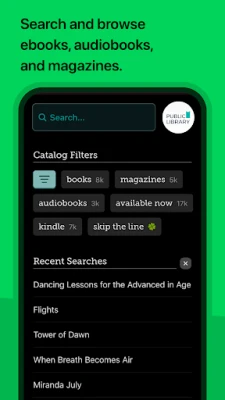
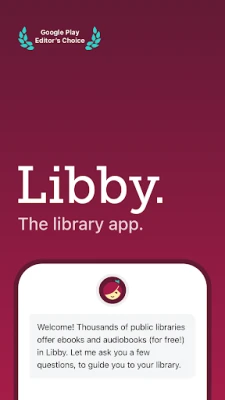
Libby is a free mobile app from OverDrive that connects you to the digital collection of your public library. With a library card, you can borrow eBooks, audiobooks, and magazines without leaving home.
Main features
- Instant borrowing – Search your library’s catalog and check out titles with a tap.
- Offline access – Download books to read or listen when you’re not online.
- Sync across devices – Your place in a book is saved, so you can switch between phone and tablet seamlessly.
- Customizable reading experience – Adjust font size, style, background color, and use the built‑in dictionary.
- Audiobook controls – Change playback speed, set a sleep timer, and add bookmarks.
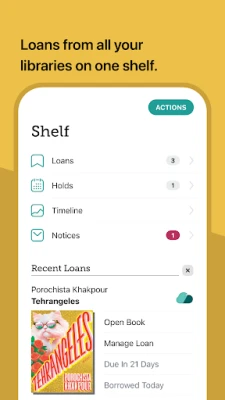
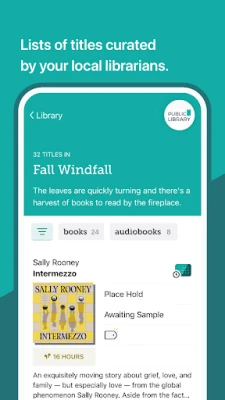
- Personalized shelves – Tag titles, create “Want to Read” lists, and receive recommendations based on your activity.
How it works
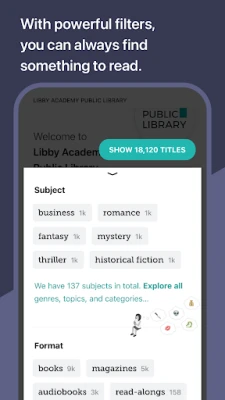
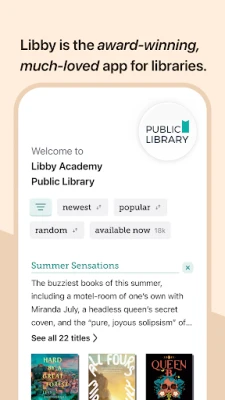
After installing Libby, you add your library by searching for its name or entering a zip code. Sign in with your library card number and PIN, then browse the catalog. When you find a title you like, tap “Borrow.” The app downloads the file (or streams it) and adds it to your personal shelf. Returns happen automatically at the due date, but you can also return early.
Practical uses
- Read novels, textbooks, or magazines while commuting.
- Listen to audiobooks during workouts or while driving with Android Auto.
- Access a wide range of genres without purchasing each book.
- Use the note‑taking and highlighting tools for study or research.
Installation information
Search for “Libby: Read Library Books” in the Google Play Store, then tap Install. The app requires a Google Play account and an Android device with enough storage for downloaded titles.
Things to know before installing
- You need a valid library card from a participating public library.
- Availability of titles depends on your library’s collection and licensing agreements.
- Some features, such as sending eBooks to Kindle, may be limited to specific regions.
Who may find Libby useful?
Students, commuters, avid readers, and anyone who wants to explore a library’s digital offerings without buying each book will benefit from Libby. It’s also handy for families looking for child‑friendly titles and for anyone who prefers listening to books while multitasking.
Frequently asked questions
Do I need an internet connection to read?
Only to download or stream a title. Once downloaded, you can read or listen offline.
Can I borrow multiple books at once?
Yes, up to the limit set by your library. Each library sets its own borrowing limits.
What happens when a book is due?
The app automatically returns the title, freeing it for other patrons. You can also return early from the “Shelf” view.
Is there a way to keep a book after the loan period?
Libby does not provide permanent copies. If you want to keep a title, you would need to purchase it through a retailer.
Rate the App
User Reviews








Popular Apps










 Games
 Entertainment
 Communication
 E-mail
 Security
 Tools
 Media
 Internet
 Finance
 Design
 Education
 Android Firmwares
 Travel & Local
 Android
 Windows
 Linux