

Latest Version
August 26, 2026
Google LLC
BOOKS AND REFERENCE
Android
114
Free
com.google.android.apps.books
Report a Problem
More About Google Play Books & Audiobooks – Read & Listen Anywhere
What is Google Play Books & Audiobooks?
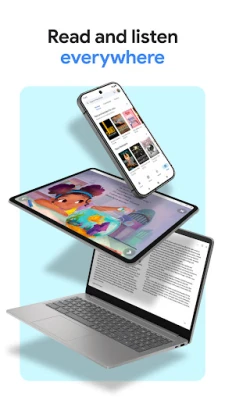
Google Play Books & Audiobooks is a free Android app from Google that lets you purchase, download, and enjoy digital books and audiobooks from the Google Play Store. It works as a personal library, letting you keep titles you own in one place and access them across devices.
Main features
- Unified library – All purchased ebooks, audiobooks, comics and manga appear together, making it easy to browse your collection.
- Offline access – You can download titles to read or listen without an internet connection.
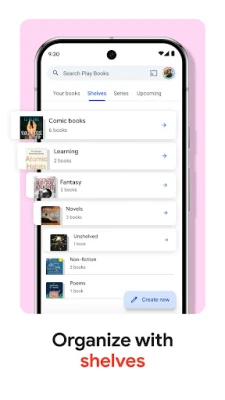
- Custom shelves – Organise books by genre, author or any personal category using virtual shelves.
- Reading customization – Adjust font style, size, line spacing, brightness and night mode to suit your comfort.
- Audio playback controls – Use on‑screen controls or voice commands via Google Assistant to play, pause, skip chapters or adjust speed.
- Notes and highlights – Highlight passages and add notes that sync with your Google Drive for later reference.
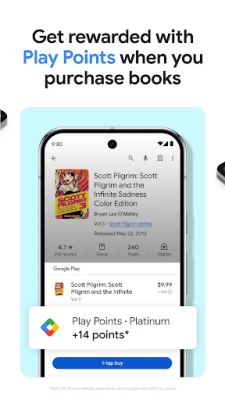
- Sample previews – Open a short preview of a book before buying to ensure it matches your expectations.
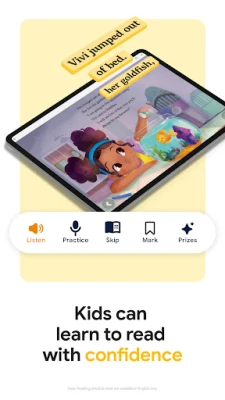
- Kid‑friendly tools – Built‑in dictionary and read‑aloud options help younger readers explore new words and stories.
How it works
After installing the app, sign in with your Google account. Your existing purchases from the Play Store automatically appear in the library. To add new titles, browse the Play Store directly from the app, purchase, and the item will download to your device. You can also import PDFs or EPUB files you already own.
Practical uses
- Travel companion – Download a novel or an audiobook before a trip and enjoy it on a plane or train without needing Wi‑Fi.
- Study aid – Highlight textbook sections, add margin notes, and export them to Google Drive for later review.
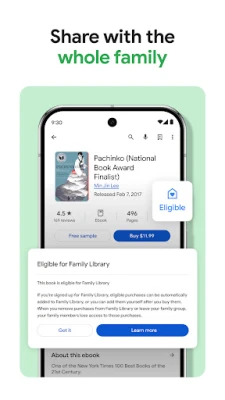
- Family reading – Create separate shelves for each family member and use the kid‑mode features for younger readers.
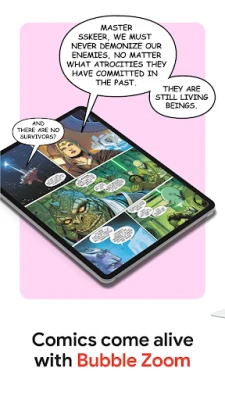
- Comics and manga – Use the app’s zoom and pan gestures to read graphic content comfortably on a phone or tablet.
Installation information
The app is available from the Google Play Store. Tap “Install,” wait for the download, and launch it from your app drawer. No additional setup is required beyond signing in with a Google account.
Things to know before installing
- The app requires a Google account for purchases and syncing.
- Content availability varies by region; some books or audiobooks may not be purchasable in every country.
- Storage space is needed for downloaded titles; the amount depends on the size of each file.
Who may find it useful?
Anyone who enjoys digital reading or listening to books will benefit—from casual readers who want a single place for their purchases to students who need annotation tools, and families looking for a safe environment for children’s books.
Frequently asked questions
Can I read PDFs that I already own?
Yes. Use the “Add a file” option to import PDFs or EPUBs, which will then appear alongside your purchased titles.
Does the app support syncing across devices?
All books, notes and reading progress are stored in the cloud and automatically sync to any Android device where you sign in with the same Google account.
Is there a subscription required for audiobooks?
No. Audiobooks are purchased individually, and you can listen to them without a recurring subscription.
Rate the App
User Reviews













Popular Apps










 Games
 Entertainment
 Communication
 E-mail
 Security
 Tools
 Media
 Internet
 Finance
 Design
 Education
 Android Firmwares
 Travel & Local
 Android
 Windows
 Linux