
Latest Version
August 24, 2026
Google LLC
LIFESTYLE
Android
112
Free
com.google.android.apps.chromecast.app
Report a Problem
More About Google Home – Manage Your Smart Home Devices
What is Google Home?
Google Home is an Android application from Google LLC that serves as a central hub for managing compatible smart‑home devices. Whether you have smart lights, thermostats, speakers, cameras or other connected accessories, the app provides a single place to view status, adjust settings, and create routines.
Main features
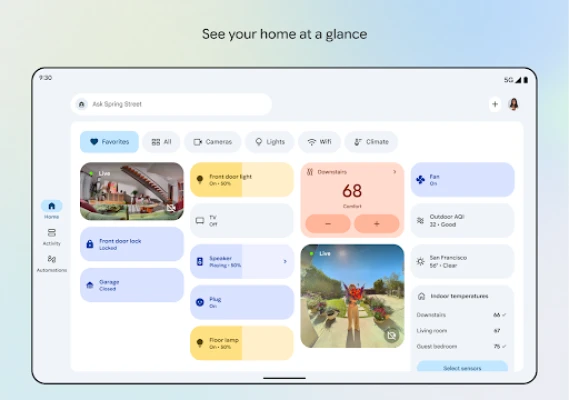
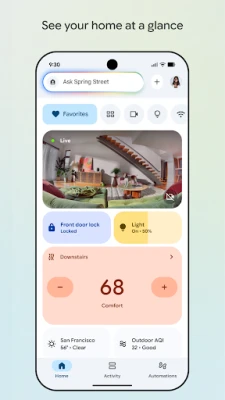
- Device overview – See all linked devices on a dashboard, grouped by room or function.
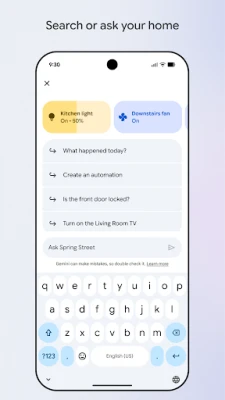
- Voice integration – Use Google Assistant to issue commands directly from the app or via voice‑enabled hardware.
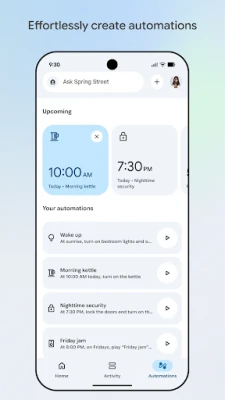
- Routines and automations – Set up triggers such as time of day, location or sensor activity to automate multiple actions.
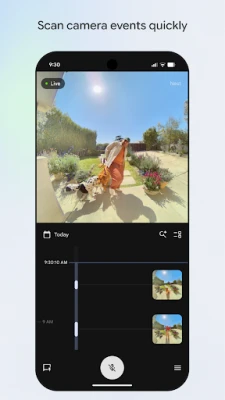
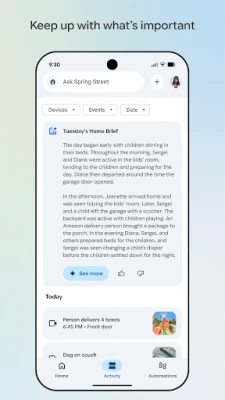
- Camera live view – Access live video streams and recent clips from compatible security cameras.
- Home controls – Adjust lighting, temperature, media playback and more with a few taps.
How it works
After installing the app, you sign in with your Google account. The app then scans for devices on your Wi‑Fi network that support the Google Home ecosystem. You can add new devices by following on‑screen prompts, often involving scanning a QR code or entering a pairing code provided by the device manufacturer. Once added, devices appear in the home view where you can rename them, assign them to rooms, and customize their behavior.
Practical uses
- Turn off all lights when you leave the house with a single tap.
- Check who is at the front door by opening the camera feed.
- Set a bedtime routine that dims lights, lowers the thermostat, and plays soothing music.
- Receive notifications when a sensor detects motion or a door is opened.
Installation information
The app is available for free on the Google Play Store. Search for "Google Home" or use the package name com.google.android.apps.chromecast.app to locate it. Installation requires an Android device with a Google account and internet connectivity.
Compatibility
Google Home works with a wide range of smart‑home products that support Google Assistant or the Matter standard. Compatibility lists are maintained by device manufacturers, and the app will only show devices that can be securely linked to your account.
Things to know before installing
- Because the app controls networked devices, a stable Wi‑Fi connection is essential for reliable operation.
- Some features, such as certain camera views or advanced automations, may be limited to specific regions or require additional subscriptions.
- Permissions requested by the app typically include access to local network, location (for geofencing) and notifications.
Who may find it useful?
Homeowners who have started building a smart‑home ecosystem, renters who want simple control over a few devices, and anyone who prefers a unified interface for managing multiple brands will benefit from Google Home.
Frequently asked questions
Do I need a Google Nest device to use the app?
No. While Nest devices integrate seamlessly, the app can manage any compatible smart‑home product that works with Google Assistant.
Can I control devices when I’m away?
Yes. As long as the devices remain connected to the internet, you can access them through the app from any location.
Is the app safe to use?
The app follows Google’s standard security practices, including encrypted communication with devices and account authentication.
Rate the App
User Reviews















Popular Apps










 Games
 Entertainment
 Communication
 E-mail
 Security
 Tools
 Media
 Internet
 Finance
 Design
 Education
 Android Firmwares
 Travel & Local
 Android
 Windows
 Linux