





Latest Version
Latest
August 20, 2026
FivePrayer
LIFESTYLE
Android
99
Free
com.fiveprayer.app
Report a Problem
More About FivePrayer – Accurate Prayer Times & Qibla Compass
What is FivePrayer?
FivePrayer is a free Android application designed for Muslims who want reliable prayer times and tools that support daily worship. It combines time calculations, adhan notifications, a Qibla compass, Quran reading, and a distraction‑blocking feature into a single, ad‑free package.
Main features
- Accurate prayer times – The app calculates Fajr, Dhuhr, Asr, Maghrib and Isha based on your current location. It supports a range of widely used calculation methods, allowing you to match the schedule followed by your community.
- Customizable adhan – Choose from several muezzin voices and set the volume, repeat interval and lead‑time that suit your routine.
- Qibla compass – An offline compass points directly toward the Kaaba, using the device’s GPS and magnetic sensor. It works without an internet connection, which is handy while traveling.
- Quran access – Browse the full text of the Quran by page, chapter or verse. The app includes basic translations and audio recitations, making it easy to read or listen during spare moments.
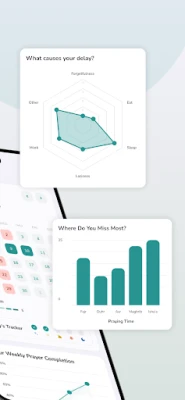
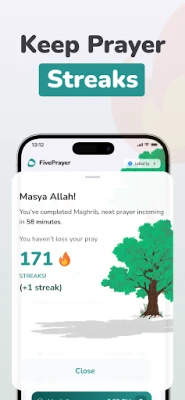
- Prayer tracker – Tap a button to log each of the five daily prayers. A streak counter and simple statistics help you see patterns and stay consistent.
- App lock for focus – During prayer times the app can temporarily block notifications and restrict access to other apps, helping you maintain concentration.
How it works
When you first open FivePrayer, it asks for permission to access your location. This information is used only to compute the local prayer schedule. You can then select a calculation method and, if you follow a particular madhab, adjust the Asr timing accordingly. All settings are saved locally, so the app continues to work offline after the initial setup.
Adhan alerts are scheduled automatically based on the calculated times. You can edit each alert individually—changing the voice, lead‑time or turning it off for specific prayers.
Practical uses
- Daily worship – Get timely reminders so you never miss a prayer, even when your routine changes.
- Travel – The offline Qibla compass and location‑based times let you pray correctly in any city.
- Learning – Use the built‑in Quran reader and audio recitations for personal study or memorization.
- Focus – Activate the app lock before a prayer to silence other apps and avoid accidental scrolling.
Installation information
FivePrayer is available through the standard Android package manager. Search for the package name com.fiveprayer.app or the app name in the store, then tap Install. The download size is modest, and the app does not require additional data packs after installation.
Things to know before installing
- The app needs location permission to generate accurate prayer times.
- It uses the device’s compass; calibration may be required for precise Qibla direction.
- No in‑app purchases or ads are present, so the experience remains uninterrupted.
Who may find it useful?
Anyone looking for a straightforward, ad‑free solution to manage prayer times on Android will benefit from FivePrayer. It is especially helpful for users who travel frequently, prefer offline functionality, or want a simple way to track their daily prayers without clutter.
Frequently asked questions
Do I need an internet connection?
Only for the initial location lookup. Once the times are calculated, the app works offline, including the Qibla compass.
Can I change the calculation method later?
Yes. Settings can be edited at any time, and the app will recalculate the times instantly.
Is my data shared?
The app stores settings locally on the device. No external servers are contacted for prayer‑time data after the first calculation.
Rate the App
User Reviews















Popular Apps










 Games
 Entertainment
 Communication
 E-mail
 Security
 Tools
 Media
 Internet
 Finance
 Design
 Education
 Android Firmwares
 Travel & Local
 Android
 Windows
 Linux