

Latest Version
Latest
September 09, 2026
HBI Apps
LIFESTYLE
Android
8
Free
com.hbouzidi.fiveprayers
Report a Problem
More About Five Prayers – Prayer Times, Adhan & Qibla
What is Five Prayers?
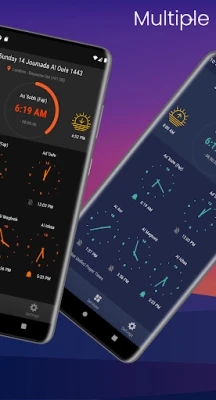
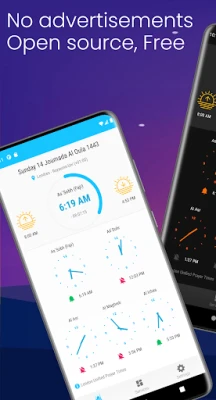
Five Prayers is a free Android application designed to help Muslims keep track of the five daily prayers. It combines prayer‑time calculations, Adhan notifications, a Hijri calendar, and a Qibla direction tool in a single, easy‑to‑use package.
Main Features
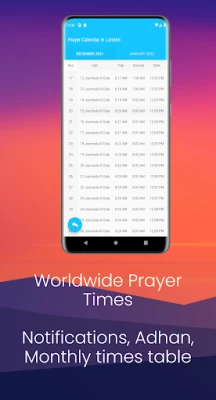
- Worldwide prayer times – The app calculates prayer times for any location on the globe.
- Multiple calculation methods – Choose from the most common methods used by different Islamic authorities.
- Adjustable offsets – Fine‑tune the times to match local practice or personal preference.
- Adhan notifications – Receive a gentle reminder before each prayer, with optional audio.
- Hijri calendar – View the Islamic lunar calendar alongside the Gregorian dates.
- Monthly prayer table – See the full month’s schedule at a glance.
- Qibla compass – Locate the direction of the Kaaba using the device’s sensors.
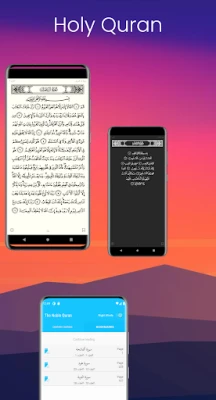
- Quran access – Quick links to the Quran for reading or listening.
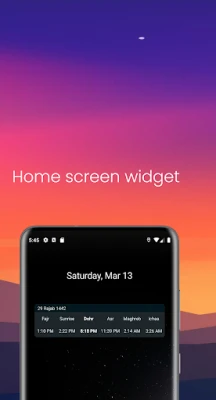
- Home screen widget – Keep the next prayer time visible without opening the app.
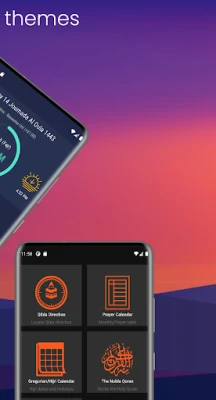
- Themes – Switch between light and dark modes to suit your environment.
How It Works
When you first launch Five Prayers, the app asks for permission to access your location. Using that data, it selects the appropriate calculation method and generates the day's prayer times. You can manually select a different city or adjust the calculation method at any time.
Adhan alerts can be customized in the settings: choose the sound, set a lead‑time (e.g., 5 minutes before), and enable or disable vibrations. The Qibla compass uses the phone’s magnetometer; simply point the device toward the indicated direction to face the Kaaba.
Practical Uses
- Plan your day around accurate prayer times, even when traveling.
- Use the widget to stay aware of the next prayer without unlocking the phone.
- Refer to the Hijri calendar for fasting, Eid, and other Islamic events.
- Quickly find the Qibla direction in unfamiliar locations.
Installation Information
The app is available for free on the Google Play Store. Installation follows the standard process: tap “Install,” grant location permission when prompted, and you’re ready to configure your preferences.
Things to Know Before Installing
- The app requires location access to calculate local prayer times accurately.
- Adhan sounds are stored locally; no additional data usage is required after the initial download.
- Battery impact is minimal; the app runs background services only for scheduled notifications.
Who May Find It Useful?
Anyone looking for a reliable, all‑in‑one tool for daily prayers will benefit—from students and professionals to travelers and families. The widget and Qibla compass are especially handy for users who spend time away from home.
Frequently Asked Questions
Can I change the calculation method after setup?
Yes. Open the settings menu, select “Calculation Method,” and choose the one that matches your local practice.
Is the app usable without an internet connection?
All core features—prayer times, Adhan alerts, Qibla compass, and the Hijri calendar—work offline once the initial location is set.
How do I add the widget to my home screen?
Long‑press an empty area on the home screen, select “Widgets,” find “Five Prayers,” and drag it to the desired spot.
Rate the App
User Reviews














Popular Apps










 Games
Games Entertainment
 Communication
 E-mail
 Security
 Tools
Tools Media
Media Internet
 Finance
 Design
 Education
 IT Tools
 Travel & Local
 Android
 Windows
 Linux
Linux