



Latest Version
September 01, 2026
FBReader.ORG Limited
BOOKS AND REFERENCE
Android
4
$14.99
com.fbreader
Report a Problem
More About FBReader Premium – Advanced e‑book reader for Android
What is FBReader Premium?
FBReader Premium is the paid edition of the long‑standing FBReader e‑book application. It builds on the core reader by offering extra tools that help you get more out of your digital library, whether you read on a phone, tablet, or an e‑ink device.
Main features
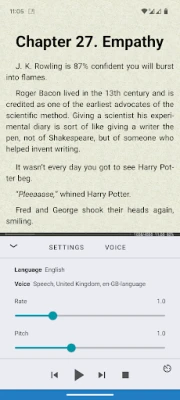
- Text‑to‑speech integration – Use Android’s built‑in voice engine to have books read aloud, handy for multitasking or accessibility.
- Instant translation – Select a word or passage and translate it on the fly with Google Translate or DeepL.
- Broad format support – In addition to ePub, the premium version opens PDF files, comic‑book archives (CBZ/CBR), and common text formats such as DOC, RTF, HTML and TXT.
- Dictionary lookup – Quick access to any dictionary app you have installed, so you can look up unfamiliar words without leaving the page.
- Cloud sync (optional) – Sync your library, reading position and bookmarks via the FBReader Book Network, which relies on Google Drive.
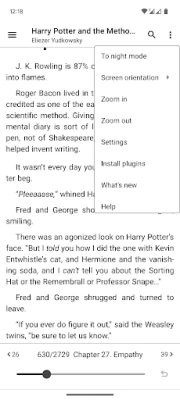
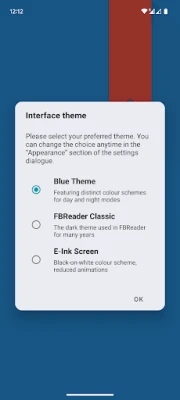
- Customization – Choose your own fonts, background colors, day/night themes, and adjust brightness with a swipe. Layout and gesture settings are also highly configurable.
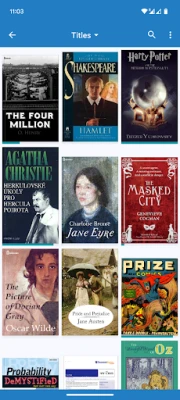
- Built‑in catalog browser – Browse online OPDS catalogs directly from the app or add your own custom catalogs for easy discovery.
How it works
After purchasing FBReader Premium, the app unlocks the additional menus and settings described above. The core reading engine remains the same, so you’ll notice the same smooth page turns and responsive interface you expect from the free version. To use cloud sync, sign in with a Google account; the app stores data in a private folder on your Drive, keeping it separate from other apps.
Practical uses
- Students can listen to textbooks while commuting, using the text‑to‑speech feature.
- Travelers benefit from instant translation of foreign‑language e‑books.
- Comic enthusiasts can open CBZ/CBR archives without needing a separate viewer.
- Readers with visual preferences can fine‑tune font size, line spacing, and background colors for comfort.
Installation information
FBReader Premium is available through the Google Play Store. The purchase price is $14.99. After purchase, the app appears in your library and can be installed like any other Android application. No additional download size or version information is required for this description.
Things to know before installing
- The premium features require Android’s built‑in text‑to‑speech engine and a compatible dictionary app for lookups.
- Cloud sync is optional; you can use the reader fully offline.
- Supported file types include DRM‑free ePub, PDF, CBZ/CBR, and common text documents. Files protected by DRM may not open.
Who may find it useful?
Anyone who reads regularly on Android devices and wants more control over the reading experience will benefit. The app is especially useful for:
- Students and professionals who need annotation, dictionary, and translation tools.
- Readers who prefer night mode or custom themes for eye comfort.
- Comic book fans looking for a single app that handles both text and image‑heavy formats.
Frequently asked questions
Is a Google account required?
Only if you want to use the optional cloud sync feature. The core reading functions work without any account.
Can I use my own fonts?
Yes, the premium version lets you import and select custom fonts from your device storage.
Does the app support DRM‑protected books?
FBReader Premium opens DRM‑free files. It does not bypass DRM protection.
Will future updates be free?
Updates to the premium edition are delivered through the Play Store. Existing purchasers receive updates at no additional cost, subject to the developer’s policy.
Rate the App
User Reviews















Popular Apps










 Games
Games Entertainment
 Communication
 E-mail
 Security
 Tools
Tools Media
Media Internet
 Finance
 Design
 Education
 IT Tools
 Travel & Local
 Android
 Windows
 Linux
Linux