
Latest Version
September 11, 2026
FBReader.ORG Limited
BOOKS AND REFERENCE
Android
15
Free
org.geometerplus.fbreader.plugin.pdf
Report a Problem
More About FBReader PDF plugin – Read PDFs in FBReader
What is the FBReader PDF plugin?
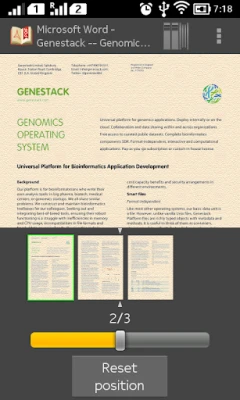
The FBReader PDF plugin is an optional add‑on for the FBReader e‑book reader. It enables the core FBReader application to open and display PDF files, letting you keep all of your reading material in one place.
Main features
- Integrates PDF viewing directly into FBReader’s interface.
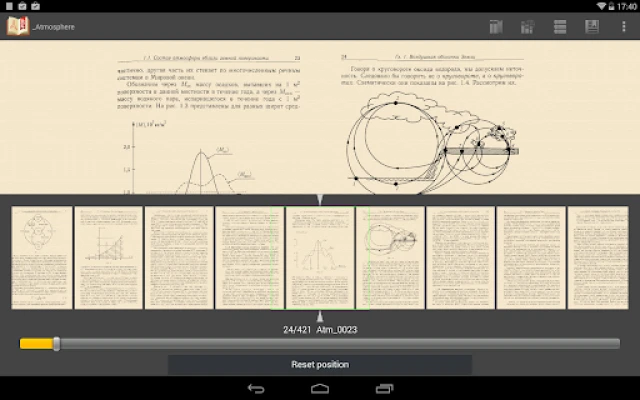
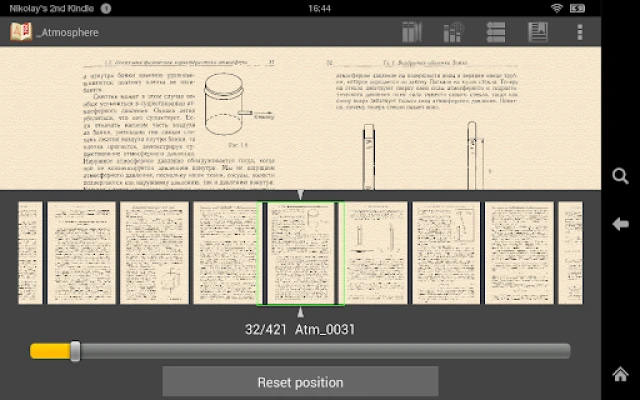
- Supports basic navigation such as page turning, zoom, and scrolling.
- Works with the same library management tools that FBReader provides for e‑books.
How it works
After installing the plugin, FBReader detects PDF files in your device’s storage and lists them alongside other supported formats. When you open a PDF, the plugin uses its rendering engine to display the document while preserving FBReader’s familiar controls and settings.
Practical uses
Whether you read novels, technical manuals, or reference PDFs, the plugin lets you avoid switching between separate apps. It’s especially handy for users who already rely on FBReader for EPUB, MOBI, or other formats and want a unified reading experience.
Installation information
1. Ensure you have FBReader version 2.0.4 or later installed.
2. Download the FBReader PDF plugin from the Google Play Store.
3. Open the plugin’s page and tap Install.
4. Once installed, launch FBReader; PDF files will appear in your library automatically.
Compatibility
The plugin requires a compatible version of FBReader (2.0.4+). It does not have its own independent version number, size, or Android version requirements listed, so it follows the same system requirements as the host FBReader app.
Things to know before installing
- The plugin is free and does not contain in‑app purchases.
- It adds PDF capability only; advanced PDF features such as annotations or form filling are not provided.
- Performance may vary depending on the device’s hardware and the size of the PDF files.
Who may find it useful?
Anyone who already uses FBReader and occasionally needs to read PDFs will benefit. Students, researchers, and casual readers who keep both e‑books and PDF documents on their device can enjoy a single, consistent reading interface.
Frequently asked questions
Do I need to uninstall FBReader to use the plugin?
No. The plugin works as an add‑on and requires FBReader to remain installed.
Can I read encrypted PDFs?
The plugin handles standard PDF files; encrypted or password‑protected PDFs may not open.
Will the plugin receive updates?
Updates are released by the developer as needed. Check the plugin’s page in the Play Store for the latest version.
Rate the App
User Reviews










Popular Apps










 Games
Games Entertainment
 Communication
 E-mail
 Security
 Tools
Tools Media
Media Internet
 Finance
 Design
 Education
 IT Tools
 Travel & Local
 Android
 Windows
 Linux
Linux