

Latest Version
August 22, 2026
FBReader.ORG Limited
BOOKS AND REFERENCE
Android
146
Free
org.geometerplus.zlibrary.ui.android
Report a Problem
More About FBReader: Favorite Book Reader for Android
What is FBReader?
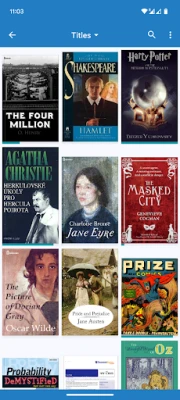
FBReader (Favorite Book Reader) is a free Android application designed to let you read digital books comfortably on smartphones, tablets, and e‑ink devices. It focuses on speed, low resource usage, and a high degree of personalization, making it a solid choice for anyone who wants a straightforward reading experience without unnecessary bloat.
Main features
- Broad format support – FBReader can open ePub, PDF, Kindle azw3, fb2 (including zipped versions), comic book archives (CBZ/CBR), as well as plain text, HTML, DOC and RTF files.
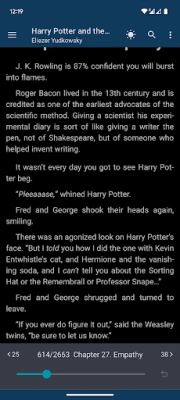
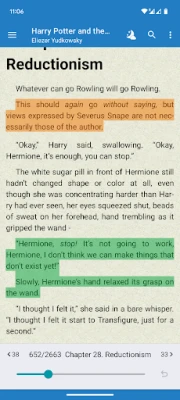
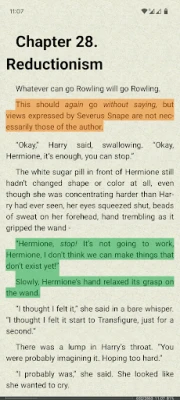
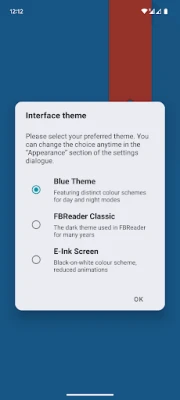
- Customizable appearance – Choose your own TrueType or OpenType fonts, switch between day and night themes, and adjust screen brightness with a swipe gesture.
- Layout control – Fine‑tune margins, line spacing, and paragraph indentation to match your reading preferences.
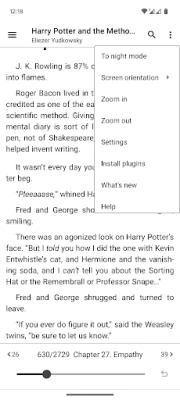
- Gesture support – Navigate pages, adjust settings, and invoke menus using intuitive swipe and tap gestures.
- Dictionary integration – When you tap a word, FBReader can launch your preferred dictionary app for instant look‑ups, which is handy for language learners.
- Library management – The app scans the device’s Books folder automatically and also lets you browse online catalogs via built‑in OPDS support.
- Multi‑language interface – The UI is localized into dozens of languages and includes hyphenation patterns for many of them.
How it works
After installation, FBReader scans the default Books directory on your device and adds any supported files to its library view. You can also add books manually by placing them in that folder or by using the built‑in catalog browser to download titles from OPDS sources. When you open a book, the reader renders the content using the selected theme and font, and you can swipe along the screen edge to adjust brightness without leaving the reading view.
Practical uses
- Daily reading – Whether you prefer novels, technical manuals, or comic books, FBReader handles them all in a single, lightweight app.
- Language study – The quick dictionary lookup and support for multiple languages make it useful for learners who need to reference words on the fly.
- E‑ink devices – Optimized rendering ensures smooth performance on e‑ink readers that run Android, extending battery life while preserving readability.
Installation information
FBReader is available as a free download from the Google Play Store. The package name is org.geometerplus.zlibrary.ui.android. No additional permissions beyond standard storage access are required to read files stored on your device.
Compatibility
The app runs on Android devices that meet the minimum system requirements for standard Play Store apps. It adapts its interface for both small phone screens and larger tablets, and it includes specific optimizations for e‑ink displays.
Things to know before installing
- FBReader does not include a built‑in store; you will need to obtain ebook files from other sources or use OPDS catalogs.
- Cloud sync is optional and disabled by default; you can enable it in Settings if you want to back up your library and reading positions.
- The app does not handle DRM‑protected books that require proprietary licensing beyond Readium LCP.
Who may find it useful?
Anyone who reads digital books on Android and values a fast, adaptable interface will benefit from FBReader. It is especially appealing to users who prefer to keep their reading library organized locally, as well as to language learners who need quick dictionary access.
Frequently asked questions
Can I use my own fonts?
Yes. FBReader lets you import TrueType or OpenType fonts and apply them to any book.
Does the app support cloud backup?
Cloud sync is optional and can be enabled in the Settings menu. When active, it uses a Google Drive‑based service to store library data.
Is the reader suitable for comics?
FBReader supports CBZ and CBR comic archives, allowing you to view comic pages with the same customization options as text books.
Rate the App
User Reviews












Popular Apps










 Games
 Entertainment
 Communication
 E-mail
 Security
 Tools
 Media
 Internet
 Finance
 Design
 Education
 Android Firmwares
 Travel & Local
 Android
 Windows
 Linux