

Latest Version
September 05, 2026
DevRoks
LIFESTYLE
Android
10
Free
com.ahmadhafeez.digital_tasbeeh_counter
Report a Problem
More About Digital Tasbeeh Counter Zikr – Simple Dhikr Tracker
What is Digital Tasbeeh Counter Zikr?
Digital Tasbeeh Counter Zikr is a lightweight Android utility that turns your phone into a digital tasbeeh. It lets you record each recitation of phrases such as Subhanallah, Alhamdulillah, Allahu Akbar or any custom dua you choose. The app is designed for users who want a reliable, distraction‑free way to keep track of their daily worship without needing a physical misbaha.
Main features
- Unlimited counters – Create separate profiles for different phrases or personal prayers.
- Haptic and sound feedback – Choose vibration intensity or a soft click sound to confirm each tap, making counting possible with eyes closed.
- Customizable appearance – Select from light and dark themes and adjust colors to suit personal taste.
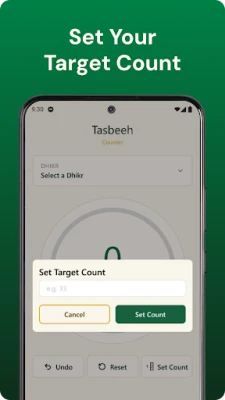
- Goal alerts – Set a target count (e.g., 33, 99) and receive a vibration when the goal is reached.
- Automatic saving – The app stores your progress locally, so you can pause and resume at any time.
- Offline operation – No internet connection is required after installation.
How it works
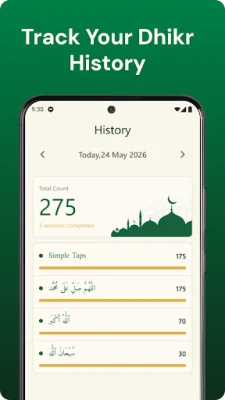
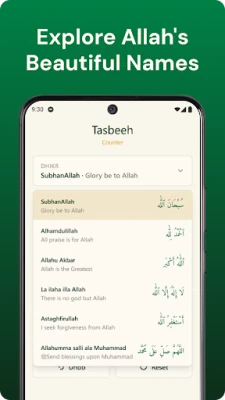
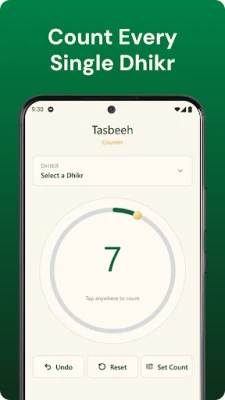
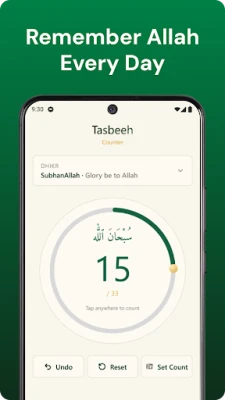
After launching the app, you can either pick a pre‑defined counter or add a new one by entering the phrase you wish to track. Each tap on the main button increments the count, while a long‑press on the minus icon lets you correct an accidental tap. The current total is displayed prominently, and a small history view shows today’s count at a glance.
Practical uses
- Counting dhikr after each of the five daily prayers.
- Tracking personal supplications during a dedicated worship session.
- Maintaining a consistent routine for memorizing the 99 Names of Allah.
- Recording repetitions of any mantra or affirmation you incorporate into your spiritual practice.
Installation information
The app is distributed as a free download from the Google Play Store. Installation follows the standard Android process: tap Install, grant any required permissions, and the app will appear on your home screen. No additional configuration is needed to start counting.
Things to know before installing
- The app does not require an internet connection after it is installed.
- All data is stored locally on the device; there is no cloud sync.
- Because the app is free, it may contain non‑intrusive ads, but they do not interfere with counting.
Who may find it useful?
Anyone who regularly engages in dhikr, azkar or personal prayers can benefit from a digital counter. The app is especially handy for users who prefer a silent, tactile method that works in quiet environments such as mosques or night-time worship.
Frequently asked questions
Can I reset a counter?
Yes. Each counter has a reset button that clears the current total. A confirmation step prevents accidental resets.
Is my count data private?
All counts are saved only on your device. The app does not transmit personal data to external servers.
Can I change the vibration pattern?
The settings panel offers a few vibration intensity options. More detailed patterns are not currently supported.
Does the app support multiple languages?
The interface is in English. You can enter phrases in any language, as the app treats them as plain text.
Rate the App
User Reviews














Popular Apps










 Games
Games Entertainment
 Communication
 E-mail
 Security
 Tools
Tools Media
Media Internet
 Finance
 Design
 Education
 IT Tools
 Travel & Local
 Android
 Windows
 Linux
Linux