
Latest Version
Latest
August 28, 2026
tasbih.app
LIFESTYLE
Android
100
Free
com.sevapp.smart_tasbeeh
Report a Problem
More About Digital Tasbeeh Counter – Simple Prayer Bead Tracker
What is Digital Tasbeeh Counter?
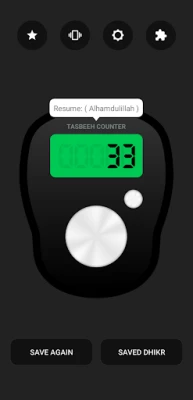
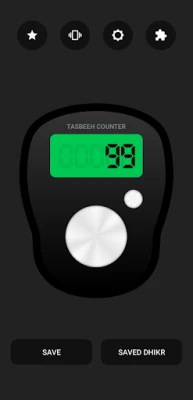
Digital Tasbeeh Counter is a lightweight Android utility designed for anyone who wants to keep track of dhikr (remembrance of Allah) without using a physical rosary. The app presents a simple, ring‑shaped interface that registers each tap as a count, allowing you to focus on your prayers while the device records the numbers for you.
Main features
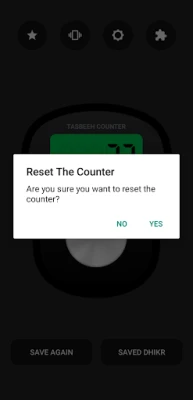
- Persistent counting – The current count remains on the screen even after you close the app, so you can resume where you left off.
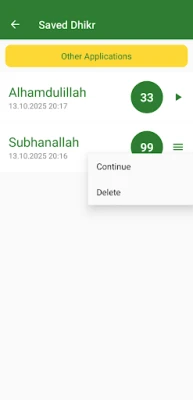
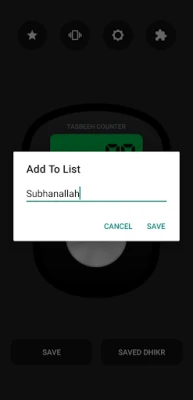
- Session saving – You can store a count together with a custom name and the date, creating a personal log of your dhikr sessions.
- Vibration feedback – Optional haptic feedback lets you know a tap was registered without needing to look at the screen.
- Night‑mode display – A dark theme reduces battery consumption and is easier on the eyes during nighttime prayers.
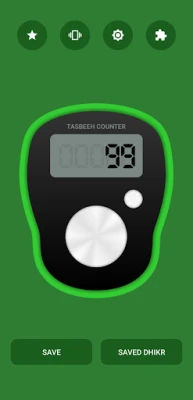
- Theme customization – Simple colour adjustments let you personalize the look of the counter buttons.
How it works
When you open the app, a central button acts as the digital tasbeeh. Each tap increments the displayed number. A second button lets you save the current count; you are prompted to enter a short label (for example, "Morning Dhikr") and the app automatically records the date. Saved entries can be reviewed later, showing the name, date, and total count for each session.
The vibration option can be toggled on or off from the top‑right controls. If enabled, the device gives a brief buzz with every tap, which is useful when you keep the screen turned off or when you prefer not to glance at the display.
Practical uses
- Tracking daily dhikr routines such as reciting the names of Allah, specific supplications, or prayer beads.
- Maintaining a personal log of spiritual practice for reflection or sharing with a teacher.
- Using the night‑mode during late‑night prayers to conserve battery and avoid bright screens.
Installation information
The app is available for free on the Google Play Store. Search for Digital Tasbeeh Counter or use the package name com.sevapp.smart_tasbeeh to locate it. Installation follows the standard Android process: tap Install, grant any required permissions, and launch the app from your app drawer.
Things to know before installing
- The app does not contain advertisements, providing an uninterrupted prayer experience.
- No special permissions beyond basic device access are required; the app works offline.
- Because the developer has not published version or size details, you may want to check the Play Store listing for the latest update information.
Who may find it useful?
Anyone who regularly performs dhikr, whether beginners learning the practice or experienced worshippers seeking a digital alternative to a physical tasbeeh, will benefit from the straightforward counting and logging features. The minimalistic design also suits users who prefer a distraction‑free tool.
Frequently asked questions
Will my counts be lost if I close the app?
No. The current count stays on the screen after you exit, and you can resume counting without resetting.
Can I view past dhikr sessions?
Yes. Saved entries appear in a list showing the name you assigned, the date, and the total count for that session.
Is the app battery‑friendly?
The night‑mode option reduces screen brightness and helps conserve power, especially during extended use.
Do I need an internet connection to use the counter?
No. All counting and saving functions work offline; an internet connection is only needed for the initial download.
Rate the App
User Reviews













Popular Apps










 Games
 Entertainment
 Communication
 E-mail
 Security
 Tools
 Media
 Internet
 Finance
 Design
 Education
 Android Firmwares
 Travel & Local
 Android
 Windows
 Linux