

Latest Version
August 13, 2026
Bartolomei Development
BOOKS AND REFERENCE
Android
339
$2.49
com.bart.ereader
Report a Problem
More About Classic eReader – Simple EPUB Reader for Android
What is Classic eReader?
Classic eReader is a lightweight Android application designed for reading EPUB files. It focuses on a distraction‑free experience, giving you control over how your books look and sound.
Main features
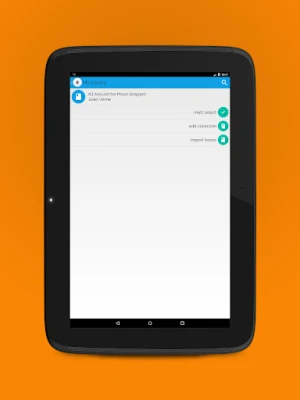
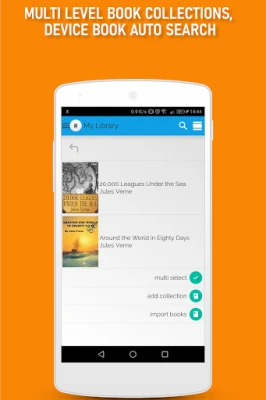
- Library organization – Import books or whole folders, arrange them into multi‑level collections, and view titles as covers or icons.
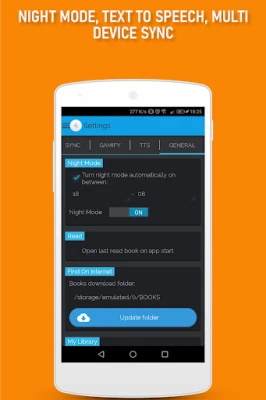
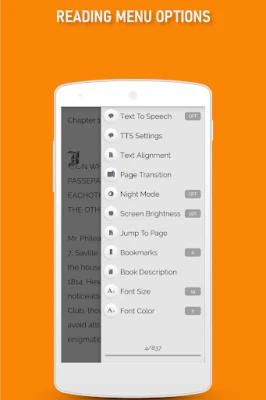
- Reading customization – Adjust font size, line spacing, text color, and switch to full dark or night mode. Brightness can be controlled from within the app, and a full‑screen mode removes on‑screen clutter.
- Page navigation – Choose from several page‑turn animations, see a progress indicator, and jump directly to a specific page.
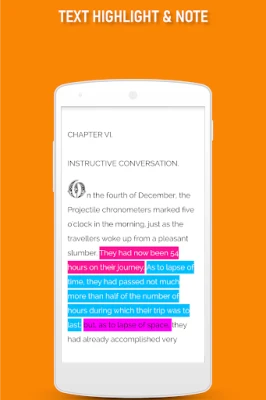
- Bookmarks, highlights and notes – Mark pages, highlight passages, and add personal notes that are saved with the book.
- Text‑to‑speech – Use the integrated Google TTS engine to listen to your books. Voice pitch, speech rate and language can be adjusted.
- Accessibility – Fully compatible with TalkBack and other screen‑reader tools, making it usable without visual interaction.
How it works
After installing Classic eReader, you can open EPUB files directly from any file manager or use the app’s import function to add books to the internal library. The collection view lets you sort titles the way you prefer, and a search bar helps you locate a book quickly. When you open a book, the reading pane offers the customization options listed above. All changes, such as bookmarks or notes, are stored locally and synced across devices when you enable the optional cloud backup.
Practical uses
- Reading novels, textbooks, or reference material on a phone or tablet.
- Listening to books while commuting, thanks to the TTS feature.
- Studying with highlights and notes that can be reviewed later.
- Using night mode for comfortable reading in low‑light environments.
Installation information
The app is available for purchase at $2.49. After purchase, download and install it like any other Android application. No additional setup is required to start reading.
Things to know before installing
- The app supports EPUB files; other formats are not listed as supported.
- Text‑to‑speech relies on the device’s Google TTS engine, so ensure that engine is installed and up to date.
- Library organization works best when you import books from a single location; importing from multiple sources may require manual sorting.
Who may find Classic eReader useful?
Anyone who prefers a straightforward reading experience on Android—students, casual readers, and users who need accessibility features will appreciate the clean design and customizable options.
Rate the App
User Reviews














Popular Apps










 Games
Games Entertainment
 Communication
 E-mail
 Security
 Tools
Tools Media
Media Internet
 Finance
 Design
 Education
 Android Firmwares
 Travel & Local
 Android
 Windows
 Linux
Linux