
Latest Version
Latest
September 04, 2026
SUNMARE DIGITAL TEKNOLOJI YAZILIM SANAYI TICARET
LIFESTYLE
Android
5
Free
com.nfc.creditcard.wallet.cardkeeperx
Report a Problem
More About Cards Wallet – Digital Card Organizer
What is Cards Wallet – Digital Wallet?
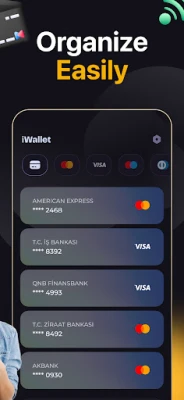
Cards Wallet is a lightweight Android utility that turns your device into a personal card repository. Instead of juggling a stack of plastic cards, you can capture the essential information—barcodes, QR codes, loyalty numbers, and membership details—and keep them organized in a single, searchable list.
Main features
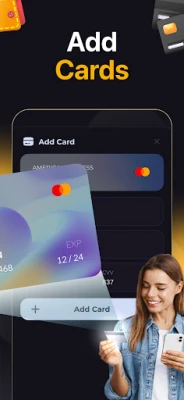
- Card capture: Add new entries by scanning a barcode or QR code, or by typing the details manually.
- Local storage: All data is saved on the device, giving you full control over your information.
- Quick display: Open a saved card with a tap and show the code on the screen for easy scanning at a point of sale.
- Category organization: Group cards by type—loyalty, gift, membership, etc.—to find what you need faster.
- Search function: Locate a card by name or number without scrolling through the whole list.
How it works
After installing the app, you create a new card entry. Choose the capture method—camera scan or manual entry—then assign a label and optional notes. The app stores the image of the barcode or QR code along with any textual data you provide. When you need a card, open the app, select the entry, and the code appears full‑screen, ready to be scanned by a retailer’s reader.
Practical uses
- Keep loyalty cards from supermarkets, coffee shops, and pharmacies in one place.
- Store gym or library membership cards that you need to present regularly.
- Save gift‑card numbers and barcodes to avoid losing the physical card.
- Maintain digital copies of event passes or coupons that use QR codes.
Installation information
The app is available for free on the Google Play Store. Search for the package name com.nfc.creditcard.wallet.cardkeeperx or the title “Cards Wallet – Digital Wallet” and tap Install. The download size and Android version requirements are not listed, so ensure your device runs a recent version of Android and has sufficient storage.
Things to know before installing
- The app does not support contactless payments; it is purely an organizer.
- All data remains on the device; there is no cloud backup unless you use a separate backup solution.
- Because the app stores barcodes locally, you should protect your phone with a lock screen to keep the information private.
Who may find it useful?
Anyone who prefers a minimalist wallet will benefit—from frequent shoppers who collect loyalty cards to students managing library and campus IDs. The app is also handy for small business owners who keep multiple discount or supplier cards.
Frequently asked questions
Can I export my saved cards?
The current version does not include an export feature. You can back up the app’s data using Android’s built‑in backup tools.
Is the app safe for sensitive information?
Since all data stays on the device and the app does not transmit it, the primary security depends on your phone’s lock screen and overall device security.
Do I need an internet connection to use the app?
No. Adding cards via manual entry works offline, and scanned codes are displayed locally.
Rate the App
User Reviews















Popular Apps










 Games
Games Entertainment
 Communication
 E-mail
 Security
 Tools
Tools Media
Media Internet
 Finance
 Design
 Education
 IT Tools
 Travel & Local
 Android
 Windows
 Linux
Linux