
Latest Version
Latest
August 23, 2026
StarNote
BOOKS AND REFERENCE
Android
125
Free
com.onyx.galaxy.global.booxreader
Report a Problem
More About BooxReader – Free EPUB & PDF Reader for Android
What is BooxReader?
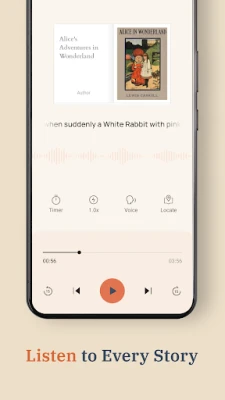
BooxReader is a free Android application that serves as a versatile document and ebook viewer. It supports a range of file types, allowing you to keep all of your reading material—whether textbooks, novels, research papers, or comics—in one place on your device.
Main features
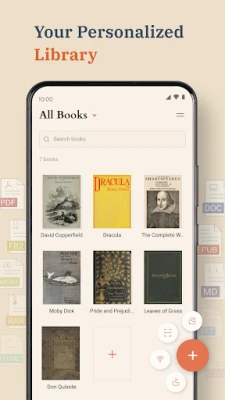
- Broad format support: Open PDF, EPUB, MOBI, AZW3, FB2, TXT, RTF, HTML, ODT, CBZ and CBR files without needing additional plugins.
- Flexible navigation: Choose between page‑by‑page turning or smooth vertical scrolling for both books and documents.
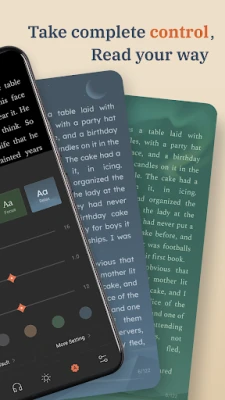
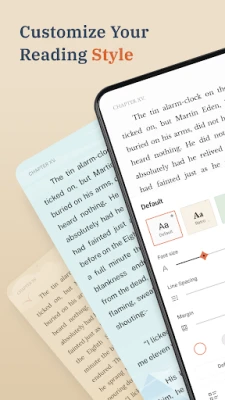
- Reading comfort: Switch among light, dark, vintage paper and eye‑care themes; adjust font size, style, line spacing and margins to suit your preferences.
- Zoom and crop: Precise zoom controls and margin cropping help you fit large PDFs to the screen.
- Local library: All files remain on your device, so you can read offline without uploading anything to the cloud.
- Bookmarking: The app remembers the last page you read, making it easy to resume where you left off.
How it works
After installing BooxReader, you can browse your device’s storage directly from the app and select any supported file. The viewer loads the document and presents a toolbar where you can change display settings, zoom level, and navigation mode. Settings are saved per file, so each book or PDF can have its own preferred layout.
Practical uses
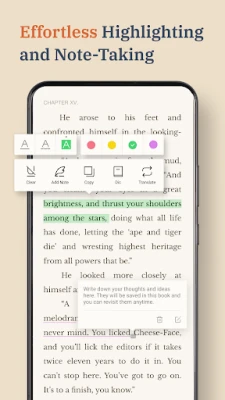
- Students: Load lecture PDFs, e‑textbooks, or research articles and annotate them with built‑in zoom and margin tools.
- Casual readers: Keep your personal ebook collection on the phone and enjoy night‑mode reading on the go.
- Comic fans: Open CBZ or CBR comic archives and flip pages smoothly, with the option to organize series in folders.
Installation information
The app is available through the standard Android package manager. Search for the package name com.onyx.galaxy.global.booxreader or the app title, then tap Install. No additional permissions beyond file access are required.
Things to know before installing
- The app does not provide any online store or download service; you must supply your own files.
- All reading data stays local; there is no cloud sync.
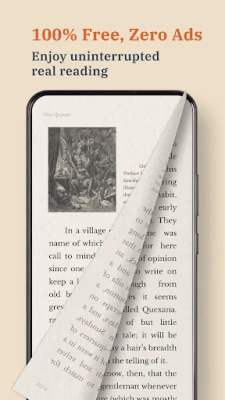
- Because the app is free, it does not display advertisements or require a login.
Who may find BooxReader useful?
Anyone who prefers to keep their reading material on a personal device will benefit from BooxReader. It is especially handy for users who need a single app to handle both academic PDFs and leisure ebooks, as well as for comic enthusiasts who want a straightforward offline viewer.
Frequently asked questions
- Can I annotate PDFs? BooxReader offers zoom and margin cropping but does not include full annotation tools.
- Is there a limit to file size? The app can open large PDFs, though performance may depend on device hardware.
- Do I need an internet connection? No. All supported files are read from local storage, so the app works completely offline.
Rate the App
User Reviews








Popular Apps










 Games
 Entertainment
 Communication
 E-mail
 Security
 Tools
 Media
 Internet
 Finance
 Design
 Education
 Android Firmwares
 Travel & Local
 Android
 Windows
 Linux