
Latest Version
Latest
September 09, 2026
Cee68
BOOKS AND REFERENCE
Android
8
Free
com.oneletters.audiobooksai
Report a Problem
More About AudioBooks Unlimited to Kindle – Turn Kindle Books into Audio
What is AudioBooks Unlimited to Kindle?
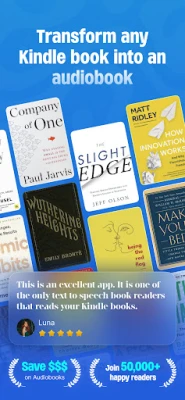
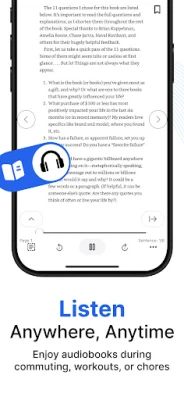
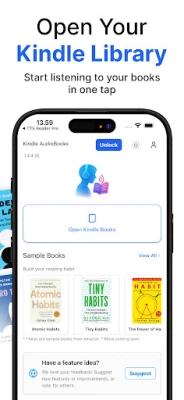
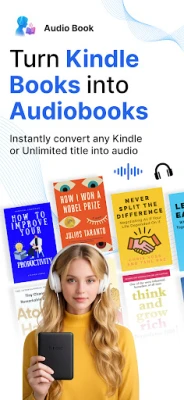
AudioBooks Unlimited to Kindle is a free Android app that lets you listen to the text of your Kindle books as spoken audio. By using text‑to‑speech conversion, the app creates an audiobook‑like experience from the e‑books stored in your Kindle account.
Main features
- Convert any Kindle title – Load a book from your Kindle library and generate a spoken version.
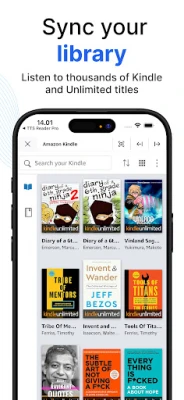
- Support for Kindle Unlimited – Titles accessed through a Kindle Unlimited subscription can also be processed.
- Adjustable playback speed – Choose a narration speed that matches your listening preference.
- Voice selection – Switch between available system voices to find a tone you like.
How it works
After installing the app, you sign in with your Amazon Kindle credentials. The app retrieves the list of books associated with your account, downloads the text content, and runs it through the device’s built‑in text‑to‑speech engine. The resulting audio stream is played back within the app, allowing you to pause, skip chapters, or change speed at any time.
Practical uses
- Commute or travel – Turn a long reading session into a hands‑free listening experience.
- Multitasking – Keep up with a novel while cooking, exercising, or doing chores.
- Accessibility – Provide an audio alternative for users who prefer listening over reading.
Installation information
The app is available for free on the Android platform. Simply search for the package name com.oneletters.audiobooksai in your device’s app store, download, and install. No additional fees are required.
Things to know before installing
- Requires a Kindle account with purchased or Kindle Unlimited titles.
- Relies on the device’s text‑to‑speech engine; quality of narration depends on the voices installed on your phone.
- Internet connection is needed to sync your Kindle library and download book content.
Who may find it useful?
Anyone who owns Kindle e‑books and wants a flexible way to listen to them will benefit from this app. It is especially handy for frequent travelers, busy professionals, and readers who experience eye strain.
Frequently asked questions
Do I need an Audible subscription?
No. The app works with the text of Kindle books you already own or access through Kindle Unlimited.
Can I export the audio files?
The app streams the generated audio internally; it does not create separate audio files for export.
Is the app compatible with all Android versions?
Compatibility depends on the device’s ability to run the standard Android text‑to‑speech services. Most modern Android phones and tablets should be supported.
Rate the App
User Reviews











Popular Apps










 Games
Games Entertainment
 Communication
 E-mail
 Security
 Tools
Tools Media
Media Internet
 Finance
 Design
 Education
 IT Tools
 Travel & Local
 Android
 Windows
 Linux
Linux