

Latest Version
Latest
September 06, 2026
Optimilia Studios
BOOKS AND REFERENCE
Android
6
Free
com.optimiliastudios.aquilereader
Report a Problem
More About Aquile: EPUB & PDF eBook Reader for Android
What is Aquile?
Aquile is a free eBook reader developed by Optimilia Studios for Android devices. It supports a range of popular document formats, including EPUB eBooks, PDF files, and comic‑book archives such as CBR and CBZ. The app focuses on providing a smooth, customizable reading environment without requiring a subscription.
Main Features
- Multi‑format support: Open EPUB novels, PDF textbooks, and comic‑book archives in a single app.
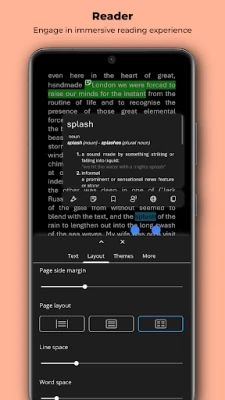
- Reading customization: Choose from several themes (including dark and sepia), adjust font size, line spacing, margins and brightness to suit your eyes.
- Navigation options: Switch between vertical scrolling and two‑column view for EPUBs, and pinch‑to‑zoom for comics and PDFs.
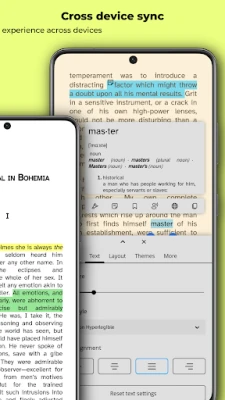
- Basic annotation: Highlight text, add simple bookmarks and write short notes while you read.
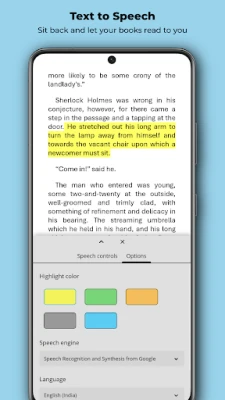
- Text‑to‑speech: Turn DRM‑free EPUB content into spoken audio using the built‑in TTS engine.
How It Works
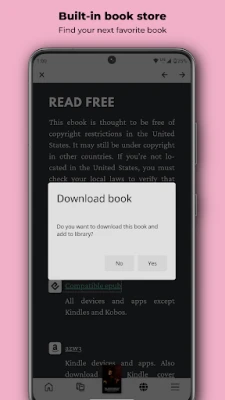
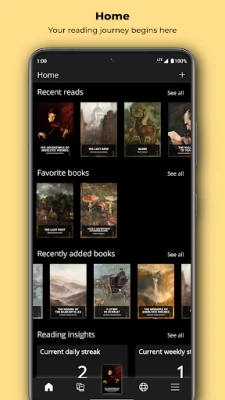
After installing Aquile, you can add books by browsing your device storage or by using the built‑in file picker. The app indexes supported files and displays them in a library view, where you can sort by title, author or recent activity. Selecting a title opens the reader interface, where the toolbar gives quick access to navigation, settings and annotation tools.
Practical Uses
- Students: Read PDFs of lecture notes or research papers, highlight key passages and add margin notes for later review.
- Novel enthusiasts: Enjoy long‑form EPUB novels with adjustable typography and night‑mode lighting.
- Comic and manga fans: View high‑resolution panels in CBR/CBZ files, zoom in for detail, and keep track of reading progress with bookmarks.
Installation Information
Aquile is available as a free download from the Google Play Store. The package name is com.optimiliastudios.aquilereader. No additional purchase is required to unlock core reading features.
Compatibility
The app runs on Android devices that meet the minimum system requirements defined by the Play Store. Because the exact Android version requirement is not published, users should ensure their device runs a recent version of Android (typically Android 5.0 Lollipop or newer) to guarantee smooth performance.
Things to Know Before Installing
- The reader works with DRM‑free EPUB files only; protected eBooks will not open.
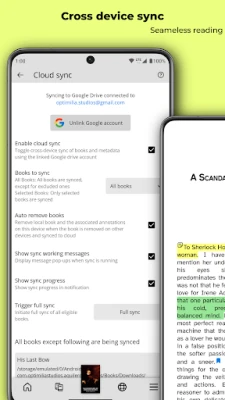
- While Aquile offers basic annotation, it does not provide advanced PDF editing or cloud‑based syncing.
- All reading data (bookmarks, highlights, notes) is stored locally on the device.
Who May Find Aquile Useful?
Anyone who needs a lightweight, versatile reader for multiple file types will benefit from Aquile. It is especially suitable for users who prefer a single app to manage eBooks, academic PDFs, and comic collections without paying for premium features.
Frequently Asked Questions
Can I read protected eBooks?
No. Aquile supports only DRM‑free EPUB files.
Does Aquile sync my library across devices?
Library data is stored locally; the app does not include built‑in cloud synchronization.
Is there a paid version?
Currently Aquile is offered as a free application with all core features available at no cost.
Rate the App
User Reviews














Popular Apps










 Games
Games Entertainment
 Communication
 E-mail
 Security
 Tools
Tools Media
Media Internet
 Finance
 Design
 Education
 IT Tools
 Travel & Local
 Android
 Windows
 Linux
Linux