
Latest Version
August 25, 2026
Amazon Mobile LLC
BOOKS AND REFERENCE
Android
116
Free
com.amazon.kindle
Report a Problem
More About Amazon Kindle: Reading App – Your Portable Library
What is Amazon Kindle: Reading App?
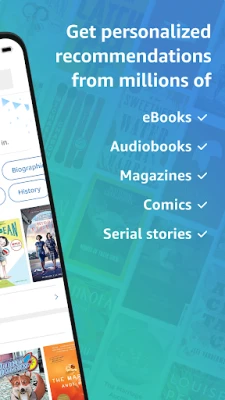
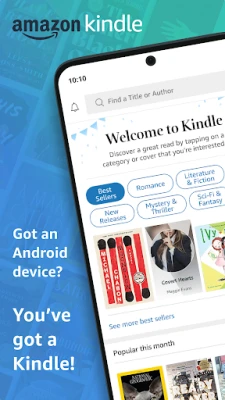
Amazon Kindle is a free Android application that lets you access the Kindle catalog you already own on Amazon.com. It turns your phone or tablet into a personal e‑reader, letting you enjoy novels, non‑fiction, magazines, comics, and more without needing a dedicated device.
Main features
- Sync across devices – Your last page, bookmarks, notes, and highlights are stored in the cloud, so you can pick up where you left off on any Android device.
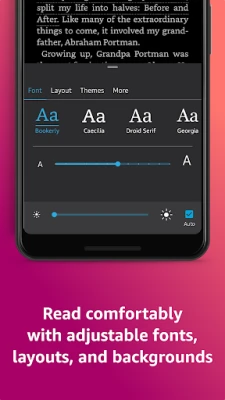
- Customizable reading layout – Adjust font size, type, line spacing, margins, and background color. Switch between portrait, landscape, or continuous scroll modes.
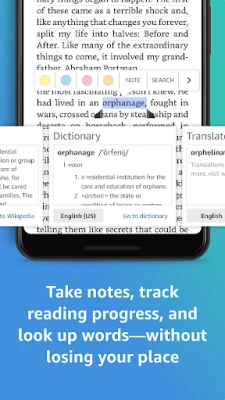
- Built‑in dictionary and reference tools – Tap a word for an instant definition, look up characters, or explore related Wikipedia entries without leaving the page.
- Brightness and night mode – Control screen brightness manually or let the app adapt to ambient light. Dark themes reduce eye strain in low‑light environments.
- Sample books – Preview a few pages of any Kindle title before deciding to purchase on Amazon.
How it works
After installing the app, sign in with your Amazon account. The app automatically displays the titles in your Kindle library. Selecting a title downloads it to your device for offline reading, while the cloud copy remains available for future devices. All reading progress is saved to Amazon’s servers, ensuring a seamless experience across phones, tablets, and the Kindle e‑reader.
Practical uses
- Commute reading – Load several books before a trip and read without needing an internet connection.
- Study and research – Highlight passages, add notes, and export them later for reference.
- Nighttime reading – Use the dark theme and adjustable brightness to read comfortably in bed.
Installation information
The app is available through the Google Play Store. Search for "Amazon Kindle: Reading App" or use the package name com.amazon.kindle. The download size varies with updates, but the app itself does not require a large amount of storage to start reading.
Compatibility
Kindle runs on Android devices that meet the minimum system requirements defined by Google Play. The app adapts to different screen sizes and resolutions, providing a consistent experience on phones and tablets.
Things to know before installing
- You need an Amazon account to access purchased Kindle books.
- Some titles may require an additional purchase or a Kindle Unlimited subscription.
- Internet access is required for initial sync and for downloading new titles, but reading offline is supported after download.
Who may find it useful?
Anyone who already buys Kindle books or subscribes to Kindle Unlimited will benefit from a dedicated Android reader. Students, frequent travelers, and casual readers who prefer a flexible, customizable reading experience will also appreciate the app.
Frequently asked questions
Can I read PDFs or other file formats?
The Kindle app primarily supports Amazon’s Kindle format (AZW, MOBI, etc.). For PDFs, you can upload them to your Kindle library via Amazon’s "Send to Kindle" service and then open them in the app.
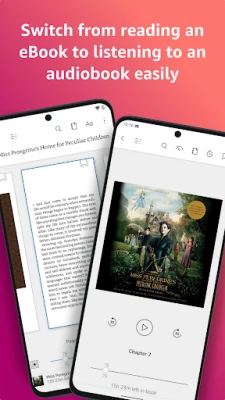
Does the app support audiobooks?
Audiobook playback is available for titles that include Audible narration. The app provides basic playback controls, but a separate Audible app may be required for full functionality.
Is my reading data private?
Reading progress, highlights, and notes are stored in your Amazon account. Amazon’s privacy policy governs how this information is handled.
Rate the App
User Reviews






Popular Apps










 Games
 Entertainment
 Communication
 E-mail
 Security
 Tools
 Media
 Internet
 Finance
 Design
 Education
 Android Firmwares
 Travel & Local
 Android
 Windows
 Linux