Latest Version
September 07, 2026
Alan.AlReaderX
BOOKS AND REFERENCE
Android
6
Free
com.neverland.alreaderext
Report a Problem
More About AlReaderX – Versatile Text Book Reader for Android
What is AlReaderX?
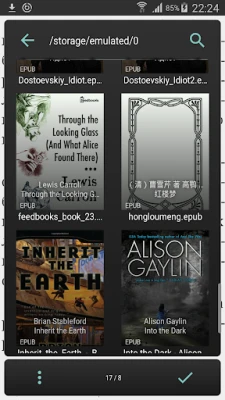
AlReaderX is a free Android application designed for reading electronic books and documents. It supports a broad selection of file types, allowing you to open everything from classic novels to technical manuals without needing separate apps.
Main Features
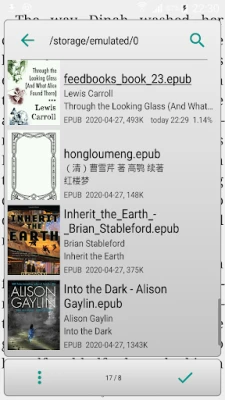
- Broad format support: Open fb2/fbz, fb3, mobi, prc, azw, azw3, epub, doc, docx, rtf, odt, html, txt, and zip archives that contain books.
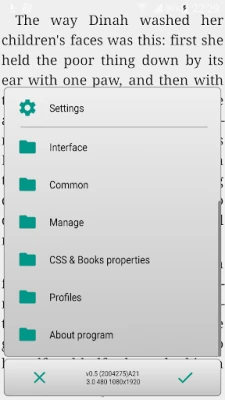
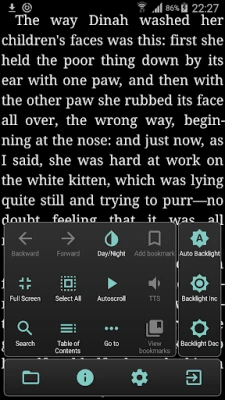
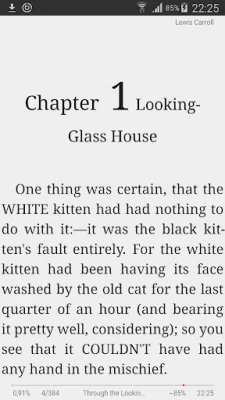
- Customizable reading view: Choose between day and night profiles, adjust font size, type, and color, and select one‑ or two‑page layouts that automatically switch in landscape mode.
- Navigation tools: Jump by percentage, page, chapter, or to the beginning/end of a file. Pinch‑to‑zoom and nine configurable tap zones make navigation intuitive.
- Advanced text handling: Built‑in hyphenation for 20 languages, typo correction for fb2 and txt files, and an optional external dictionary for quick word look‑ups.
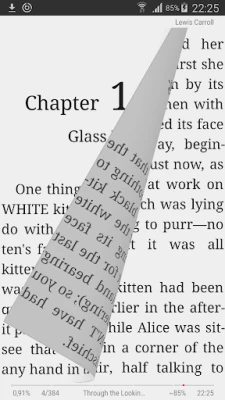
- Visual enhancements: OpenGL‑based page‑turn animations and an optional autoscroll "wave" mode for hands‑free reading.
- Reading continuity: Sync your position across devices or via the file system, and keep the screen backlight on for up to ten minutes of inactivity.
How It Works
After installing AlReaderX, you can open a supported file directly from your device’s storage or share a document to the app from another program. The reader automatically detects the file format and presents the content in the chosen layout. Use the on‑screen controls or configure gestures to turn pages, adjust settings, or access the dictionary.
Practical Uses
- Students: Load lecture notes in docx or pdf‑like txt files, annotate typos, and switch to night mode for late‑night study sessions.
- Travelers: Store multiple ebooks in a zip archive and read them offline with battery‑saving backlight control.
- Language learners: Activate the external dictionary to translate unfamiliar words while reading foreign‑language texts.
Installation Information
AlReaderX is available as a free download. Install it from a trusted Android marketplace, grant the necessary storage permissions so the app can access your ebook files, and you’re ready to start reading.
Compatibility
The app runs on Android devices that support standard storage access. Specific version requirements are not listed, but the lightweight design makes it suitable for a wide range of smartphones and tablets.
Things to Know Before Installing
- While the app handles many formats, it does not support DRM‑protected files.
- External dictionary integration requires a separate dictionary file or app; AlReaderX provides the interface but not the dictionary itself.
- Syncing reading position works via local file sharing or network connections; a cloud service is not built in.
Who May Find It Useful?
Anyone who reads digital text on Android—students, professionals, avid readers, and language learners—will benefit from AlReaderX’s flexible layout options and extensive format compatibility.
Frequently Asked Questions
- Can I read DRM‑protected ebooks? No, AlReaderX works with files that are not protected by DRM.
- Is there a way to change the background color? Yes, you can customize both background and text colors in the settings.
- Does the app support cloud storage? Direct cloud integration is not included, but you can open files stored on cloud‑synced folders that appear in your device’s file system.
- How do I enable the external dictionary? Install a compatible dictionary app or file, then select it in AlReaderX’s dictionary settings.
Rate the App
User Reviews












Popular Apps










 Games
Games Entertainment
 Communication
 E-mail
 Security
 Tools
Tools Media
Media Internet
 Finance
 Design
 Education
 IT Tools
 Travel & Local
 Android
 Windows
 Linux
Linux