

Latest Version
Latest
August 30, 2026
Alan.AlReaderX
BOOKS AND REFERENCE
Android
136
Free
com.neverland.alreader
Report a Problem
More About AlReader – Versatile Text Book Reader for Android
What is AlReader?
AlReader is a free Android application developed by Alan.AlReaderX that turns your device into a flexible e‑book reader. It supports many common document types, allowing you to enjoy novels, textbooks, manuals and other written material without needing multiple apps.
Main features
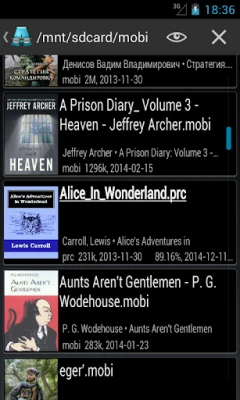
- Broad format support – Open files such as TXT, EPUB, MOBI, FB2, DOC/DOCX, ODT and RTF directly from your device.
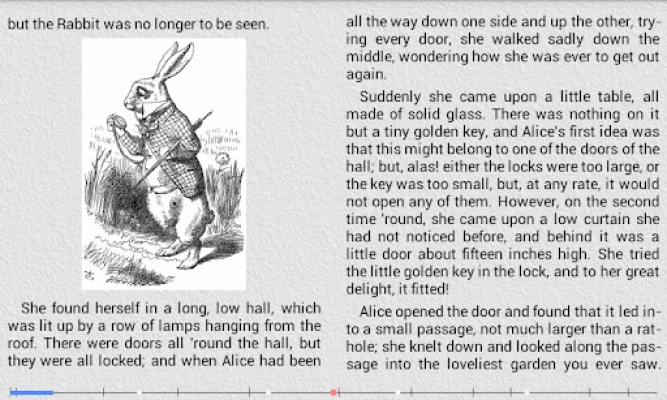
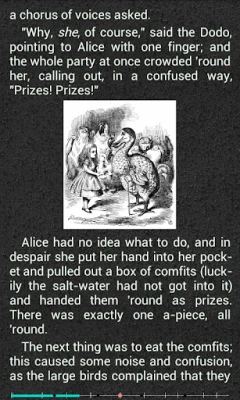
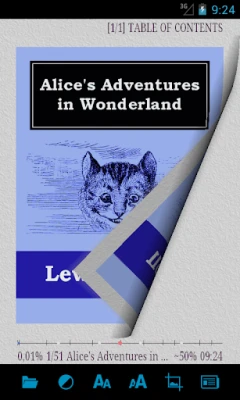
- Adjustable reading layout – Choose between single‑page or double‑page view, switch to landscape mode, and fine‑tune font size, line spacing and margins.
- Personalized appearance – Set background and text colors, enable night mode, and adjust brightness without leaving the app.
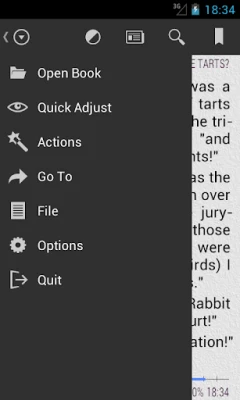
- Navigation tools – Jump to chapters, scroll by percentage or page count, and use a quick‑access table of contents when available.
- Search within the book – Find specific words or phrases instantly.
- Text‑to‑Speech (TTS) – Listen to supported texts using Android’s built‑in TTS engine.
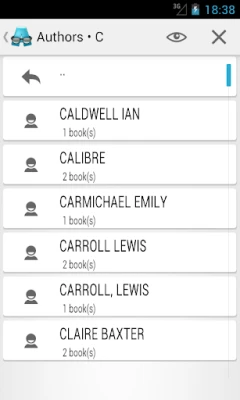
- Library organization – Sort your collection by title, author, genre or custom tags for easy browsing.
How it works
After installing AlReader, you can open e‑books from any folder on your device or from cloud storage apps that expose files to Android. The app automatically detects the file type and renders the content using its built‑in engine. You can then customize the reading view through the settings menu, where options for font, colors, and layout are grouped for quick access.
Practical uses
- Students can load textbooks in PDF‑like formats (DOCX, ODT) and annotate them with the built‑in bookmark feature.
- Travelers can keep a library of lightweight EPUB or MOBI files for offline reading.
- Language learners may benefit from the TTS function to hear pronunciation while following the text.
Installation information
AlReader is available as a free download from the Appitika store. Tap the install button, grant the requested file‑access permissions, and the app will appear in your app drawer ready for use.
Compatibility
The app runs on Android devices that meet the minimum system requirements defined by the operating system. Because it relies on standard Android libraries, it works on most smartphones and tablets.
Things to know before installing
- AlReader does not include a built‑in store for purchasing books; you need to provide your own files.
- The app respects DRM‑free formats only; protected e‑books will not open.
- Some advanced formatting (e.g., complex tables) may appear simplified depending on the source file.
Who may find AlReader useful?
Anyone who reads digital text on Android can benefit from AlReader – from casual readers who enjoy novels to professionals who need to review documents on the go. Its free license makes it an attractive option for users who prefer open‑source‑style tools without hidden costs.
Frequently asked questions
- Can I import books from cloud services? Yes, you can open files stored in services like Google Drive or Dropbox using the standard Android file picker.
- Does AlReader support bookmarks? The app includes a simple bookmark feature that lets you mark your current position and return to it later.
- Is there a night‑mode option? Yes, you can switch to a dark background with light text for comfortable reading in low‑light environments.
- How does Text‑to‑Speech work? AlReader uses the device’s existing TTS engine; you may need to install a language pack if it is not already present.
Rate the App
User Reviews








Popular Apps










 Games
 Entertainment
 Communication
 E-mail
 Security
 Tools
 Media
 Internet
 Finance
 Design
 Education
 Android Firmwares
 Travel & Local
 Android
 Windows
 Linux