

Latest Version
Latest
August 28, 2026
Greentech Apps Foundation
BOOKS AND REFERENCE
Android
135
Free
com.greentech.quran
Report a Problem
More About Al Quran (Tafsir & by Word) – Free Quran Reader
What is Al Quran (Tafsir & by Word)?
Al Quran (Tafsir & by Word) is a free Android application developed by Greentech Apps Foundation. It provides a digital Qur’an experience that combines the original Arabic text with detailed explanations, word‑by‑word translations, and audio recitations. The app is designed for anyone who wants to read, listen to, or study the Qur’an on a mobile device.
Main features
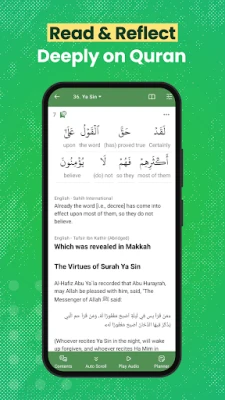
- Word‑by‑word translation – Tap any Arabic word to see its meaning in several languages, making the text more accessible for learners.
- Tafsir integration – Access classical and contemporary tafsir commentary directly alongside the verses.
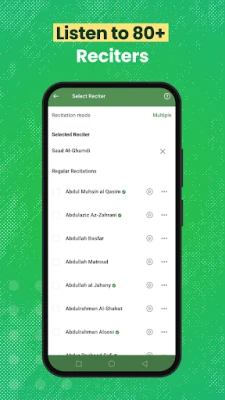
- Audio recitations – Listen to recitations from a selection of well‑known reciters, with options for repeat and verse‑by‑verse playback.
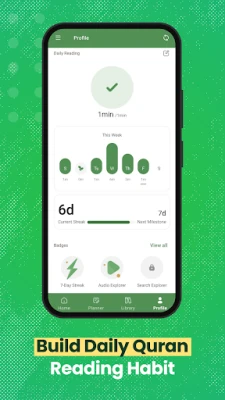
- Reading plans – Set daily reading goals, track progress, and build a consistent habit.
- Search and navigation – Quickly find verses, chapters (surahs), or specific words using the built‑in search function.
- Bookmarking – Mark favorite verses for easy reference later.
How it works
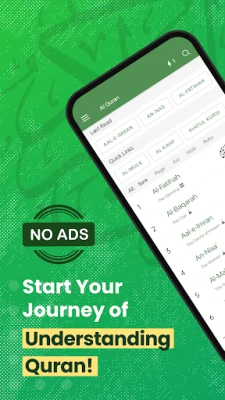
When you open the app, the main screen displays the Qur’an in its traditional layout. Selecting a verse opens a detailed view where you can:
- Read the Arabic text.
- View word‑by‑word translations by tapping individual words.
- Read tafsir commentary that explains the context and meaning.
- Play an audio recitation of the verse, with controls for looping or playing a range of verses.
The app also includes a menu for choosing different languages for translation and tafsir, allowing users to switch between them without leaving the reading view.
Practical uses
- Personal study – Ideal for individuals who want to deepen their understanding of the Qur’an by exploring linguistic details and scholarly commentary.
- Language learning – The word‑by‑word feature helps learners of Arabic see how each term translates into their native language.
- Memorisation – Audio playback with repeat options supports memorisation of verses.
- Daily devotion – Reading plans and progress tracking encourage regular engagement.
Installation information
The app is available through the Google Play Store. Search for the package name com.greentech.quran or the title “Al Quran (Tafsir & by Word)”. Tap “Install” and follow the standard Android installation prompts.
Things to know before installing
- The app is free to download and use.
- It does not contain advertisements, providing an uninterrupted reading experience.
- Internet connectivity is required for downloading audio files and for accessing some translations and tafsir resources.
Who may find it useful?
Anyone interested in reading the Qur’an on a mobile device will benefit, especially:
- Students of Islamic studies.
- Arabic language learners.
- People who prefer listening to recitations while on the go.
- Individuals seeking a structured daily reading routine.
Frequently asked questions
Do I need an internet connection to use the app?
Basic reading works offline after the initial download, but audio recitations and some translation resources require an internet connection.
Can I switch between different languages for translation?
Yes, the app includes multiple language options for word‑by‑word meanings and tafsir. You can change the language in the settings menu.
Is there a way to track my reading progress?
The built‑in reading plan lets you set daily targets and view statistics on completed verses and streaks.
Rate the App
User Reviews















Popular Apps










 Games
 Entertainment
 Communication
 E-mail
 Security
 Tools
 Media
 Internet
 Finance
 Design
 Education
 Android Firmwares
 Travel & Local
 Android
 Windows
 Linux